
Thinking about moving to an SSD, but dizzy from all the jargon and choices? Let’s make sense of things and avoid expensive mistakes.
When buying an SSD, check your computer’s supported form factors (like 2.5-inch, M.2, or PCIe) and interface (SATA or NVMe), choose a suitable capacity, confirm When buying an SSD, check your computer’s supported form factors9 (like 2.5-inch, M.2, or PCIe) and interface (SATA or NVMe), choose a suitable capacity, confirm read/write speed, and pick trusted brands
If you want faster boot times, game loads, or quicker file access, SSDs are a huge upgrade. But with all the buzzwords—TLC, QLC, DRAM, NVMe, SATA—there’s a lot to unpack. It matters whether you want one as your main system drive, for gaming, or for bulk storage. Let’s break down each decision so you only buy what actually benefits you.
What to look before buying SSD?
Jumping into SSD shopping, it’s easy to get overwhelmed by options. Do you really know what matches your PC and usage?
Before buying, ensure the SSD fits your computer’s physical slot (like Before buying, ensure the SSD9 fits your computer’s physical slot (like M.2 or 2.5-inch SATA), matches the right interface your motherboard supports, and delivers enough speed and storage for your workflow
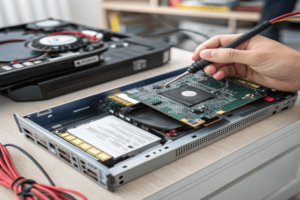
When I started upgrading my machines, the first thing I checked was the available slots. Most laptops and desktops today use either 2.5-inch SATA or M.2 form factors. M.2 drives look like sticks of gum and usually come in ‘2280’ (22mm wide, 80mm long), which fits most modern builds. But some motherboards only support SATA, others support value-boosting NVMe. Double check your specs. If you buy a PCIe Gen 4 drive, but your board only does Gen 3, you’ll lose some speed and waste budget. I use manufacturer tools or manuals to confirm compatibility, so I never buy a drive I can’t install.
SSD Form Factors and Compatibility Table
| Form Factor | Common Use | Compatibility Note |
|---|---|---|
| 2.5-inch | Laptops, desktops | Fits in most HDD bays (SATA only) |
| M.2 | Modern laptops, desktops | Check length (e.g., 2280), slot type (SATA or NVMe) |
| PCIe AIC | Desktops only | Needs open PCIe x4/x16 slot |
| U.2 | Enterprise/server | Rare for consumer desktops |
Before pulling the trigger, I always check if my device needs single-sided or double-sided M.2, if it supports NVMe, and if I’ll need a mounting screw. Skipping details here can mean wasted money or a return.
How to know what SSD to choose?
So many SSDs promise speed, but how can you tell what’s actually best for you?
Choose based on your device compatibility (Choose based on your device compatibility (SATA vs NVMe), required capacity9 (at least 500GB for most users), and intended workload
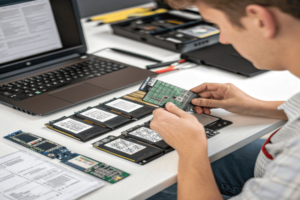
I always start by figuring out my real needs. Is it for booting Windows and launching demanding games? I get an NVMe SSD with at least PCIe Gen 3, if available, Gen 4 for best results—and make sure my board supports the slot. If just storing documents or media, a SATA SSD is fine and costs less. For gaming, 1TB SSDs are great as size grows and prices drop; I avoid anything under 256GB, because those fill up fast and get slower as they’re packed with data.
NAND type guides endurance. TLC (Triple Level Cell) is the sweet spot for most home users: good price, good life. MLC costs more, lasts longer. QLC’s only for bulk storage, not heavy OS or gaming use. DRAM is another point: SSDs with onboard DRAM cache write and read faster under load, while DRAMless models lag behind, but they’re cheaper. If high random speeds matter—like for game loading or big productivity apps—spring for DRAM models.
Quick Match Guide Table:
| Use Case | Recommended SSD | Why |
|---|---|---|
| Boot OS + Games | NVMe M.2 (TLC, with DRAM) | Speed, endurance, random access |
| Bulk Storage | SATA 2.5″ (TLC/QLC) | Cheaper, fine for less-accessed files |
| Laptops/Travel | M.2 NVMe (TLC, low power) | Lightweight, efficient, fast |
| Professional | High-end NVMe (MLC/TLC, long warranty) | Highest endurance, fastest speeds |
What do I need to know about SSD?
You want your SSD to last and perform well, not just be fast today.
Key things to know: SSDs come in different NAND types (SLC, MLC, TLC, QLC)—which affects speed and lifespan. Endurance ratings (TBW, DWPD) specify drive life. Features like TRIM, ECC, and power protection aid reliability. Not all SSDs have DRAM, and cheaper ones may slow down in sustained writes. Use trusted brands for support and updates [2][8][10].
Endurance is measured by how much you can write before failure. Consumer TLC drives have enough for years of normal use. QLC drives are best for storage rarely overwritten. Manufacturers post TBW and warranty periods—longer warranties usually mean robust design. Random write IOPS, controller quality, and TRIM support matter most for system drives. Modern SSDs also use 3D NAND, stacking cells for more space and longevity. I look for specs like TRIM, error-correction, and firmware updates. For laptops, I prefer energy-efficient drives to save on battery. Hot-running drives often include heat sinks; make sure your setup can cool them, especially in compact desktops.
Got one with game mode or hardware encryption? Those are nice extras but not essential unless security or speed is critical to your work.
SSD Memory Types Comparison Table
| NAND Type | Cost | Speed | Endurance | Use Case |
|---|---|---|---|---|
| SLC | $$$$ | Fastest | Highest | Enterprise/cache |
| MLC | $$$ | Fast | Very High | Pro/server |
| TLC | $$ | Good | High | Most users |
| QLC | $ | Budget | Lower | Bulk storage |
Conclusion
Match your SSD to your device, needs, and budget: form factor, interface, real capacity, endurance, and reliable features—don’t pay extra for numbers you’ll never use.
-
Knowing the ideal storage capacity ensures you have enough space for your files and applications.
), required capacity (at least 500GB for most users), and intended workload. If you need high speeds for video or big file operations, pick a PCIe NVMe SSD. If durability matters, check TBW (Total Bytes Written) and favor TLC or MLC NAND over QLC. For basic everyday use, SATA SSDs are okay [2][7][8]. ↩ ↩ ↩
