
External SSDs are everywhere, but the right way to care for them can be confusing. I often see users wonder when and how toExternal SSDs97 are everywhere, but the right way to care for them can be confusing. I often see users wonder when and how to unplug them—are they risking data or device life?
If you’re not using your external SSD, unplugging it is best for safety and longevity. Unplugging when idle protects both your data and the SSD’s hardware.
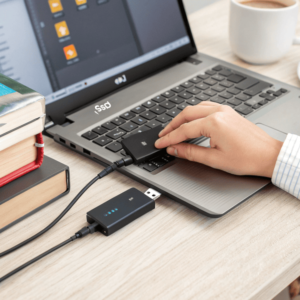
Leaving a drive idling, even for convenience, can threaten both your files and your hardware. I learned the hard way when a routine power surge damaged an SSD I had left plugged in overnight. It made me rethink how I handle all my devices, especially expensive ones. The right habits can protect your tools and save you headaches later.
Is it safe to just unplug an external SSD?
Some people just yank out their SSDs the moment they finish. I get it—pull and go saves time. But is it really safe for your data and your drive?
It is unsafe to unplug an external SSD without safely ejecting. Sudden removal can It is unsafe to unplug an external SSD97 without safely ejecting. Sudden removal can corrupt files or damage the SSD’s file system, especially if data is still being written.
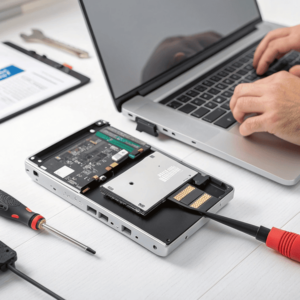
When I was new in the mold industry, I made the mistake of quickly unplugging drives after transferring files, trying to keep pace with the rush of the factory. More than once, I lost valuable CAD files because the SSD was still finishing a transfer in the background. The worst part was not realizing damage until days later when a file refused to open. SSDs, while more robust than traditional hard drives, still rely on uninterrupted data flow. Here’s a simple table showing the risks and best practices:
| Action | Risk Level | Potential Issues | Best Practice |
|---|---|---|---|
| Safe Eject (OS) | Low | Almost None | Always use software eject |
| Unplug while idle | Medium | Rare corruption | Check indicator lights |
| Unplug during write | High | File/data corruption | Wait for transfer to end |
| Force disconnect | Very High | File system damage | Avoid unless necessary |
Properly ejecting tells your system all transfers are done and it’s safe to unplug. It’s a small habit but saves trouble. Not worth risking your project files!
Is it bad to leave an external SSD plugged in all the time?
I used to keep my SSD plugged in for quick access. It saved me a minute or two, but was it really harmless in the long run?
Leaving an external SSD plugged in all the time can reduce device lifespan and increase risk from unexpected power events. Regularly unplugging avoids wear and accidental Leaving an external SSD97 plugged in all the time can reduce device lifespan and increase risk from unexpected power events. Regularly unplugging avoids wear and accidental data loss.
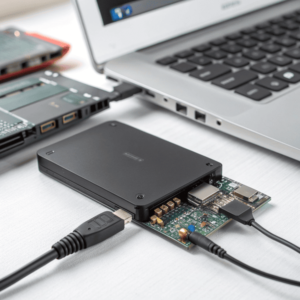
When I worked late into the night at my factory, fatigue made me leave devices connected just for convenience. Over time, I noticed drives heating up even when dormant. External SSDs use tiny amounts of power but being plugged in means they’re ready for action, and the active state can age the memory cells inside the drive. On top of that, a sudden outage—like a blackout or cable trip—can cause data loss or even hardware failure. I always recommend unplugging whenever you’re stepping away for a long time. Here’s a quick breakdown:
| Condition | Issue | Recommendation |
|---|---|---|
| Short-term idle | Minimal risk | OK to leave for hours |
| Overnight/extended idle | Heat and wear, surge risk | Unplug after use |
| Shared/public workspace | Security risk | Never leave unattended |
| Frequent use (every hour) | Acceptable tradeoff | Monitor device temperature |
Managing these habits is simple: unplug when you finish work. Your SSD will thank you, and your files will be safer.
Do I need to eject an external hard drive before unplugging?
It’s tempting to pull the plug, especially when you’re sure nothing’s being copied. Do you really need to use "Eject" every time?
Yes, always eject your external hard drive before unplugging. Ejecting ensures all background tasks finish and no Yes, always eject your external hard drive97 before unplugging. Ejecting ensures all background tasks finish and no files are lost or corrupted.
The "Eject" command isn’t just for show. It signals your operating system to complete file transfers and disconnect the device safely. Even if you think all work is done, system processes or virus scans can run in the background. Early in my mold design days, skipping this step cost me hours of rework. Files sometimes became unreadable, sometimes they disappeared altogether. For both SSDs and traditional hard drives, the risks are the same. See how the process stacks up:
| Device Type | Eject Necessary? | Why | What’s at Risk |
|---|---|---|---|
| SSD | Yes | Data buffer, write caching | Corrupted files/data |
| HDD | Yes | Mechanical read/write heads | Bad sectors, corruption |
| Flash Drive | Yes | Similar to SSDs | Data loss |
Making a habit of ejecting takes just a second. It pays off every time you open your files safely the next day.
Conclusion
Unplugging your external SSD when not in use and always ejecting it first is the simplest way to keep your data safe and your device healthy.
