
Many people want faster computers or more space, but they worry about compatibility or wasted money with multiple SSDs.
You can use more than one SSD in almost any modern computer. Most motherboards have several SATA or NVMe slots to install multiple SSDs easily.
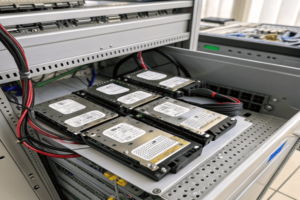
You do not need to worry about complicated setups. Adding more SSDs is simple in most PCs. I’veYou do not need to worry about complicated setups. Adding more SSDs is simple in most PCs. I’ve upgraded my setup27 multiple times, so I’ll explain how it works and what mistakes to avoid
Yes, you can have two SSDs in your PC, as long as your motherboard has enough SATA or M.2 NVMe slots available for installation.
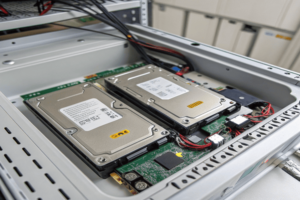
Every modern desktop motherboard typically has more than one connector for storage. Some have two, four, or even more SATA ports, and often one or two M.2 slots for NVMe SSDs. When I switched from using just a single SSD to having two (one for Windows and one for CAD files), my workflow was smoother, and I could keep my design files separate from my system. Installing a second SSD is as straightforward as plugging it in andInstalling a second SSD27 is as straightforward as plugging it in and formatting it in Windows or your operating system
Having two SSDs does not reduce performance. Each SSD works independently, so you get fast speeds from both as long as all connections are supported.

When I added a second SSD, my PC did not get slower. In fact, splitting software and data between drives sometimes increased speed because both disks couldsplitting software and data between drives sometimes increased speed27 because both disks could read or write files at the same time
You can install three SSDs in your PC if your motherboard supports enough SATA or M.2 NVMe slots, and your power supply can handle it.

For my own projects, I needed extra space on top of my system and work drives. After checking my motherboard manual, I saw that I had four SATA ports plus two M.2 slots. I installed three SSDs: one for the system, one for work folders, and one for backup files. Each SSD worked fine. You may need more cables in desktops, and good cable management to avoid clutter. With laptops, installing three SSDs is rare because of limited space, but desktop PCs are flexible. Always check your motherboard ports, physical case space, and make sure your power supply is capable (though SSDs use very little power). I found that organizing files across three SSDs helped me work faster without worrying about filling up a single drive. If you need four or more drives, some motherboards and cases can handle that too.
| Motherboard Spec | SATA Ports | M.2 Slots | Max SSDs Possible |
|---|---|---|---|
| Entry Desktop | 2–4 | 1 | 2–3 |
| Advanced Desktop | 4–8 | 2–3 | 3–6+ |
| Laptop | 1–2 | 1–2 | 1–2 |
| External Option | 0 | 0 | Add via USB/Thunderbolt |
Conclusion
You can use two or even three SSDs in your PC as long as your motherboard has enough slots and your case has space for them.
-
Understanding how increased speed can enhance performance will help you optimize your system’s efficiency.
at the same time. The only way performance can drop is if your motherboard shares limited bandwidth (such as older chipsets), but nearly all modern boards support at least two fast SSDs without issue. If you use heavy software, games, or large CAD files, putting them onto a separate SSD from your operating system can keep things running smoothly. I tested large file transfers while multitasking and did not notice any lags. For most users, adding another SSD boosts productivity. Make sure you use good quality drives and double-check your device specs for max bandwidth.Scenario Performance Effect Notes All SSDs SATA No major impact Sufficient ports required All SSDs NVMe, Gen 3/4 No major impact Check PCIe lane sharing OS on one, data on another Potential benefit Faster multitasking RAID setup Possible boost Speed depends on RAID type Can I have 3 SSDs in my PC?
Some people ask if three SSDs is too extreme, or if the motherboard will limit you. When I wanted extra storage for backup files, I tried three SSDs myself. ↩ ↩ ↩
