
If you have ever found your PC running out of space or lagging during a game, you might have wondered, “Could an If you have ever found your PC running out of space91 or lagging during a game, you might have wondered, “Could an external SSD solve this?” I asked myself the same question when my games started taking up hundreds of gigabytes.
Yes, you can use an external SSD for PC gaming. It allows you to store, install, and play games with faster load times compared to most traditional hard drives, as long as your connection is fast enough.
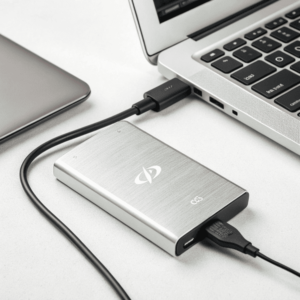
When every second of load time matters, and game files keep getting larger, finding fast, flexible storage matters more than ever. Let’s see how external SSDs really perform for PC gamers, and what to keep in mind if you want to plug in one for your favorite titles.
Can you play PC games on an external SSD?
Game files can easily eat up all your Game files can easily eat up all your internal storage. Many hope to keep their library mobile or add extra space for new titles91. Is it really as easy as plugging in and playing?
You can play PC games directly from an external SSD. Simply install your game library on the drive, connect it via USB 3.0 or faster, and launch your games as you would from an internal drive.
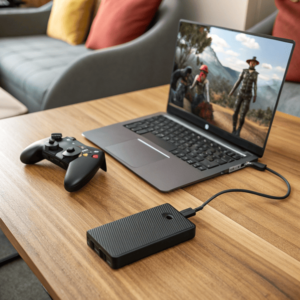
This was a lifesaver for me when my laptop didn’t have enough internal storage. I installed my games on an external SSD. Load times were much faster than my old external hard drive. For the best results, use a USB 3.0 or USB-C connection. Slower ports can bottleneck performance. Some anti-cheat software or game launchers may ask for more permissions or require extra setup, but most modern titles work perfectly fine.
Key Points When Playing Games from an External SSD
| Requirement | Recommendation | Why Important |
|---|---|---|
| Drive Type | SSD (not HDD) | Faster read/write speeds |
| Connection | USB 3.0 or USB-C | Reduces load time bottleneck |
| Game Library | Steam, Epic, etc. | Supports external storage |
| OS Support | Windows 10/11, modern Mac | Fewer driver issues |
| Eject Safely | Always | Prevent file corruption |
So yes, you can keep a whole gaming library in your backpack and play on any compatible PC.
Can I run my PC from an external SSD?
If your PC’s built-in drive is too small or too slow, you might wonder if you can boot and run everything from an If your PC’s built-in drive is too small or too slow, you might wonder if you can boot and run91 everything from an external SSD.
You can run your PC from an external SSD, but it usually requires creating a special “Windows To Go” or similar bootable setup. Not all computers or external SSDs support this option.
I set up a portable Windows system on an external SSD for emergencies and travel. This setup is great for troubleshooting, or running your system on different machines. However, standard Windows copies don’t allow installation to USB drives without extra tools, and Mac systems need specific settings. Boot speeds are often a bit slower than NVMe internal drives, but much faster than external hard drives.
Running an OS from an External SSD
| Operating System | Boot Option Needed | Challenges |
|---|---|---|
| Windows | Windows To Go/3rd-party | May not update, driver support |
| Linux | Live USB or full install | Easier setup, more portable |
| macOS | External boot, some Macs | Requires newer hardware |
It’s not as simple as drag-and-drop; setting up a full system install on an external SSD takes some technical know-how and patience.
Does an external SSD improve performance for gaming PC?
Switching to an external SSD is tempting if you want smoother performance and faster load times, but does it really make a difference?
External SSDs boost load times in games and speed up texture streaming compared to external hard drives. For actual in-game frame rates, your graphics card and processor matter more.

I tested this myself when transferring games from an old external hard drive to an SSD. The difference was instant — levels loaded in seconds rather than minutes, textures popped in faster, and patching went more smoothly. But once the game started, my frame rate depended on my graphics card, not the storage drive.
SSD vs HDD for Game Performance
| Performance Area | External HDD | External SSD | NVMe Internal SSD |
|---|---|---|---|
| Game Load Time | Slowest | Much faster | Fastest |
| Texture Streaming | Occasional pause | Smooth loading | Seamless |
| Patch/Update Speed | Long waits | Quick installs | Fastest |
| In-game FPS | Unchanged | Unchanged | Unchanged |
So, if you want faster loads and fewer in-game hiccups, an external SSD is a huge step up from a hard drive. Just remember, for higher frame rates, you still need a strong GPU and CPU.
Conclusion
You can play games from an external SSD, and it will cut load times compared to a hard drive. Set up your system carefully and enjoy portable, fast game storage.
