
When your laptop or desktop starts running low on space, you might look at that oldWhen your laptop or desktop starts running low on space, you might look at that old external hard drive and wonder, “Can I make this as fast as an SSD90?” This question pops up a lot, especially when speed is critical.
You cannot turn a standard external hard drive into a true SSD, but you can use an external SSD for similar high-speed storage. SSD and hard drive are different technologies.
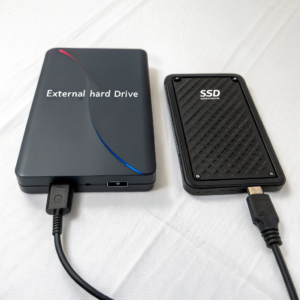 ](https://placehold.co/600×400 "Can you use an external hard drive as an SSD?")
Here’s what matters: a traditional external hard drive uses spinning disks, while SSDs use flash memory, making them much faster and more reliable. If you need the boost of SSD speeds, you must buy an external SSD or put an internal SSD in an enclosure to use as an external drive. Let’s dig into the differences to help you make the right choice for your projects.
Can you use an external hard drive as a SSD?
Sometimes you want to save money by repurposing an old drive. Many ask if you can Sometimes you want to save money by repurposing an old drive90. Many ask if you can convert a hard disk into an SSD with an adapter or cable.
You can’t turn an external hard drive into an SSD. However, you can put an internal SSD into an external enclosure and use it as fast storage via USB.[3][4]
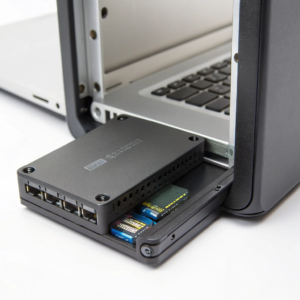
When I outgrew my old internal SSDs, I moved them to external use by buying an enclosure. This trick doesn’t work with hard disk drives (HDDs) because they’re built differently. SSDs don’t have moving parts, are smaller, and perform better. With the right external enclosure, even an older SSD can act as a super-fast backup or portable drive.
SSD vs HDD for external use
| Feature | External HDD | External SSD |
|---|---|---|
| Technology | Spinning disks | Flash memory |
| Speed | 100–160 MB/s | 400–1000+ MB/s |
| Durability | Vulnerable to drops | Resistant to shock |
| Weight | Heavier | Much lighter |
| Use case | Cheap backup/archives | Fast, working storage |
So, only SSD tech—external or internal—can give you SSD-like speeds. You can reuse old internal SSDs as external SSDs with an enclosure, but hard drives won’t magically become SSDs.
Are external hard drives SSD?
We see “external hard drive” everywhere when shopping online, but are all those drives really SSDs?
Not all external hard drives are SSDs. Most are traditional HDDs, but some are solid-state (SSD), which are faster and more durable. Check product specs before buying.[2][3][4]
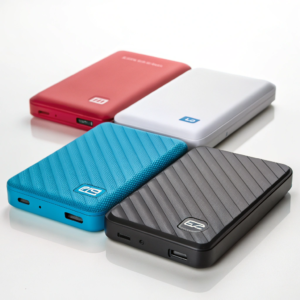
When I helped a coworker buy storage for large CAD models, she was overwhelmed by the options. Here’s how to make sense of it:
Types of External Hard Drives
| Type | Technology | Typical Use |
|---|---|---|
| External HDD | Spinning disk (HDD) | Large, cheap storage |
| Portable SSD | Flash memory (SSD) | Fast, performative storage |
What matters is what’s inside. HDDs are best for cheap, bulk backup. What matters is what’s inside. HDDs90 are best for cheap, bulk backup. SSDs shine when speed and portability are important. Always check the specs—look for “SSD” for fast performance, or you could end up with slower traditional storage.
External SSDs can use NVMe or SATA technology. NVMe SSDs are faster than other types, but when used externally, speed is limited by the USB/Thunderbolt connection—not just the NVMe technology.[4]
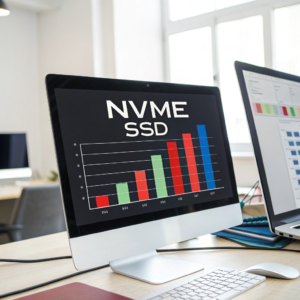
I often use fast NVMe SSDs in external cases for file swaps between office and home. On paper, NVMe drives can hit 3500–7000 MB/s inside a computer. Externally—using even the fastest USB or Thunderbolt—you won’t get their full speed.
Real-World Transfer Speeds
| Type | Max Speed (MB/s) | Best Use |
|---|---|---|
| NVMe SSD (Internal) | 3500–7000+ | Highest-speed local data |
| NVMe SSD (USB-C 3.2 Gen2) | ~1000–2000 | Fastest portable storage |
| SATA SSD (USB 3.0) | 400–600 | Cheaper, reasonable speed |
| HDD (USB 3.0) | 100–160 | Large, very cheap storage |
So, NVMe is the fastest SSD option, but its speed is reduced when used externally unless you use Thunderbolt or the newest USB4 enclosures, which are still rare and expensive. For most users, a So, NVMe90 is the fastest SSD option, but its speed is reduced when used externally unless you use Thunderbolt or the newest USB4 enclosures, which are still rare and expensive. For most users, a USB-C NVMe90 enclosure is still much faster than typical USB external SSDs or any hard drive.
-
Understanding NVMe technology can help you make informed decisions about storage solutions and performance.
enclosure is still much faster than typical USB external SSDs or any hard drive.Conclusion
You can’t make a hard drive into an SSD, but you can repurpose old SSDs for external use. Always choose SSDs for speed. NVMe technology is fastest, but ports matter, too. ↩ ↩ ↩ ↩ ↩
