
Not sure if you should buy a 1TB or 2TB SSD? Most people worry about wasting money or running out of space later.
For most users, a 1TB SSD is enough, but content creators or gamers who store lots of files may benefit from a 2TB SSD. Choose based on your specific needs.
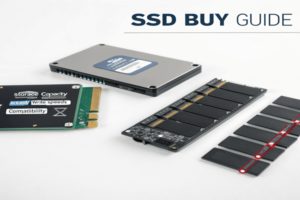
It can be hard to know what storage size is right for you. A wrong choice means spending too much or not having enough room for your files. Let me break down the decision to help you avoid those common mistakes.
Do you really need 2TB SSD?
Some friends ask me if 2TB is even necessary. They often feel pressured by sales or peers and are unsure about future needs.
You only really need a 2TB SSD if your files, games, videos, or work projects regularly fill up a 1TB drive, or you expect major growth in storage needs soon.
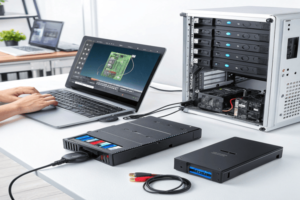
As a designer, I saw most of my large project files and CAD drawings take up space quickly. When I started doing more video editing, my 1TB SSD filled up fast with raw footage and working files. If you work with video, music production, or have a huge photo collection, a 2TB SSD can save you headaches later—no need to delete favorite files or swap in external drives. For most office work, browsing, and moderate gaming, 1TB works fine. Only upgrade to 2TB if you already know your usage is high or expect it to increase a lot soon. Think about upcoming project sizes, backup needs, and software. If you use virtual machines or multiple operating systems, go bigger.
| Use Case | 1TB SSD Adequate | 2TB SSD Needed |
|---|---|---|
| Office Work | Yes | No |
| Gaming | Mostly | Only for many AAA |
| Video Editing | Maybe | Yes |
| Large Photo Library | Maybe | Yes |
| CAD Design | Mostly | Only huge projects |
| Virtual Machines | Maybe | Yes |
Is 1TB of SSD overkill?
Some think 1TB SSD is too large. They ask if smaller drives save money, or if it leads to wasted space.
For most regular users, 1TB is not overkill. It balances cost and space well, covering common needs for years before filling up.
I remember using a 256GB SSD on my first laptop. After a year, it was full, and I had to delete games and big files often. With 1TB, life is easier even for basic users who keep some movies, many photos, and large software. True, some people with light needs, such as using only web apps or simple documents, may get by with less. But prices for SSDs have dropped, making 1TB the sweet spot for most. You do not need to obsess over unused space, since quick reads and writes save time every day. Go smaller only if you know you never keep media or big software. For most, 1TB gives room to grow, so you are never short of storage26 when you need it
The main difference between 1TB and 2TB SSDs is storage size. Sometimes, 2TB SSDs use faster chips or last longer, but usually you only pay for capacity.
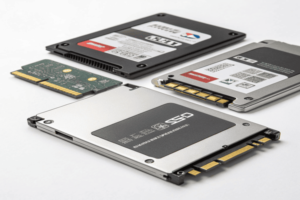
When I upgraded my main design computer, I saw the price gap between 1TB and 2TB SSDs. The 2TB drives cost more, but they did not run twice as fast. Speed depends on the SSD type (SATA, NVMe), not usually on capacity, though some Speed depends on the SSD type26 (SATA, NVMe), not usually on capacity, though some 2TB models have better parts
-
Understanding SSD types can help you choose the best one for your needs, enhancing your system’s performance.
have better parts. Most brands give similar warranties, but larger SSDs sometimes mean longer write endurance if you fill them up a lot. Consider price per gigabyte. The more you pay, the less you risk filling up soon and losing speed if you must juggle files. But for most, 1TB is enough unless you work with many movies, CAD projects, or game installations. If your choice is between fewer files and higher costs, think about your future needs and budget.Feature 1TB SSD 2TB SSD Capacity ~1000GB ~2000GB Speed Similar (same gen) Similar (same gen) Price ~$50-$100 ~$100-$200 Endurance Usually Lower Usually Higher Space per $ Decent Better in bulk Use Cases Most users Heavy users Conclusion
Most users should buy a 1TB SSD. Only go for 2TB if you handle big files often or need more space for future growth. ↩ ↩
