
Choosing storage for your latest build can feel overwhelming with so many options available. You want reliable performance that won’t bottleneck your system when you need it most.
Internal solid-state drives (SSDs) are storage devices installed directly inside a computer that use NAND flash memory to store data permanently, offering faster performance than traditional hard drives through electronic rather than mechanical data access. [1][3]
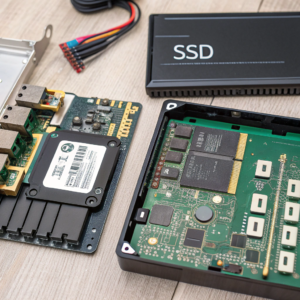
Understanding internal SSDs and their different types helps you make informed decisions about system performance and storage needs. Let me share what I’ve learned from working with storage solutions in our manufacturing operations.
What is an Internal Solid State Drive?
When people ask about internal SSDs, they’re looking for storage that delivers speed without compromise. These drives represent a fundamental shift from mechanical to electronic storage technology.
An internal solid-state drive is a semiconductor-based storage device that uses integrated circuits and NAND flash memory to store data persistently, installed directly inside a computer and connected to the motherboard via interfaces like SATA or PCIe. [1][3][5]
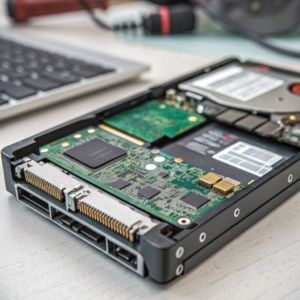
Internal SSDs differ fundamentally from external drives in their installation and connection method. They connect directly to your computer’s motherboard through standard interfaces, becoming an integrated part of your system [3]. This direct connection eliminates the need for external cables and provides optimal performance.
The "solid-state" designation comes from the absence of moving parts. Traditional hard drives use spinning magnetic disks with mechanical read/write heads that physically move to access data [1]. Internal SSDs store information in semiconductor cells that can be accessed electronically, eliminating mechanical delays and dramatically improving access speeds.
These drives serve the same fundamental purpose as traditional hard drives – storing your operating system, applications, and data persistently. However, they accomplish this through completely different technology. Data gets stored in NAND flash memory cells organized in blocks and pages, with a sophisticated controller managing all read and write operations [3][5].
Internal SSDs come in various physical sizes and connection types to fit different computer designs. The most common form factors include 2.5-inch drives that fit in laptop drive bays, M.2 sticks for modern motherboards, and specialized formats for ultra-thin devices [1][5]. This variety allows manufacturers to integrate high-performance storage into virtually any computer design.
| Characteristic | Internal SSD | External SSD | Traditional HDD |
|---|---|---|---|
| Installation | Inside computer case | External connection | Inside computer case |
| Connection | Direct to motherboard | USB/Thunderbolt ports | Direct to motherboard |
| Performance | Highest | High (limited by interface) | Moderate |
| Power Source | Computer’s power supply | Computer or separate adapter | Computer’s power supply |
| Portability | Not portable | Highly portable | Not portable |
What Are the Two Types of Internal SSD?
The internal SSD market divides into two primary categories based on their connection interfaces and performance capabilities. Understanding these types helps you choose the right storage for your specific needs.
The two main types of internal SSDs are SATA SSDs, which use the older Serial ATA interface designed for hard drives, and NVMe SSDs, which use the PCIe interface with the NVMe protocol for significantly higher performance. [3][5]
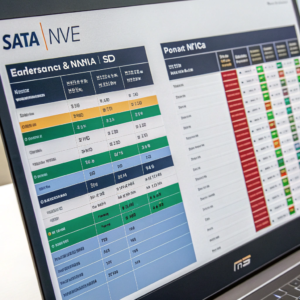
SATA SSDs represent the first generation of widespread solid-state storage adoption. They use the same Serial ATA interface that traditional hard drives employ, making them perfect drop-in replacements for existing systems [3][5]. These drives typically achieve read speeds up to 550 MB/s, which represents a massive improvement over traditional hard drives but reflects the limitations of the SATA interface.
The SATA interface was originally designed for mechanical hard drives, where the interface speed wasn’t the primary bottleneck. With SSDs capable of much higher speeds, this interface quickly became a limiting factor. SATA III, the current standard, provides 6 Gbps of bandwidth, which translates to a maximum theoretical throughput of about 600 MB/s [5].
NVMe SSDs represent the newer, high-performance category of internal solid-state storage. NVMe (Non-Volatile Memory Express) is a protocol specifically designed for solid-state storage that runs over PCIe (Peripheral Component Interconnect Express) connections [3][5]. This combination allows for dramatically higher performance, with modern NVMe drives achieving read speeds over 7,000 MB/s.
The key advantage of NVMe lies in its design philosophy. While SATA was adapted from hard drive technology, NVMe was built from the ground up for flash memory. This includes support for multiple parallel command queues, lower latency, and better integration with modern multi-core processors [5]. The PCIe interface also provides much more bandwidth than SATA, with PCIe 4.0 x4 connections offering up to 8 GB/s of theoretical bandwidth.
Both types serve important roles in today’s computing landscape. SATA SSDs remain excellent choices for budget-conscious users or older systems that lack M.2 slots. They provide substantial performance improvements over hard drives at reasonable prices. NVMe SSDs excel in demanding applications where maximum performance justifies the higher cost, such as gaming, content creation, and professional workloads.
Which SSD is Better: SATA or NVMe?
Determining which SSD type performs better depends on your specific use case, but the technical advantages clearly favor NVMe drives. However, practical considerations like cost and compatibility also matter.
NVMe SSDs significantly outperform SATA SSDs in raw speed, with NVMe drives achieving read speeds over 7,000 MB/s compared to SATA’s maximum of around 550 MB/s, making NVMe the superior choice for performance-demanding applications. [3][5]
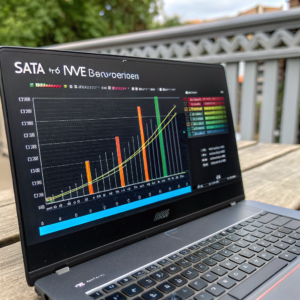
The performance difference between these technologies is substantial. In my testing experience, NVMe drives deliver noticeable improvements in several key areas. Boot times, application loading, and file transfer operations all benefit from the higher bandwidth and lower latency of NVMe technology.
Real-world performance differences become apparent in demanding scenarios. Video editing applications can load large files and render projects faster with NVMe storage. Gaming benefits from reduced level loading times and faster texture streaming. Development environments with large codebases and frequent compilation benefit from faster file operations.
However, for basic computing tasks, the difference may not justify NVMe’s higher cost. Web browsing, office applications, and media consumption don’t typically push storage systems hard enough to reveal the full performance gap. In these scenarios, a SATA SSD provides excellent responsiveness at a lower price point.
The choice between SATA and NVMe also involves compatibility considerations. Older motherboards may lack M.2 slots, limiting you to SATA options. Some systems have M.2 slots that only support SATA protocol, not NVMe. Understanding your system’s capabilities is essential before making a decision.
Power consumption differences also influence the choice, particularly in laptops. NVMe drives, especially high-performance models, can consume more power than SATA SSDs. For maximum battery life in portable systems, this difference matters. However, the performance gains often outweigh the modest power increase for most users.
Cost considerations remain significant. SATA SSDs typically cost less per gigabyte than comparable NVMe drives, though this gap continues to narrow. For large capacity storage where maximum performance isn’t critical, SATA drives offer better value. For primary drives where performance impacts daily use, NVMe drives provide better long-term satisfaction.
| Factor | SATA SSD | NVMe SSD | Winner |
|---|---|---|---|
| Maximum Speed | ~550 MB/s | 7,000+ MB/s | NVMe |
| Latency | Higher | Lower | NVMe |
| Cost per GB | Lower | Higher | SATA |
| Compatibility | Universal | Requires M.2/PCIe | SATA |
| Power Usage | Lower | Moderate | SATA |
| Future-Proofing | Limited | Excellent | NVMe |
Conclusion
Internal SSDs revolutionize computer performance through electronic storage, with NVMe drives offering superior speed over SATA versions for demanding applications.
