
Speed bottlenecks3 are frustrating when your computer can’t keep up with your work demands
Internal solid state drives are storage devices installed directly inside a computer that use NAND flash memory to store data persistently, offering dramatically faster performance than traditional hard drives through electronic rather than mechanical data access. [1][3]
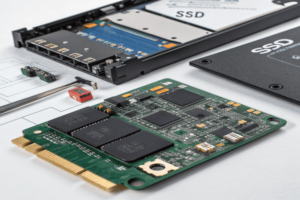
Understanding internal SSDs and their different types helps you make smart storage decisions for your system. Let me share what I’ve learned from working with storage solutions in manufacturing environments.
What is an Internal Solid State Drive?
When people ask about internal SSDs, they want storage that delivers speed without compromise. These drives represent a fundamental shift from mechanical to electronic storage technology.
An internal solid-state drive is a storage device that uses integrated circuits and NAND flash memory to store data persistently, installed directly inside a computer and connected to the motherboard via interfaces like SATA or PCIe. [1][3][5]
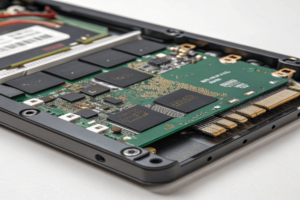
Internal SSDs differ fundamentally from external drives3 in their installation and connection method
The "solid-state" designation comes from the absence of moving parts. Traditional hard drives use spinning magnetic disks with mechanical read/write heads that physically move to access data [1]. Internal SSDs store information in semiconductor cells that can be accessed electronically, eliminating mechanical delays and dramatically improving access speeds.
These drives serve the same fundamental purpose as traditional hard drives – storing your operating system, applications, and data permanently. However, they accomplish this through completely different technology. Data gets stored in NAND flash memory cells organized in blocks and pages, with a sophisticated controller managing all read and write operations [3][5].
Internal SSDs come in various physical sizes and connection types to fit different computer designs. The most common form factors include 2.5-inch drives that fit in laptop drive bays, M.2 sticks for modern motherboards, and specialized formats for ultra-thin devices [1][5]. This variety allows manufacturers to integrate high-performance storage into virtually any computer design.
| Characteristic | Internal SSD | External SSD | Traditional HDD |
|---|---|---|---|
| Installation | Inside computer case | External connection | Inside computer case |
| Connection | Direct to motherboard | USB/Thunderbolt ports | Direct to motherboard |
| Performance | Highest | High (limited by interface) | Moderate |
| Power Source | Computer’s power supply | Computer or separate adapter | Computer’s power supply |
| Portability | Not portable | Highly portable | Not portable |
Which is the Best Internal SSD?
Determining the best internal SSD depends on your specific needs, budget, andDetermining the best internal SSD3 depends on your specific needs, budget, and system compatibility
The Samsung 990 Pro consistently ranks as the top internal SSD for overall performance, followed by alternatives like the WD Black SN850X and Crucial T500, with newer PCIe 5.0 drives like the Crucial T705 offering the fastest speeds available. [6][7]
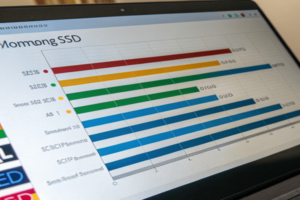
For most users, the Samsung 990 Pro represents the sweet spot of performance and reliability. It delivers read speeds up to 7,450 MB/s and write speeds up to 6,900 MB/s, making it excellent for demanding applications like video editing or gaming [6]. The drive includes Samsung’s proven controller technology and comes with optional heatsinks for thermal management.
The WD Black SN850X offers comparable performance with read speeds up to 7,300 MB/s and serves as an excellent alternative [6]. It includes features like large SLC cache and strong warranty coverage, making it particularly attractive to gamers and content creators.
For budget-conscious users, the Crucial P3 provides outstanding value. While it’s limited to PCIe 3.0 speeds, it delivers excellent daily performance at a fraction of the cost of high-end drives [9]. It’s perfect for users upgrading from older systems who don’t need cutting-edge performance.
The absolute fastest option is the Crucial T705 PCIe 5.0 drive, which delivers read speeds up to 14,500 MB/s – nearly double PCIe 4.0 drives [7]. However, these speeds require compatible PCIe 5.0 systems and come at a significant price premium.
For different use cases:
- Gaming: WD Black SN850X or Samsung 990 Pro for fast loading times
- Professional Content Creation: Samsung 990 Pro or Crucial T705 for handling large files
- Budget Upgrades: Crucial P3 or TeamGroup MP44 for cost-effective performance
- Maximum Performance: Crucial T705 or Samsung 9100 Pro for bleeding-edge speeds
The best choice depends on your system’s capabilities and performance requirements. PCIe 4.0 drives like the Samsung 990 Pro offer the best balance of performance and compatibility for most users.
Is an Internal SSD Worth It?
The value proposition of internal SSDs has never been stronger, especially as prices have dropped while performance has increased dramatically. The question isn’t whether they’re worth it, but which type best fits your needs.
Internal SSDs are absolutely worth the investment, providing dramatic improvements in system responsiveness, boot times, and application loading speeds that transform the computing experience, typically offering 10-15 times better performance than traditional hard drives. [14]
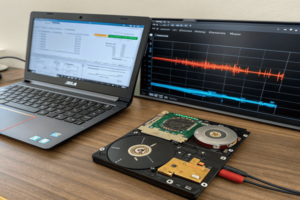
The performance benefits are immediately noticeable in daily use. Boot times that once took minutes now complete in seconds. Applications launch almost instantly, and file transfers happen at speeds that seemed impossible withApplications launch almost instantly, and file transfers3 happen at speeds that seemed impossible with traditional drives
Modern NVMe SSDs go far beyond SATA limitations. PCIe 4.0 drives can achieve 7,000+ MB/s, while the latest PCIe 5.0 models reach over 14,000 MB/s [13]. This translates to real-world improvements in everything from video editing to gaming performance.
The reliability benefits are equally important. SSDs have no moving parts to wear out or break, making them much more resistant to physical shock and vibration [14]. They also run cooler and consume less power, extending laptop battery life and reducing system heat generation.
Cost considerations have become much more favorable. While SSDs cost more per gigabyte than HDDs, the price gap continues to narrow. The productivity gains from faster storage often justify the premium, especially for professional work where time is valuable.
For different users:
- General Computing: Even basic SATA SSDs transform older computers
- Gaming: NVMe SSDs reduce loading times and improve in-game performance
- Professional Work: High-end SSDs enable faster content creation workflows
- Mobile Computing: SSDs provide better battery life and shock resistance
The durability advantages make SSDs particularly valuable for laptops and mobile workstations. The absence of moving parts means they can handle bumps and drops that might damage traditional drives.
Energy efficiency is another significant benefit. SSDs typically use 2-3 watts compared to HDDs’ 6-7 watts, leading to cooler operation and longer battery life [14]. This makes them essential for modern thin-and-light laptop designs.
Even considering the higher upfront cost, internal SSDs deliver exceptional value through improved productivity, reliability, and system longevity. The performance transformation they provide makes them one of the most impactful upgrades available.
Conclusion
Internal SSDs revolutionize computer performance through electronic storage technology, with NVMe drives offering superior speeds over SATA versions for demanding applications and professional workflows.
