
Ever looked at a storage upgrade and wondered what a “1TB PCIe Gen 4 SSD” actually means for real-world speed in your workflow?
A A 1TB PCIe Gen 4 SSD is a solid-state drive with 1 terabyte of storage capacity using PCIe 4.0 technology, delivering faster read/write speeds18 and lower latency than older SSD interfaces
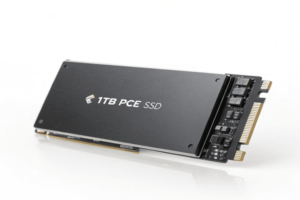
If you dream about speeding up boot times, loading big project files in seconds, or getting the edge in gaming and design, understanding PCIe Gen 4 SSD technology is a first step. Here’s what makes it a game changer.
What is a PCIe 4 SSD?
Choosing the right SSD can make the difference between waiting and working instantly. But what sets PCIe 4 SSDs apart from others on the market?
A PCIe 4 SSD is a solid-state drive that connects to your computer using PCI Express 4.0, the fourth generation of the PCIe interface. It enables double the data transfer rate of PCIe 3.0 drives, reaching up to 2 GB/s per lane and allowing faster communication between storage and your motherboard [1][3][9][10][11].
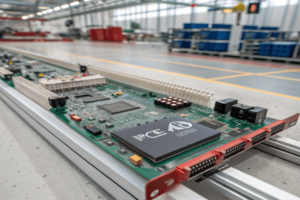
Let’s break it down. PCIe, or Peripheral Component Interconnect Express, is a high-speed computer expansion interface connecting GPUs, SSDs, and other peripherals directly to the motherboard [1][3][10]. PCIe 4.0 doubles the raw data transfer rates over PCIe 3.0: 16 gigatransfers per second (GT/s), or approximately 2 GB/s per lane. Most M.2 SSDs use four lanes (x4), giving a theoretical bandwidth of about 8 GB/s—suitable for tasks like high-res video editing, gaming, and big data crunching[1][3][9][10][11].
PCIe 4 SSDs are backward compatible, meaning you can use one in a PCIe 3.0 slot at lower speed, so upgrades are flexible [1][9][11]. Real-world performance gets a noticeable boost compared to SATA SSDs, which top out around 550 MB/s [8][9][11]. For example, flagship PCIe 4 SSDs like Samsung’s 990 PRO reach read/write speeds of 7,450/6,900 MB/s [3][11]. These numbers really matter for creative pros, gamers, and anyone managing large files.
| Interface | Max Read Speed (MB/s) | Max Write Speed (MB/s) |
|---|---|---|
| SATA SSD | ~550 | ~550 |
| PCIe Gen 3 SSD | ~3,500 | ~3,000 |
| PCIe Gen 4 SSD | ~7,000 – 7,500 | ~6,900 – 7,000 |
PCIe 4 SSDs are supported by recent AMD (Ryzen 3000/5000 series) and Intel (11th/12th Gen+) platforms. For best results, make sure your CPU, motherboard, and SSD all support Gen 4 [1][9][10].
What is a 1TB PCIe SSD?
A 1TB PCIe SSD gives you plenty of space with PCIe’s high speed interface—but what does that really mean for a designer or power user?
AA 1TB PCIe SSD18 is a storage drive that uses PCIe (Peripheral Component Interconnect Express) interface for fast data transfer,
PCIe SSDs differ from SATA SSDs in how they connect to your computer and their data rates. PCIe-based SSDs (especially with NVMe protocol) eliminate bottlenecks present in SATA, resulting in much faster sequential and random read/write speeds, lower latency, and improved access for data-heavy work like 3D modeling, video editing, and direct-asset streaming in gaming [1][3][5][7][9][11].
For example, modern PCIe Gen 4 SSDs (1TB models) commonly achieve up to 7,000 MB/s read and 6,900 MB/s write—quite a leap from regular SATA drives limited to 550 MB/s [3][9][11]. This means loading design files, rendering high-resolution videos, and multitasking all feel instant. PCIe SSDs come in different form factors, with M.2 2280 being most common for desktop/laptop installs [9]. You’ll find both consumer and enterprise models, often using NVMe for maximum speed and efficiency [3][7][9][11].
| Capacity | PCIe Gen 4 SSD | SATA SSD |
|---|---|---|
| 1TB | ~7,000 MB/s | ~550 MB/s |
Form factor matters for your system, too. Most users want M.2 PCIe SSDs for compactness and ease of install inside the laptop or desktop [9][8].
What is the meaning of PCIe Gen 4 SSD?
When people talk about “PCIe Gen 4 SSDs,” what makes them different from other SSDs, and why should a product designer or engineer care?
PCIe Gen 4 SSD means a solid-state drive using the PCIe 4.0 interface. This interface doubles the bandwidth and transfer speed18 over PCIe 3.0
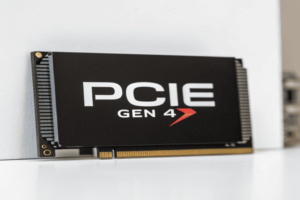
Let’s expand on why this matters. PCIe defines the way storage, graphics cards, and other components talk to the motherboard [1][9][10]. Each generation brings higher speeds—PCIe Gen 3 supports 8 GT/s per lane, PCIe Gen 4 jumps to 16 GT/s, and PCIe Gen 5 doubles again to 32 GT/s [1][3][9][11]. For storage, this translates to bandwidth—the more lanes your SSD uses (usually four for M.2), the more data can move at once.
A PCIe Gen 4 SSD is designed specifically to take advantage of those speeds, often using NVMe protocol to maximize parallel communication, reduce latency, and improve workload efficiency [9][8][10]. Files transfer in seconds instead of minutes; apps launch instantly, and there’s less system stutter even as you multitask [9][10][11]. PCIe Gen 4 SSDs work best in modern desktops and laptops with compatible CPUs and motherboards from AMD (Ryzen 3000 and up), Intel (11th Gen and up), and matching motherboards (B550, X570, Z490, Z690, etc.) [1][10][11].
PCIe Gen 4 SSDs also support backward compatibility—use them in PCIe 3.0 systems, but only at older speeds [1][10][11]. Future-proofing is part of the equation: as apps and games get more demanding, the doubled bandwidth of Gen 4 means you won’t face bottlenecks from storage. Power efficiency is improved, and devices run cooler than before [9][11].
| Generation | Data Transfer Rate | Typical Use | Max SSD Speed* |
|---|---|---|---|
| PCIe Gen 3 | 8 GT/s per lane | Mid-range PCs | ~3,500 MB/s |
| PCIe Gen 4 | 16 GT/s per lane | High-end PCs | ~7,000 MB/s |
| PCIe Gen 5 | 32 GT/s per lane | Latest servers | ~13,000 MB/s |
(*Theoretical max rates; actual rates depend on SSD controller and NAND type.)
Conclusion
A 1TB PCIe Gen 4 SSD delivers top speeds, high capacity, and reliable performance by pairing PCIe 4.0 bandwidth with NVMe technology—perfect for demanding workloads.
-
Understanding transfer speed is crucial for optimizing SSD performance; this link will clarify its significance.
means a solid-state drive using the PCIe 4.0 interface. This interface doubles the bandwidth and transfer speed over PCIe 3.0, unlocking new performance levels for storage drives [1][3][10][11]. ↩ ↩ ↩
