
If you’re looking to speed up your computer and make it more reliable, the solid-state drive (SSD) is the single most significant upgrade you can make.
A solid-state drive (SSD) is used as a storage device in computers and other electronic devices, offeringA solid-state drive (SSD)14 is used as a storage device in computers and other electronic devices, offering faster data access, improved reliability, and greater energy efficiency compared to traditional hard disk drives (HDDs)
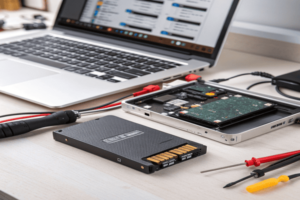
Whether you’re building your first desktop or upgrading an aging laptop, understanding what an SSD actually does—and its pros and cons—can be a game changer for how you use and experience your computer. Let’s break it down in real terms, from what an SSD does, to its biggest downsides, to when it makes the most sense to use one.
What does a SSD solid state drive do?
When you install an SSD in your system, how does it actually work and what job does it perform for your computer?
A solid-state drive (SSD) stores and retrieves data electronically using flash memory, which allows it to open files, boot the system, launch applications, and transfer data significantly faster than a traditional hard drive[4][13][2][10]. SSDs are used not just for booting up your PC, but for running the operating system, storing your programs, games, documents, and all your files.
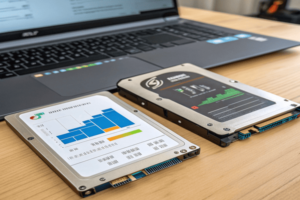
SSDs have no moving parts. Unlike hard drives with spinning disks and read/write heads, an SSD uses integrated flash memory chips and a controller to handle data[13][4][2]. Because of this design, tasks like booting your computer, waking it from sleep, or opening big programs become much quicker and smoother[10][4]. That’s why you’ll see systems with SSDs offering noticeably faster startup times, file transfers, and application loading—even complex applications like video editors or games. They also run silently and use less power, making them a popular choice for laptops and portable devices[10][2].
Here’s a simple table showing typical SSD uses compared to HDDs:
| Task | HDD (Hard Disk Drive) | SSD (Solid-State Drive) |
|---|---|---|
| Boot the OS | Slower | Much faster |
| Launch applications | Moderate/slow | Fast |
| Transfer large files | Slow | Fast |
| Withstand bumps/drops | Vulnerable | More resistant |
| Noise/Heat | Audible/Warmer | Silent/Cooler |
With all that, SSDs are now replacing hard drives in many PCs, laptops, and even portable external drives, as they give everything from everyday office work to gaming a real boost in speed[4][13][10].
What is the main disadvantage of an SSD?
With all the amazing speed and reliability, what’s the catch to using SSDs?
The main disadvantages of SSDs are their higher cost per gigabyte, The main disadvantages of SSDs are their higher cost per gigabyte14, limited write endurance due to NAND memory wear, and sometimes more complex data recovery if the drive fails

As much as I love the speed of SSDs, I always tell friends there are a few things to watch out for. The first is price—SSDs cost more than traditional hard drives for the same amount of storage space, especially if you need a lot of room for big files like raw video or games[8][6][2]. The second is something called write endurance: every time data is erased and rewritten on an SSD, the NAND flash cells wear out a little. Over time, this wear limits the total number of times you can fully rewrite the drive, which isn’t a big deal for most users but can be important in heavy-use scenarios[7][4]. And if an SSD fails, especially if its controller fails or firmware gets corrupted, data recovery can be more expensive or even impossible compared to traditional disks[8][6].
Here’s a table breaking down the main disadvantages:
| Disadvantage | Explanation |
|---|---|
| Higher Cost per GB | SSDs are often 2x+ more expensive than HDDs[8][6][2] |
| Limited Write Endurance | NAND memory cells wear out after many write cycles[7][4] |
| Data Recovery Difficulty | More complex, sometimes impossible if controller fails[8] |
| Lower Capacities (affordable) | Large SSDs are expensive or rare compared to HDDs[8][10] |
Despite these, for most users, the benefits will outweigh the downsides—just have a backup plan and choose the right size for your needs.
When would you use a solid state drive?
What are the best situations and uses for SSDs, and how do you decide if an SSD is right for your setup?
You should use a solid-state drive when you need fast boot times, quick application launches, responsive gaming, greater durability, quieter operation, or better energy efficiency—especially in laptops, high-performance desktops, or servers[4][13][10][2].
%(alt: Where SSD is used)(https://placehold.co/600×400 "Laptop with SSD, server, gaming PC")
Think of an SSD as Think of an SSD as turbocharging your computer. Here’s where I always recommend using SSDs14
-
Learn about the optimal scenarios for SSD usage to maximize your computer’s performance and storage capabilities.
. Here’s where I always recommend using SSDs:- Boot Drives & OS: Install the operating system on an SSD for instant startup[4][13][2].
- Programs & Games: Use SSDs to install apps or games that benefit from faster load times[13].
- Laptops & Portable Devices: The shock resistance, silence, and low power draw of SSDs make them perfect for laptops[10][4].
- Creative Work & Data-Heavy Tasks: Work like video editing, 3D design, or handling large databases is much snappier with SSDs[4][13].
- Servers & Business: For servers, SSDs boost responsiveness and throughput, essential for websites and databases[13][10].
Here’s a table of common scenarios:
Usage Scenario SSD Recommended? Why Everyday laptop/desktop Yes Faster boot, launches, reliability Gaming PC Yes Quick load times, smoother gameplay Video/photo editing Yes Handles large media files quickly File storage/backup only Maybe Use HDD for cheaper, large capacity Data server/Enterprise database Yes Essential for speed & high user concurrency Media archive (long-term) Maybe/No HDD often more cost-effective for archiving Personally, I use SSDs for the system and programs, and big HDDs for backup and archive. That way, I get the best of both worlds: amazing speed where it counts and affordable storage for everything else.
Conclusion
Solid-state drives are used to make computers faster, quieter, more reliable, and more energy-efficient, especially for booting, applications, and portable devices, with the trade-off of higher cost and limited write endurance. ↩ ↩ ↩
