
If you ever lost important files because your drive was too slow or full, you know the frustration. Maybe you wonder if external SSDs are faster, or if they use If you ever lost important files because your drive was too slow or full, you know the frustration. Maybe you wonder if external SSDs87 are faster, or if they use NVMe technology?
An external SSD is portable storage that connects via USB or Thunderbolt. Some use NVMe for faster speeds, but not all external SSDs do. Knowing the difference helps you choose the right device for your needs.
People ask about NVMe because the tech world moves fast. I have seen many designers confused when shopping for backups. You want to know if you’re getting the fastest device. Let’s look closer at the world of external SSDs, NVMe, and how it matters to real work.
Can NVMe be used as an external SSD?
You buy a fast NVMe drive for your laptop, but then you see “You buy a fast NVMe drive87 for your laptop, but then you see “external NVMe SSDs” everywhere. Maybe you wonder: can these drive technologies work together outside your PC?
Yes, NVMe drives can be used in external SSDs. Many external SSDs use NVMe for very high speeds, especially with a USB 3.1 Gen 2 or Thunderbolt 3/4 enclosure.
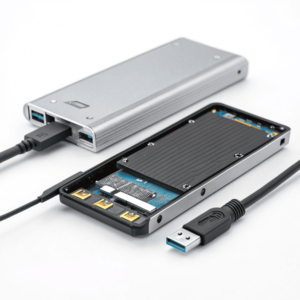
Many years ago, external drives used big, slow spinning disks. Then came basic SSDs. Today, I often use external enclosures that support NVMe drives. NVMe stands for Non-Volatile Memory Express. It was designed for the fastest access to data. An NVMe SSD in an external enclosure, combined with a fast USB or Thunderbolt port, can reach speeds much higher than older SATA SSDs. However, the tech you choose should match the port on your computer. Here’s a table to show the common setups and their speed differences:
| Type | Interface | Typical Max Speed (MB/s) | Notes |
|---|---|---|---|
| SATA SSD External | USB 3.0/3.1 | 400-550 | Good for backups |
| NVMe SSD External | USB 3.1 Gen 2 | 900-1000 | Fast enough for big files |
| NVMe SSD External | Thunderbolt 3/4 | 2000-3000+ | Ultra-fast, needs right port |
When I design products that need to be backed up quickly, I always suggest checking both the enclosure and the cable. NVMe brings the same speed benefits outside your computer as it does inside—if you have the right connection.
Are NVMe and SSD the same?
Sometimes a friend will ask, “I bought an SSD, so is it NVMe?” So what’s the real difference between SSDs and NVMe SSDs?
No, NVMe and SSD are not the same. SSD means any Solid-State Drive. NVMe is the protocol used by the fastest SSDs. Some SSDs use SATA instead of NVMe.
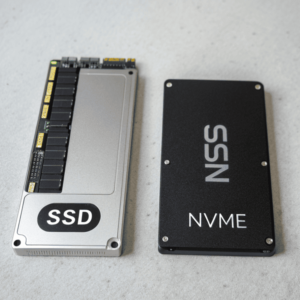
I remember the first time I upgraded an old computer at work to an SSD. It was fast, but not as fast as my later laptops with NVMe inside. SSD stands for I remember the first time I upgraded an old computer at work to an SSD. It was fast, but not as fast as my later laptops with NVMe87 inside. SSD stands for Solid-State Drive, and it only means there are no spinning disks. There are two main types:
You can find out if your SSD is NVMe by checking your system information, looking at the hardware label, or using disk management tools on your computer for direct details.
I remember when I first opened up my new laptop and checked the specs. It said “PCIe” and “I remember when I first opened up my new laptop and checked the specs. It said “PCIe87” and “NVMe” in the model number. That was one way to tell. Here’s how I usually check:
-
Understanding PCIe is crucial for optimizing your laptop’s performance and compatibility with various hardware.
” in the model number. That was one way to tell. Here’s how I usually check:How to Identify Your Drive
Method Steps What to Look For System Information (PC) Run “msinfo32” or “Device Manager” Look for “NVMe” or “PCIe” Disk Management Tools Use CrystalDiskInfo or similar free software “NVMe” or “SATA” protocol Physical Inspection Pop open device, check the sticker Says “NVMe”, “PCIe”, or “SATA” - On Windows, open Device Manager or use a tool like CrystalDiskInfo to inspect your drive’s interface.
- On macOS, “About This Mac” > “System Report” > “Storage” also shows if it’s NVMe.
- If you can see the drive, the model number often includes “NVMe” or “PCIe.”
It’s worth checking, because if you upgrade, the right slot or enclosure is needed, and you want to unlock the full speed possible.
Conclusion
External SSDs can be super fast, but only some use NVMe. Knowing the difference helps you buy right and use your device to its full speed. ↩ ↩ ↩ ↩
