
If you choose the wrong hard drive for your server, you can run into serious If you choose the wrong hard drive77 for your server, you can run into serious performance and reliability problems.
Servers typically use either enterprise-grade HDDs or SSDs. The best choice depends on the need for speed, reliability, and workload, with SSDs preferred for high-speed and high-IO environments, and HDDs for large storage needs at lower cost.
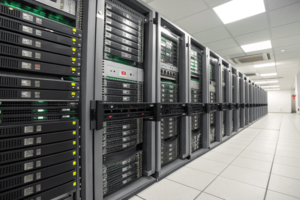
Choosing between different types of hard drives for servers is not simple. Many variables matter: cost, speed, reliability, and how much data you need to store. Before picking one, you should know why each option exists and when it makes sense to use one over the other. Keep reading to learn the key differences and how real-world choices are made.
What type of hard drives do servers use?
Making the wrong choice in hard drives can leave your server slow or even at risk ofMaking the wrong choice in hard drives77 can leave your server slow or even at risk of data loss.
Most servers use either enterprise-class SSDs or HDDs, typically with SAS (Serial Attached SCSI) or NVMe interfaces. The choice depends on the server’s workload and storage needs.
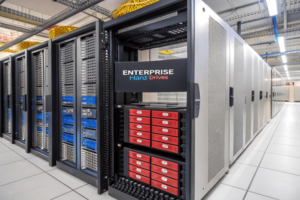
For a long time, servers stuck with traditional spinning disk hard drives (HDDs) because they were cheap and could store a lot of information. These are not the same as desktop drives; For a long time, servers stuck with traditional spinning disk hard drives77 (HDDs) because they were cheap and could store a lot of information. These are not the same as desktop drives; server HDDs are made to run all the time and handle a lot of use
Servers now use both HDDs and SSDs, with many using a hybrid setup: SSDs for performance-critical jobs and HDDs for bulk storage or backup.
As server demand grows, not every job needs the same storage. SSDs are great for jobs that need to read and write data quickly. For example, if a database handles thousands of requests at once, an SSD lets those requests fly by much faster. But SSDs cost more. So you might use HDDs for backups, logging data, or holding files that do not change often. Most companies combine both: SSDs for current jobs and databases, HDDs for large archives. When replacing a drive, you cannot just swap in any SSD or HDD. Enterprise grades have stronger parts and firmware, so they last longer and handle the stress. It is common for a single server to contain both types, filling each job’s need with the right tool.
| Workload Type | Recommended Drive |
|---|---|
| OS boot/critical apps | SSD |
| High-performance DB | SSD (NVMe if possible) |
| File storage/archival | HDD |
| Backup snapshots | HDD |
Why don’t servers use SSD?
Many people wonder why servers do not use SSDs exclusively if they are so fast.
Servers do not use only SSDs because of higher costs, limited storage size, and concerns about write endurance compared to HDDs, especially for large, long-term data storage.
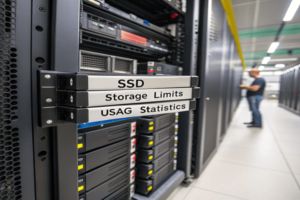
The real reason comes down to price, endurance, and capacity. SSDs are speedy, but they are expensive, especially as you need more space. Most companies have to The real reason comes down to price77, endurance, and capacity. SSDs are speedy, but they are expensive, especially as you need more space. Most companies have to balance performance with budgets
-
Understanding the factors that affect SSD pricing can help you make informed purchasing decisions.
with budgets. For very large backups or years’ worth of logs, HDDs are much cheaper. While SSD reliability has improved, their memory cells wear out as data is written over them many times. Enterprise SSDs are made for heavy use, but they still have a lifespan. If you use only SSDs, especially consumer types, you might face higher risk if your server writes vast amounts of data every day. Finally, some jobs just do not need the speed SSDs offer. A server storing infrequently accessed files runs just fine—and far cheaper—on HDDs.Factor HDD SSD Cost per TB Low High Lifetime (writes) Higher for archival, lower for active use Lower for consumer, higher enterprise Speed Slow, high latency Very fast, low latency Capacity Higher, up to 20+ TB per drive Lower (but growing fast) Use case Cold storage, backups Performance apps, active databases Conclusion
Servers use SSDs for speed and HDDs for cheap storage, balancing cost, performance, and reliability for each job. ↩ ↩ ↩ ↩
