
Choosing storage for your home or office NAS isn’t just about grabbing any hard drive off the shelf. Using the wrong drive can cause frustration, unexpected noise, or evenChoosing storage for your home or office NAS70 isn’t just about grabbing any hard drive off the shelf. Using the wrong drive can cause frustration, unexpected noise, or even lost data.
NAS drives are built with extra vibration resistance, longer life, and specialized firmware, making them far more reliable for 24/7 shared network use than ordinary desktop drives.

I learned the hard way when I first built a home server for my CAD archives. I used normal desktop drives thinking I’d save money. A year later, constant errors and degraded performance showed me why many professionals advise using real NAS drives for any shared-storage setup. Here’s what I found once I made the upgrade.
Are NAS drives better than regular drives?
It’s tempting to see NAS and desktop hard drives as the same, but under the hood, they’re very different.
NAS drives are made for nonstop use, better heat management, and stability in multi-drive arrays—tasks that can overwhelm and quickly wear out a standard desktop drive.
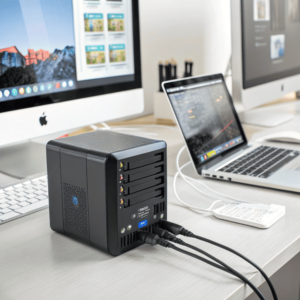
NAS drives use stronger vibration protection and better NAS drives use stronger vibration protection70 and better error correction. They’re set up with special firmware for RAID, which means if one drive fails, the rest keep working. Below is a simple breakdown of key differences:
A NAS drive works perfectly well in a standard PC if it uses the SATA interface, though its main benefits—reliability and 24/7 performance—may be more than most PC users need.
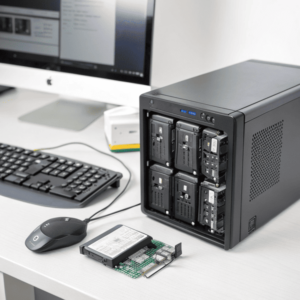
NAS drives cost more, but if you need a hard drive for long-term backup or expect your computer to run for days without rest, using a NAS drive isn’t just “okay”—it can be a very smart investment. Here’s a breakdown of when it makes sense:
| Task | NAS Drive | Desktop Drive |
|---|---|---|
| Regular computer use | Works, but not essential | Designed for this |
| 24/7 accessibility | Ideal | Not ideal |
| Silent environment | A bit noisier than desktop | Quieter |
| Extra reliability needed | Yes | Not as much |
| Higher cost justified? | Only for special uses | Yes for general |
I once used a NAS drive in my design workstation to test how well it handled large CAD files on a constant basis. The drive never failed or overheated, and data transfers stayed fast. But for basic tasks or web browsing, paying more for NAS features may not be necessary.
Can a NAS drive be connected directly to a computer?
You might ask if you need a full NAS enclosure, or if your new NAS drive could simply plug into your PC or laptop for direct use.
You can plug a NAS drive directly into a PC using a regular SATA or USB dock, as these drives use the same connectors as desktop drives.
NAS drives look and connect just like normal SATA hard drives, so you don’t need any special equipment for a desktop or external USB enclosure. Here’s how the process looks:
| Step | What You Need | Notes |
|---|---|---|
| Install in desktop or laptop | SATA cable and power | Same as any other hard drive |
| Use with USB enclosure | USB to SATA docking station | Great for backups or quick access |
| Format for operating system | Partition via Windows/Mac | Needed for new drives |
I used a USB SATA dock to access and back up files from a spare NAS drive. It worked exactly the same as any consumer hard drive. There is no special tool or tech knowledge required beyond basic PC skills.
Conclusion
NAS drives bring peace of mind and stability to networked storage that desktop drives can’t match. For mission-critical or 24/7 use, they are worth the investment.
-
Understanding vibration protection can help you choose the right NAS drive for data safety.
. They’re set up with special firmware for RAID, which means if one drive fails, the rest keep working. Below is a simple breakdown of key differences:Feature NAS HDD Desktop HDD Intended use 24/7, multi-user Intermittent, single-user Vibration resistance High Basic RAID support Optimized Not optimized Error recovery Custom for NAS General-purpose Expected lifespan 1 million+ hours Fewer hours Warranty 3-5 years 2-3 years When I first switched to NAS drives, my network file sharing became smoother. There were fewer connection drops, and the drives ran cooler and quieter over time, even when the NAS ran non-stop for weeks.
NAS vs Desktop Drives in Real-World Use
Situation NAS Drive Performance Desktop Drive Performance Running 24/7 Reliable, stable May overheat, wear fast Operating in RAID Error-handling, safer May fail or corrupt data Multi-user access Handles load well Can cause slowdowns Noise/heat Lower, managed Higher, not optimized Is it okay to use a NAS drive in a PC?
Some people end up with extra NAS drives or want one drive for both their NAS and main PC. ↩ ↩
