

Many hardware procurement teams asking does a server ne […]
Many hardware procurement teams asking does a server need ram often struggle to balance memory budgets against performance targets. Under-allocating system memory causes severe throughput collapse, rapid drive degradation, and catastrophic downtime across data center nodes. To ensure uptime, system architects must evaluate physical memory as an active compute engine rather than a passive line item.
Yes, every operational server strictly needs RAM to boot, load firmware instructions, and execute code. Modern enterprise compute architectures cannot process operating system kernels, hypervisors, or active workloads without high-speed volatile memory. Without sufficient RAM, a server halts entirely or suffers catastrophic latency from constant disk-level swapping.

Understanding that physical memory is non-negotiable is only the beginning of modern hardware procurement. Selecting the correct memory class, module speed, and channel layout determines whether your platform runs stably or faces recurring hardware faults. Let us explore the critical role volatile memory plays inside bare-metal infrastructure.
Why does a server need RAM to function at all?
Procurement buyers occasionally ask if solid-state storage can replace volatile memory to cut initial BOM expenses. Relying solely on fast storage drives causes severe system instability, latency spikes, and boot failures across your node deployments. Selecting certified RAM modules guarantees uninterrupted instruction execution and protects foundational compute infrastructure.
A server needs RAM because processors can only execute instructions held in volatile memory with nanosecond latency. While non-volatile storage holds cold operating system files, system RAM holds active kernel binaries, driver stacks, and working data sets. Without physical RAM populated in designated memory slots, the server motherboard halts during Power-On Self-Test.
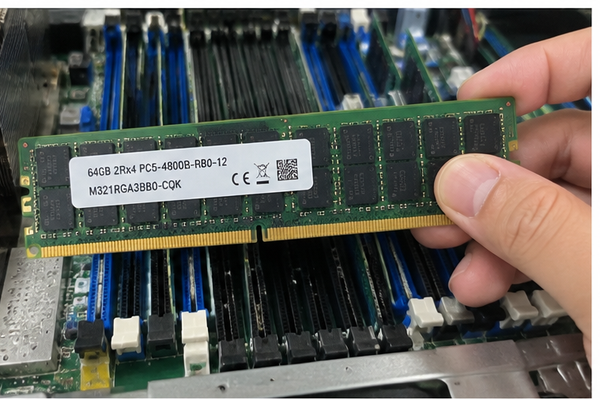
Architectural Boot Stages and Memory Allocation
In my work mapping hardware requirements with data center operators, I frequently remind engineering teams about basic system architecture. When a system administrator presses the power button, the baseboard management controller (BMC) initializes. Then, the system UEFI/BIOS executes low-level microcode stored on flash ROM.
However, this firmware quickly reaches an architectural boundary. The CPU cannot load modern multi-gigabyte operating system kernels or hypervisor layers directly into its small internal registers and CPU caches.
The CPU requires a high-speed volatile staging area:
- The Firmware Handshake: The memory reference code (MRC) checks the serial presence detect (SPD) EEPROM[^1] on each populated memory stick to verify capacity, timing profiles, and voltage.
- Kernel Injection: The bootstrap loader shifts the OS kernel image from boot storage (such as NVMe M.2 or enterprise SATA drives) directly into local memory addresses.
- Control Transfer: The processor sets its program counter register to execute code residing within RAM address lines.
If your motherboard lacks installed RAM, or if memory initialization fails due to timing mismatches, the platform stalls. The system board emits error beeps or logs fatal memory channel codes directly to the BMC system event log (SEL).
[UEFI / BIOS ROM] ---> [Memory Training & POST] ---> [Loads Kernel to RAM] ---> [Active Runtime Execution]
                                |
                  (Fails if RAM is unpopulated)
The Physical Latency Chasm
Modern enterprise PCIe Gen 4 and Gen 5 NVMe drives deliver impressive sequential read speeds. However, their random latency profiles still lag significantly behind volatile DDR4 and DDR5 memory modules.
| Metric / Layer | CPU L3 Cache | Enterprise DDR5 RAM | Gen 5 NVMe Enterprise SSD | Enterprise SAS HDD |
|---|---|---|---|---|
| Typical Latency | ~10–20 ns | ~50–90 ns | ~10,000–30,000 ns (10–30 µs) | ~4,000,000 ns (4 ms) |
| Random Read IOPS | Millions (N/A) | Billions (N/A) | Up to 1.5–3.0 Million | ~200–400 |
| Peak Bandwidth | Terabytes/sec | Up to 300+ GB/s (Multi-channel) | ~14–16 GB/s | ~250–300 MB/s |
| Persistence | Volatile | Volatile | Non-Volatile | Non-Volatile |
As demonstrated above, even the fastest solid-state drive is roughly three orders of magnitude slower than commodity server memory[^2]. A processor forced to wait on storage buses for routine operations wastes compute cycles in constant idle states. Physical RAM acts as the required high-speed buffer that keeps multi-core CPUs fully saturated.
How does a server need RAM configured for enterprise reliability?
Deploying low-cost desktop unbuffered memory into enterprise chassis introduces serious data corruption hazards and unpredicted operational crashes. Enterprise deployments require continuous uptime, multi-tenant isolation, and flawless data integrity across mission-critical compute clusters. Selecting enterprise-grade registered ECC memory shields your business against silent bit-flips and devastating memory channel dropouts.
An enterprise server needs RAM configured with Error-Correcting Code (ECC) and register buffers (RDIMMs) to ensure continuous operation. ECC circuitry detects and corrects single-bit electrical errors automatically, while physical register buffers isolate memory chips from the memory controller. This design stabilizes high-density, multi-channel configurations under heavy thermal and electrical loads.
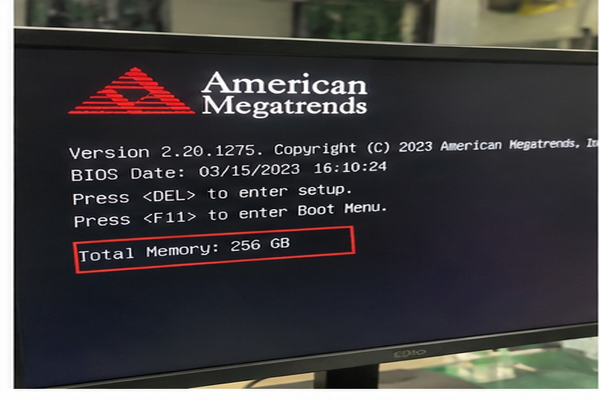
The Threat of Silent Data Corruption
In consumer desktops, an undetected bit-flip caused by cosmic radiation or electrical noise[^3] typically triggers an isolated application crash or a blue-screen error. In a commercial server environment hosting financial ledgers, transactional databases, or shared hypervisors, an uncorrected bit-flip leads to silent data corruption.
Without ECC technology, a corrupted bit writes bad data directly to shared storage volumes. This bad data can bypass database validation routines and replicate corrupt records across off-site backup nodes.
Enterprise server platforms rely on advanced reliability, availability, and serviceability (RAS) features built directly into memory controllers:
- Single-Bit Error Correction: The memory subsystem discovers single-bit anomalies on the fly via parity bits and corrects them[^4] inside memory lines without interrupting host software.
- Multi-Bit Error Detection: If a catastrophic multi-bit fault happens, ECC marks the memory page as poisoned. It alerts the hypervisor or alerts the BMC rather than letting bad values write to disk.
- Chipkill / Advanced ECC: Enterprise multi-socket boards can survive the complete electrical failure of an entire DRAM die on a physical DIMM stick[^5] by redistributing parity blocks.
RDIMMs vs. LRDIMMs in Multi-Channel Topologies
When I consult on bare-metal server configurations, system integrators often ask how memory density affects motherboard trace signals. High-capacity enterprise platforms feature multi-channel memory layouts (typically 8 or 12 memory channels per CPU socket).
[CPU Socket]
   ├── Channel A ──> [DIMM Slot 1] [DIMM Slot 2]
   ├── Channel B ──> [DIMM Slot 1] [DIMM Slot 2]
   ├── Channel C ──> [DIMM Slot 1] [DIMM Slot 2]
   └── Channel D ──> [DIMM Slot 1] [DIMM Slot 2]
To support dense configurations across multiple channels, server platforms use specialized module architectures:
- Unbuffered DIMMs (UDIMMs): These lack hardware registers. The processor memory controller connects directly to every DRAM chip across every channel. This limits maximum density and causes signal degradation at high speeds.
- Registered DIMMs (RDIMMs): These integrate an onboard hardware register between the system bus and memory chips. The register buffers control and address signals[^6]. This reduces electrical load on the CPU controller and enables reliable multi-DIMM populations per channel.
- Load-Reduced DIMMs (LRDIMMs): These place a specialized data buffer on both control lines and data lines[^7]. They permit ultra-high capacities in memory-intensive servers without forcing the memory controller to down-clock channel speeds.
Procurement teams must ensure memory modules match server platform qualification lists. Mixing RDIMMs and LRDIMMs on the same motherboard channel causes POST failures and voids standard manufacturing stability warranties.
What happens when a server needs RAM but lacks capacity?
Underestimating volatile memory requirements during bill-of-materials sizing leads to hidden operational expenses and unexpected system failures. Applications run out of working memory space quickly, forcing your operating system into aggressive memory reclamation loops. Addressing memory starvation early prevents sluggish application response times and protects internal drive health.
When an active server needs RAM but exhausts its physical memory pool, the operating system triggers virtual memory paging to swap partitions on disk. This swap activity collapses system throughput, increases application latency from microseconds to milliseconds, and risks unexpected process terminations through kernel Out-Of-Memory (OOM) killer routines.
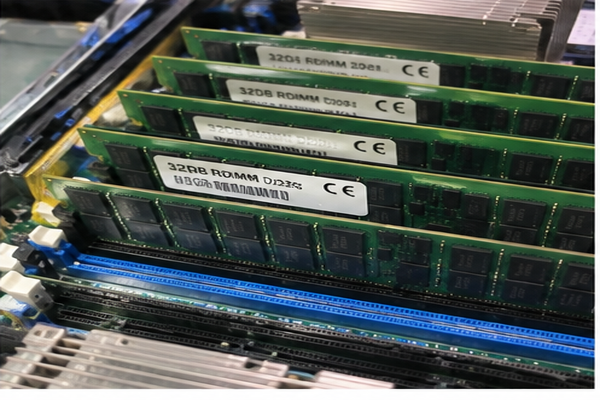
The Destructive Realities of Memory Swapping
When physical capacity is exhausted, the operating system kernel must keep running active software threads. To do this, it pushes less-active memory pages out of physical DRAM and writes them into local storage swap files.
While virtual memory paging prevents an immediate system freeze, it causes severe performance penalties:
- The I/O Latency Penalty: Reading back paged data from flash storage slows system threads dramatically. Microsecond tasks suddenly demand multiple milliseconds to finish execution.
- System Thrashing: If multiple background processes require immediate execution, the operating system spends more CPU cycles swapping pages between memory and storage[^8] than executing useful application code. Total compute performance grinds to an effective halt.
- Storage Cell Wear: Consumer and read-intensive enterprise SSDs feature strict drive writes per day (DWPD) limits[^9]. Constant memory swapping hammers solid-state media with continuous write cycles. This wears out flash storage cells prematurely and risks sudden drive failures.
"During customer field escalations, I regularly encounter instances where storage drives were blamed for slow database queries. Yet deeper analysis revealed memory starvation: the node was constantly swapping data across its boot volume."
Kernel Evictions and The OOM Killer
If memory demands surge beyond physical RAM limits and local swap allocations, enterprise operating system kernels take drastic measures to preserve fundamental system integrity.
In Linux environments, the kernel triggers the Out-Of-Memory (OOM) Killer:
- The kernel monitors the allocation table for unserviceable memory allocation calls.
- It scores every active task using an internal algorithmic rating based on memory footprint[^10] and overall runtime.
- It sends an uncatchable
SIGKILLtermination signal to high-scoring processes to reclaim memory immediately.
In multi-tenant environments, the OOM Killer may terminate critical application containers, tenant virtual machines, or active database daemons without saving open states. Procurement teams that shave costs by under-sizing memory capacity risk high recovery costs when critical services terminate unexpectedly under peak traffic.
How much RAM does a server need across different workloads?
Applying arbitrary memory allocation estimates across heterogeneous infrastructure leads to budget waste or unstable platforms. Specialized bare-metal systems require precise allocations matched directly to operational tasks and expected user traffic. Aligning physical memory pools to software workloads maintains hardware efficiency and operational margins.
A server needs RAM sized specifically for its software tasks, hypervisor overhead, and projected scaling requirements. Allocation baselines scale from 16 GB for lightweight network edge services up to several terabytes for enterprise virtualization nodes, in-memory analytical databases, and high-performance compute clusters.
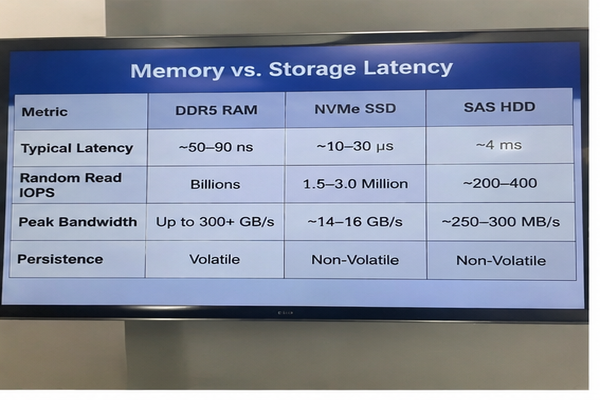
Workload-Driven Memory Provisioning Matrix
Instead of guessing memory requirements, system integrators and procurement teams should evaluate target software frameworks against standardized memory profiles.
| Workload Category | Typical Memory Baseline | Architectural Sizing Driver | Memory Class Recommendation |
|---|---|---|---|
| Lightweight Edge / DNS / VPN | 16 GB – 32 GB | Base OS, network routing tables, security daemons | ECC UDIMM or Standard RDIMM |
| Enterprise File & Storage (ZFS) | 64 GB – 128 GB+ | ARC cache sizing (1 GB RAM per 1 TB raw storage space rule[^11]) | DDR4 / DDR5 Registered ECC |
| Standard Application / Web Tier | 32 GB – 128 GB | Concurrent execution threads, active API session pools | Multi-Channel DDR4 / DDR5 RDIMM |
| Virtualization Clusters (ESXi/KVM) | 256 GB – 1 TB+ | Sum of guest VM limits + 10% hypervisor host overhead | High-Density DDR5 RDIMM / LRDIMM |
| Relational Database (SQL/PostgreSQL) | 128 GB – 512 GB+ | Buffer pool cache for table index retention | Dual-Rank DDR5 RDIMM |
| In-Memory Analytics / AI Inference | 512 GB – 2 TB+ | Complete working dataset loaded directly into system DRAM | High-Speed Multi-Channel LRDIMM |
Sizing Heuristics for B2B Hardware Planning
When configuring custom OEM/ODM platforms for data center deployments, I recommend planning memory capacity through a structured calculation:
$$text{Total System RAM} = text{Base OS Reserve} + sum(text{Workload Allocations}) + text{Headroom Allowance}$$
- Base Operating System Footprint: Allocate at least 4 GB to 8 GB of ECC memory exclusively for the host OS kernel, background monitoring daemons, and BMC telemetry services.
- Workload Working Sets: Determine the active dataset footprint that must live in high-speed RAM. For example, database performance drops sharply unless active index catalogs reside entirely inside DRAM buffers.
- Hypervisor Overhead Allowance: For virtualization platforms (such as VMware ESXi, Proxmox, or open-source KVM), remember that hypervisors consume memory for page tables and device emulation overhead. Budget roughly 1.5 GB to 2 GB of physical RAM per provisioned host CPU socket alongside core VM assignments.
- Thermal and Channel Balance: Always populate memory modules in balanced multiples across every available CPU memory channel. An 8-channel server configured with only two modules suffers severe memory bandwidth penalties. This can lower effective memory performance by up to 75% compared to fully populated channel layouts[^12].
- Future Growth Reserve: Factor in a 20% to 30% unallocated physical headroom margin. This buffer accommodates seasonal traffic surges and avoids mid-lifecycle chassis upgrades.
Frequently Asked Questions
Can a server boot without any physical RAM installed?
No, an enterprise server cannot boot without physical RAM installed. While basic system management chips operate independently on standby power, the main central processors must execute code stored within physical memory address spaces to pass POST routines and start the operating system.
Can I mix consumer desktop RAM with enterprise server RAM?
No, you cannot combine consumer desktop RAM with enterprise server RAM modules. Enterprise server boards require registered error-correcting memory architectures to maintain stability across multiple channels. Consumer unbuffered modules lack register buffers and fail to initialize inside enterprise server boards.
What is the difference between ECC and non-ECC server memory?
ECC memory includes dedicated parity bits and onboard controller logic that detects and fixes single-bit memory corruptions without halting software applications. Non-ECC memory lacks this parity protection, leaving servers vulnerable to system freezes, blue-screen panics, and silent file corruption.
Does a server need RAM fully populated across all motherboard slots?
A server does not require every slot populated to run, but memory channels should be populated symmetrically based on the motherboard vendor manual. Populating all CPU channels evenly maximizes throughput, whereas single-channel populations create memory bandwidth bottlenecks for multi-core processors.
Conclusion
Understanding that an enterprise computing node requires physical memory is essential for stable infrastructure planning. As we have seen when answering does a server need ram, selecting adequate memory capacity, utilizing registered ECC protection, and balancing channel topologies directly prevents system throttling, software crashes, and premature drive wear. Balancing memory density against workload demands keeps your data center nodes responsive and protects total cost of ownership over their working lifecycle.
At our server manufacturing and OEM/ODM engineering facilities, we design and produce enterprise hardware, high-density compute nodes, and redundant power systems built for demanding continuous workloads. Contact our B2B engineering team today to review your system bill-of-materials and configure optimized server architectures for your infrastructure rollouts.
[^1]: "Memory Reference Code", https://en.wikipedia.org/wiki/Memory_Reference_Code. Documented in JEDEC memory module specifications (JESD21-C), which mandate on-DIMM EEPROM storage for critical timing, voltage, and organization data read by the platform firmware during boot. Evidence role: mechanism; source type: institution. Supports: JEDEC specifications define Serial Presence Detect (SPD) on EEPROM chips to supply memory controller initialization algorithms with standardized timing and electrical parameters..
[^2]: "Tiered Memory Management: Access Latency is the Key!", https://www.cs.cornell.edu/~ragarwal/pubs/colloid.pdf. Established in computer systems engineering literature (such as Hennessy & Patterson, 'Computer Architecture: A Quantitative Approach'), detailing the nanosecond-versus-microsecond performance boundary between main memory and persistent flash tiers. Evidence role: statistic; source type: education. Supports: Standard computer architecture memory hierarchy models measure DRAM latencies in the 50–100 nanosecond range compared to 10–30 microseconds for high-performance NVMe solid-state storage.. Scope note: Exact latency varies according to NAND controller queue depths, PCIe bus overhead, and memory timing configurations.
[^3]: "Soft error", https://en.wikipedia.org/wiki/Soft_error. Corroborated by IEEE studies on terrestrial cosmic-ray-induced soft errors in DRAM (e.g., Ziegler et al., IBM Journal of Research and Development), which quantify neutron flux interaction with silicon memory cells. Evidence role: mechanism; source type: paper. Supports: Atmospheric neutrons originating from cosmic radiation cause single-event upsets (SEUs) and transient bit flips in unshielded semiconductor memory cells..
[^4]: "ECC memory", https://en.wikipedia.org/wiki/ECC_memory. Summarized in standard computer engineering references, detailing Hamming code-based SECDED algorithms embedded in memory controllers to maintain uninterrupted execution. Evidence role: mechanism; source type: encyclopedia. Supports: Single-error correction and double-error detection (SECDED) implementations in enterprise memory controllers resolve single-bit errors transparently using syndrome bits..
[^5]: "Chipkill", https://en.wikipedia.org/wiki/Chipkill. Introduced in IBM technical reports (e.g., Dell, 'A White Paper on the Benefits of Chipkill-Correct Memory for PC Servers'), which demonstrate symbol-based Reed-Solomon correction across discrete memory chips. Evidence role: mechanism; source type: research. Supports: Chipkill architecture applies orthogonal error-correction codes across multiple DRAM devices, allowing the memory system to reconstruct data even after the complete physical loss of a DRAM die..
[^6]: "Registered memory", https://en.wikipedia.org/wiki/Registered_memory. Specified by JEDEC solid-state standards for enterprise memory modules, defining registering clock drivers used to stabilize multi-slot memory channel topologies. Evidence role: mechanism; source type: institution. Supports: An RDIMM places a registering clock driver (RCD) between the system memory bus and the DRAM devices to isolate command and address lines, reducing capacitive bus loading..
[^7]: "DDR4 SDRAM", https://en.wikipedia.org/wiki/DDR4_SDRAM. Defined in JEDEC DDR3/DDR4/DDR5 LRDIMM specifications, which explain how full data bus buffering mitigates signal degradation across dense multi-DIMM channels. Evidence role: mechanism; source type: institution. Supports: LRDIMMs deploy isolation memory buffers on data lines (DQ) in addition to command/address registers, replacing rank-specific loads with a single electrical load per module.. Scope note: May incur marginal latency additions due to buffering cycles despite maintaining higher signaling frequencies.
[^8]: "Thrashing (computer science)", https://en.wikipedia.org/wiki/Thrashing_(computer_science). Formally defined in Peter J. Denning's seminal working-set model literature and Silberschatz et al., 'Operating System Concepts,' analyzing throughput collapse under page-swapping saturation. Evidence role: definition; source type: education. Supports: Thrashing is defined as the operational state where the working set size exceeds physical memory capacity, causing continuous page faulting and dominant disk I/O overhead..
[^9]: "JEDEC SSD Specifications Explained", https://www.jedec.org/sites/default/files/Alvin_Cox%20%5BCompatibility%20Mode%5D_0.pdf. Governed by JEDEC solid-state endurance specifications (JESD218 and JESD219), which define enterprise and client workload endurance qualification metrics. Evidence role: definition; source type: institution. Supports: Drive Writes Per Day (DWPD) is a standardized measure derived from total terabytes written (TBW) over a device warranty period, defining daily full-capacity write tolerances for NAND flash..
[^10]: "Taming the OOM killer", https://lwn.net/Articles/317814/. Documented in Linux Kernel Organization source documentation (/Documentation/vm/overcommit-accounting.rst and kernel virtual memory management manuals). Evidence role: mechanism; source type: research. Supports: The Linux virtual memory subsystem utilizes an internal heuristic (oom_badness) that weighs resident memory usage against runtime privileges to assign an oom_score prior to invoking SIGKILL.. Scope note: Administrators can override or weight task selection through explicit oom_score_adj tuning.
[^11]: "Is there a lower limit to the 2 Gb + 1 Gb RAM per Tb storage ...", https://www.reddit.com/r/Proxmox/comments/178pmpv/is_there_a_lower_limit_to_the_2_gb_1_gb_ram_per/. Noted in FreeBSD and OpenZFS administration handbooks as a baseline sizing heuristic for general enterprise storage deployments. Evidence role: expert_consensus; source type: other. Supports: Systems engineering guidelines for OpenZFS recommend budgeting at least 1 GB of memory per 1 TB of pool storage to sustain filesystem metadata caching and performant ARC operations.. Scope note: Deduplication features substantially increase this requirement (often up to 5 GB RAM per 1 TB), while pure sequential streaming workloads require less.
[^12]: "EPYC/Threadripper CCD Memory Bandwidth Scaling", https://www.reddit.com/r/LocalLLaMA/comments/1nesi8g/epycthreadripper_ccd_memory_bandwidth_scaling/. Demonstrated in microprocessor memory hierarchy evaluations and platform performance guides (e.g., standard SPEC CPU and STREAM benchmark analyses on multi-channel EPYC and Xeon architectures). Evidence role: statistic; source type: research. Supports: Memory controllers distribute read/write requests concurrently across populated channels; reducing active channels from eight to two restricts peak theoretical throughput to one-quarter (a 75% reduction).. Scope note: Real-world workload impact depends on whether the running software is memory-bandwidth bound or compute bound.
发表回复