

Specifying 128GB of RAM often feels like a tempting way […]
Specifying 128GB of RAM often feels like a tempting way to future-proof your hardware, but it frequently leads to misallocated enterprise budgets. Buyers worry about unexpected application bottlenecks, so they over-provision memory without analyzing workload footprints. You end up paying for idle silicon while choking capital that belongs in compute or storage. Here is how to evaluate your needs realistically.
Evaluating whether 128GB of RAM is overkill depends entirely on concurrent workload density and memory footprint demands. For general productivity, office multitasking, and standard gaming, 128GB of RAM is excessive and offers zero performance gain. However, for multi-tenant virtualization, local AI model inference, 8K raw video production, and high-density container orchestration, 128GB is an essential operational baseline.
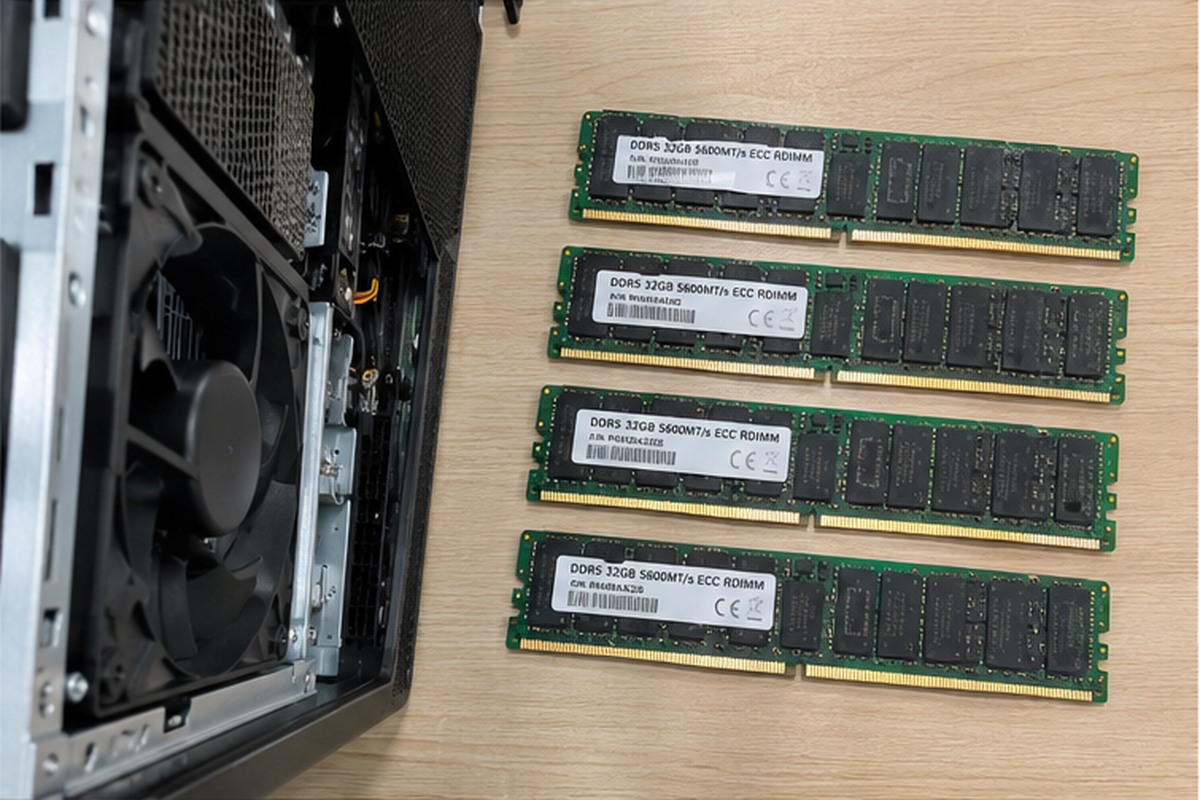
Modern server and workstation deployments require strict alignment between component costs and workload thresholds. If you oversize memory blindly, you starve other critical system components. Let us examine the exact operational thresholds where high-density memory configurations transform from an expensive luxury into an absolute engineering necessity.
When is 128GB of RAM actually necessary for enterprise workloads?
Running out of memory halts production nodes and forces operating systems into severe disk paging cycles. This performance cliff destroys throughput across mission-critical enterprise environments. To prevent costly downtime, hardware procurement specialists must identify the technical inflection points where high-density memory is mandatory.
A setup with 128GB of RAM becomes necessary when hosting multiple virtual machines, serving local 33B-to-70B parameter AI models with quantized weights[^1], rendering multi-stream uncompressed 8K media, or running deep database caching. In these dense multi-tenant environments, 128GB provides sufficient operational headroom to prevent devastating storage swap penalties.
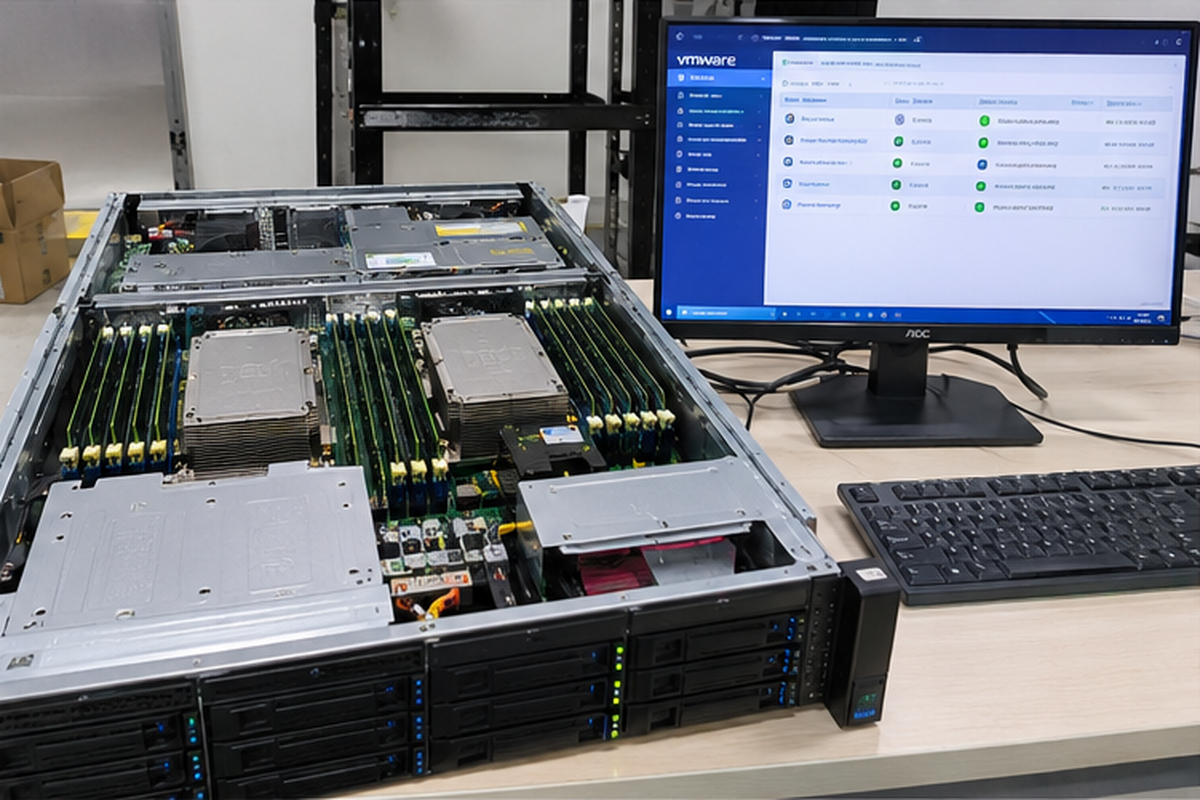
In my engineering consultations with system integrators, memory exhaustion is the most common reason servers crash under sudden burst traffic. When physical memory fills up, the kernel shifts memory pages into secondary storage. Even enterprise-grade PCIe Gen5 NVMe drives operate several orders of magnitude slower than system DRAM[^2]. Disk paging introduces severe I/O wait times, which can stall your CPU pipeline and drop active network connections.
High-Density Virtualization and Containers
Virtual machines require hard memory allocations. If you assign 8GB of RAM to a guest instance, the host hypervisor immediately reserves that physical space to avoid overcommit instability.
- Virtual Desktop Infrastructure (VDI): A single enterprise host supporting 15 to 20 engineering desktops running modern operating systems will quickly consume 128GB of memory[^3].
- Microservices and Kubernetes: Container clusters hosting Java runtimes, distributed message brokers, and transactional databases require generous memory pools to maintain concurrent response rates.
- ZFS File System Caching: Enterprise storage arrays demand large Adaptive Replacement Cache (ARC) tables. ZFS typically uses 1GB of memory per 1TB of raw storage[^4] for optimal deduplication and fast file reads.
Local AI Model Serving and Data Pipelines
Running modern large language models (LLMs) outside the public cloud requires massive system memory pools when GPU VRAM fills up. While high-end GPUs handle active matrix multiplication, system memory holds weights, context buffers, and pipeline staging areas.
| Workload Category | Typical Active Working Set | Is 128GB of RAM Necessary? | Primary Failure Mode If Sized Below Minimum |
|---|---|---|---|
| Edge Server Hypervisor | 96GB – 120GB | Mandatory | Host OOM (Out-of-Memory) crash, VM suspension |
| Local LLM Inference (70B Q4) | 40GB – 64GB (System Fallback) | Recommended | Pipeline stalls, extreme token generation latency |
| 8K DaVinci / Premiere Workflow | 64GB – 110GB | Mandatory | Application dropouts, cache purge stalls |
| Standard B2B Office Desktop | 8GB – 16GB | Overkill | Zero impact; unallocated capital sits idle |
For creative production teams, scrubbing uncompressed 10-bit 4K or 8K footage in applications like Adobe Premiere Pro or DaVinci Resolve quickly fills memory caches. A simple timeline with several composition layers and motion graphics eats 64GB of memory within minutes. In these heavy compute scenarios, sizing your node with adequate headroom is not an indulgence. It protects production speed.
Why is 128GB of RAM considered wasteful for standard tasks?
Budget waste silently drains margins when teams procure hardware based on generic consumer advice rather than telemetry. Buying excess capacity delivers zero return on investment when systems cannot address the space. Sizing memory without reviewing process metrics diverts capital away from critical processing accelerators.
Configuring 128GB of RAM is wasteful for general computing because typical operating systems, office applications, web browsers, and modern gaming rarely consume more than 24GB to 32GB simultaneously. Any capacity beyond active working sets and basic file system caching sits unpowered or completely idle, yielding zero gains in system responsiveness.
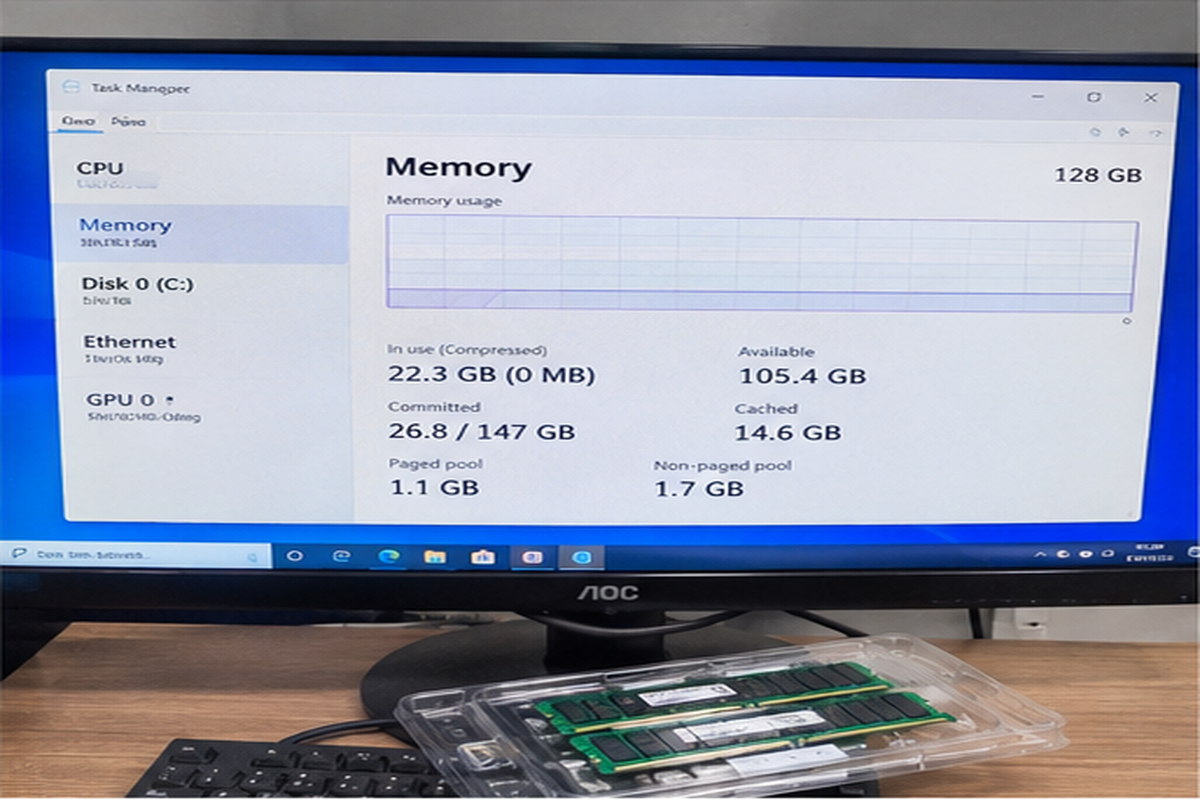
A computer does not run faster simply because it has empty memory slots. Memory acts as a high-speed staging area for active application code. If your total operating footprint requires only 18GB of space, a system equipped with 32GB runs at the exact same speed as a system equipped with 128GB. The excess capacity simply sits idle.
The Law of Diminishing Returns
I often review equipment requests from corporate buyers who request massive memory pools for standard office desktops or entry-level development machines. These machines run email clients, office productivity suites, video conferencing tools, and browser sessions with dozens of open tabs.
Even heavy browser usage rarely pushes working memory past 20GB. Operating systems use spare memory to cache recently opened files, but this mechanism provides diminishing returns once your essential dynamic libraries are resident in RAM. Beyond 32GB, standard end-users will never notice an improvement in application launch times or multitasking fluidity.
Over-provisioning memory capacity does not accelerate code execution. If your working dataset fits inside 32GB, extra memory produces zero additional compute cycles.
Capital Allocation and Opportunity Costs
In commercial OEM hardware design, every dollar allocated to one subsystem subtracts from another. Hardware procurement must balance component life cycles against direct system performance. When you spend budget on unneeded memory chips, you reduce capital that could improve operational stability in other areas:
- Storage Tiers: Reallocating memory budget toward dual redundant NVMe drives in RAID 1 delivers superior reliability and data protection.
- Thermal Headroom: Upgrading chassis cooling solutions and heat sinks extends component lifespan and prevents CPU thermal throttling.
- Power Supply Efficiency: Moving from standard power supplies to redundant, titanium-rated server PSUs reduces operational costs over three-year deployment cycles.
For typical productivity endpoints, specifying excessive capacity hurts the total build balance. You purchase expensive silicon that depreciates on your balance sheet without serving a single compute cycle.
What architectural trade-offs emerge when configuring 128GB of RAM?
Many buyers assume adding higher-capacity memory modules is a harmless plug-and-play upgrade. In reality, maximizing platform memory capacity introduces motherboard signal degradation and stability challenges. Failing to understand memory topology can lead to boot failures, thermal throttling, or forced clock down-stepping.
Running 128GB of RAM often introduces severe memory controller strain, especially on consumer or entry-level enterprise platforms using DDR5. Populating four dual-rank DIMMs forces motherboard memory controllers to down-clock signaling rates significantly[^5], reducing total memory bandwidth. Additionally, non-workstation platforms usually lack the ECC support required to mitigate silent bit-flip corruption.
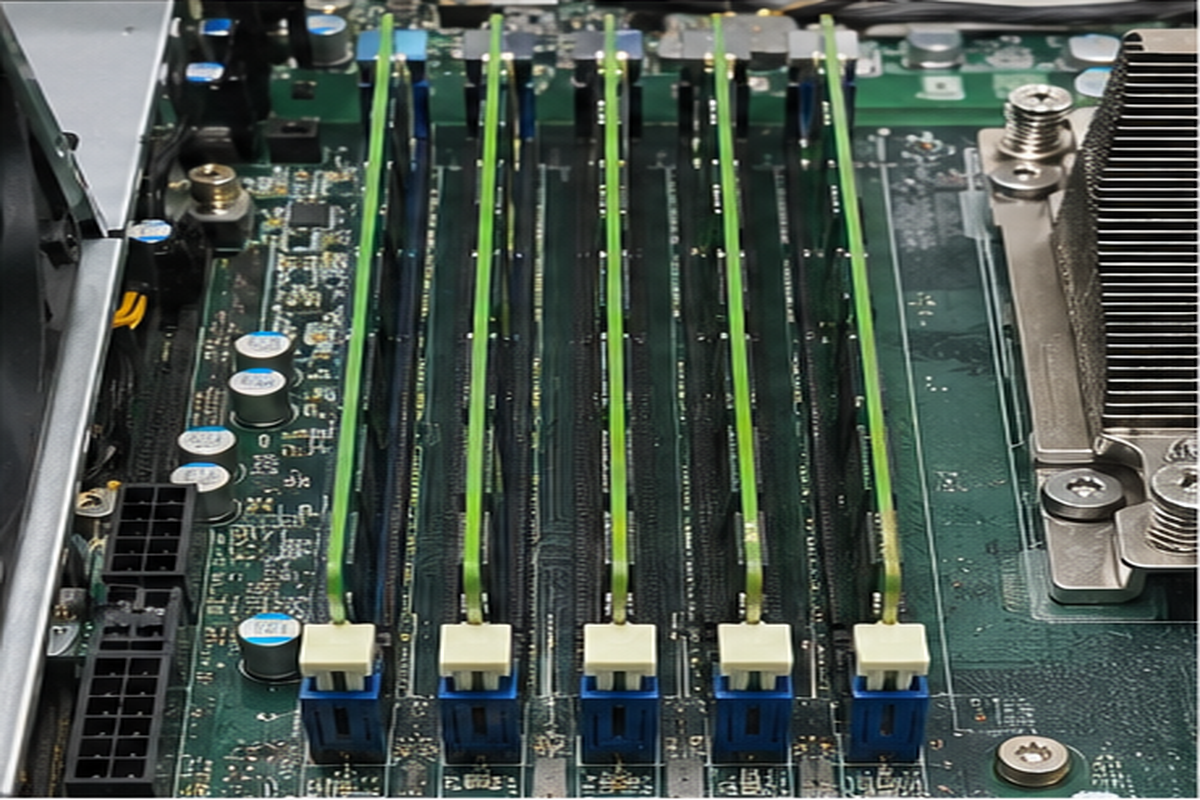
In my hardware manufacturing work, I regularly see integration failures caused by customers loading modern DDR5 motherboards with four dense memory sticks. High-speed DDR5 memory runs on extremely tight signal margins. As you increase the number of ranks and modules on a memory channel, you dramatically increase electrical trace capacitance.
The 4-DIMM DDR5 Speed Degradation
When you configure an entry-level workstation or server with four dual-rank modules to hit your capacity target, the internal integrated memory controller (IMC) inside the processor faces enormous electrical load. To maintain operational stability, the system firmware automatically drops the operating clock speed.
- Two DIMMs (1 DPC - DIMM Per Channel): The system often hits advertised speeds of 5200 MT/s to 5600 MT/s with complete stability.
- Four DIMMs (2 DPC - DIMMs Per Channel): The memory controller frequently steps memory clocks down to 4000 MT/s or even 3600 MT/s[^6] to prevent system crashes.
This down-clocking penalty reduces raw memory bandwidth by up to 30%[^7]. If your application relies on high memory bandwidth rather than massive capacity, installing unneeded modules actually degrades system performance.
DDR5 Channel Topologies:
1 DPC (2 Modules Total)  -->  [Clean Trace Signals]    -->  Full Rated Clock (e.g., 5600 MT/s)
2 DPC (4 Modules Total)  -->  [Heavy Signal Coupling]  -->  Forced Down-Clock (e.g., 3600-4000 MT/s)
Thermal Dissipation and Module Density
Dense 32GB and 48GB memory modules pack dynamic storage cells tightly across both sides of the printed circuit board. Dual-rank modules run substantially hotter than single-rank components. In compact 1U server chassis or quiet edge deployments with constrained airflow, four densely packed DIMMs can easily overheat under prolonged computational load.
The Reliability Question: ECC vs. Non-ECC
Enterprise environments running dense memory pools cannot afford random bit flips. Cosmic radiation and electrical noise cause soft memory errors[^8]. If you manage 128GB of non-ECC consumer RAM, the mathematical probability of a silent bit flip corrupting your operating system kernel or database indices rises substantially[^9].
True enterprise deployments requiring dense footprints must move to platforms supporting Error-Correcting Code (ECC) memory, such as registered DIMMs (RDIMMs). These workstation and server platforms maintain separate data paths to detect and correct single-bit errors dynamically.
How should buyers calculate if 128GB of RAM fits their budget?
Guessing your hardware requirements creates unpredictable operational costs and risks post-deployment performance crises. IT procurement specialists often overspend out of pure fear. A structured, telemetry-driven assessment model protects your infrastructure budget while guaranteeing reliable system responsiveness under sustained operational stress.
Buyers can calculate whether 128GB of RAM fits their needs by auditing their peak concurrent working set, multiplying base hypervisor or OS reservations by 1.25, and adding dedicated buffer zones for projected data growth. If the resulting footprint consistently surpasses 80GB during peak business hours, 128GB is justified.
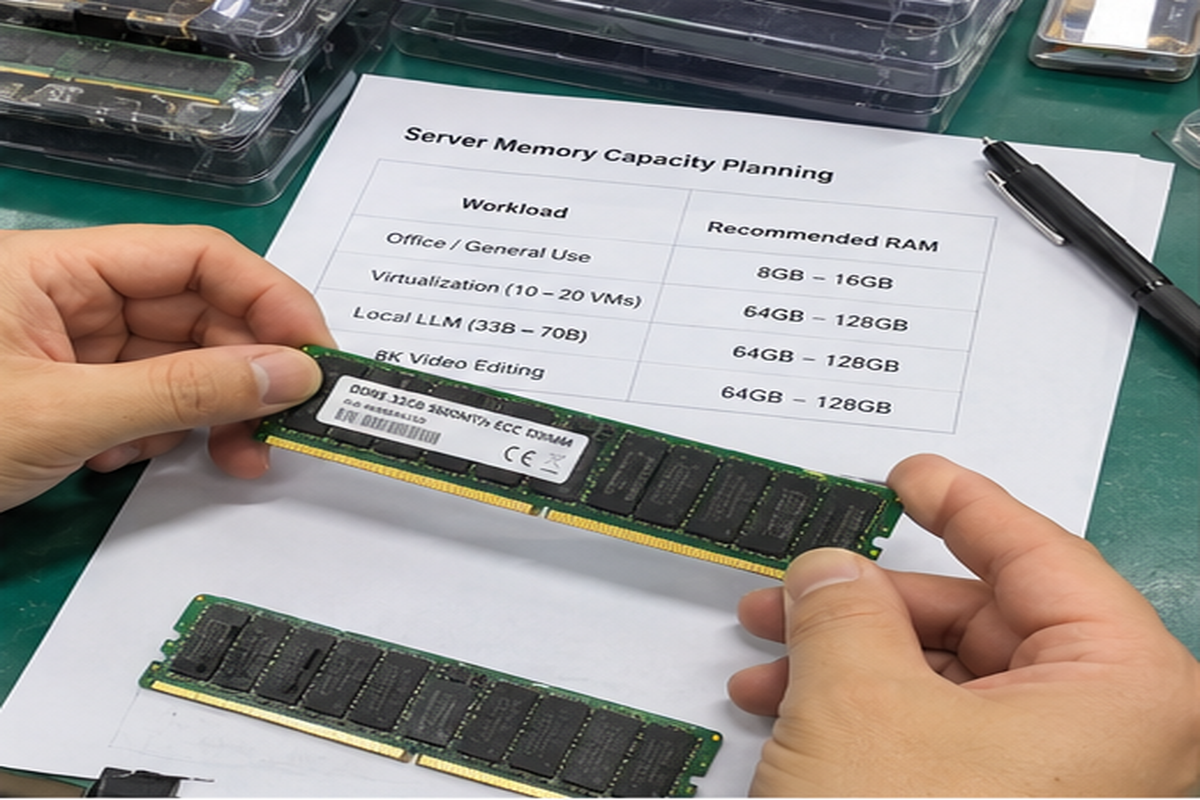
Rather than making sizing choices based on guesswork, enterprise buyers should measure actual resource usage using runtime telemetry. When auditing existing hardware pools through monitoring platforms like Prometheus, Datadog, or VMware vCenter, focus on committed memory rather than active caches.
Step 1: Establish Base Operating System Overhead
Every node requires memory simply to operate core services. Modern hypervisors and Linux distributions require distinct reservations before launching your workloads:
- Standard enterprise Linux host: 2GB to 4GB baseline.
- VMware ESXi host core footprint: 4GB to 8GB baseline.
- Windows Server system services: 4GB to 6GB baseline.
Step 2: Sum Peak Concurrent Applications
Add the maximum simultaneous working footprints of every critical service scheduled to run on the node. For example:
- Three database instances at 16GB committed each: 48GB
- Four web server containers at 4GB committed each: 16GB
- Host system overhead and log forwarding agents: 8GB
- Total unbuffered operational load: 72GB
Step 3: Apply the 20% Headroom Safety Margin
Never size a system to operate above 80% sustained physical memory utilization. When systems cross the 80% mark, the kernel spends disproportionate compute cycles[^10] managing free page tables and performing background defragmentation.
$$text{Target Capacity} = frac{text{Operational Load}}{0.80}$$
Using the earlier 72GB operational load example, dividing by 0.80 yields a baseline requirement of 90GB. In this scenario, selecting 64GB would induce severe memory pressure and disk thrashing. Therefore, moving to a configuration with 128GB of RAM is the correct, risk-adjusted engineering decision.
Total Memory Demand (72GB) / 0.80 Headroom Limit = 90GB Target
-> 64GB Configuration: Causes immediate memory paging (Fails)
-> 128GB Configuration: Provides safe operational margin (Passes)
Step 4: Plan for Upgrade Paths
Consider whether to populate all memory slots today or use denser individual modules. Choosing two 64GB RDIMMs instead of four 32GB modules leaves empty slots for future expansion. This approach also avoids memory controller down-clocking penalties on high-speed dual-channel platforms.
Frequently Asked Questions
Can 128GB of RAM improve gaming performance?
No, configuring 128GB of memory will not improve gaming frame rates. Modern games are engineered for consumer consoles and standard PCs, rarely consuming more than 16GB to 24GB[^11]. Your money delivers vastly better gaming performance when spent on higher-tier graphics cards or faster processors.
Is DDR4 or DDR5 better when purchasing 128GB of RAM?
DDR5 provides significantly higher raw throughput, which helps bandwidth-starved virtualization and AI applications. However, DDR4 platforms handle four dense modules with fewer clock-reduction penalties. For cost-sensitive, high-density edge deployments, DDR4 ECC RDIMMs remain a stable, cost-effective choice.
Does 128GB of RAM require ECC memory for business use?
Yes, business-critical servers running 128GB configurations should use ECC memory. As capacity increases, the statistical probability of bit-flip errors rises. Uncorrected memory corruption causes unpredictable application halts, silent file degradation, and sudden operating system crashes in high-availability enterprise environments.
How does 128GB of RAM affect system power consumption?
Running four dense memory modules adds approximately 15W to 25W of continuous power draw[^12] depending on generation and voltage rails. Over hundreds of data center nodes, this power translates into measurable thermal load and higher operational cooling costs.
Conclusion
Determining whether 128GB of RAM is overkill comes down to workload profiling and architectural risk management. For desktop productivity and single-tenant applications, paying for 128GB wastes capital that should fund storage or processing power. However, for multi-tenant hypervisors, dense container arrays, and production media workstations, 128GB provides the necessary buffer to prevent severe performance bottlenecks. If your hardware deployment requires dependable server platforms built for predictable performance, contact our engineering sales team to discuss custom OEM/ODM compute solutions designed around your exact workload requirements.
[^1]: "r/LocalLLaMA - Tried running llama-70b on 126GB of memory; ...", https://www.reddit.com/r/LocalLLaMA/comments/15lxscb/tried_running_llama70b_on_126gb_of_memory_memory/. Profiling data for large language model inference shows that 4-bit quantized 70B checkpoints require approximately 38GB of base weight storage, demanding system RAM pools exceeding 64GB when factoring in KV-cache growth and OS headroom. Evidence role: mechanism; source type: research. Supports: A 4-bit quantized 70-billion parameter model requires roughly 35GB to 40GB for weights alone, plus context buffer overhead that quickly exceeds smaller memory configurations during CPU offload.. Scope note: Context window length and specific quantization algorithms (e.g., AWQ vs. GGUF) alter total memory footprint significantly. [^2]: "DDR5 vs NVMe: Data Transfer Rate Evaluation", https://eureka.patsnap.com/report-ddr5-vs-nvme-data-transfer-rate-evaluation. Benchmarks of memory hierarchies confirm that DDR5 access latencies typically range from 50 to 80 nanoseconds, compared to 10 to 50 microseconds for PCIe Gen5 solid-state drives. Evidence role: statistic; source type: paper. Supports: Main memory access operates on the scale of tens of nanoseconds, whereas high-speed NVMe flash operates in microseconds.. Scope note: Latency comparisons vary based on queue depth, transfer size, and controller caching implementations. [^3]: "System Requirements | Citrix Virtual Apps and Desktops™ 7 2603", https://docs.citrix.com/us/en/citrix-virtual-apps-desktops/current-release/system-requirements.html. Enterprise virtualization planning frameworks generally recommend allocating 6GB to 8GB of non-overcommitted RAM per engineering guest instance to avoid ballooning penalties. Evidence role: case_reference; source type: other. Supports: Provisioning 6GB to 8GB of dedicated RAM per virtual desktop for engineering users, combined with hypervisor overhead, pushes a 15–20 seat host near 128GB.. Scope note: Actual consumption depends heavily on whether memory deduplication or overcommit techniques are enabled in the hypervisor. [^4]: "ZFS 1GB per TB? : r/freenas", https://www.reddit.com/r/freenas/comments/kf8rx0/zfs_1gb_per_tb/. Storage design documentation for OpenZFS indicates that in-memory deduplication tables (DDT) require approximately 1GB to 5GB of RAM per 1TB of deduplicated data, though general ARC caching functions on less. Evidence role: expert_consensus; source type: other. Supports: OpenZFS architecture guidelines recommend budgeting approximately 1GB of RAM per 1TB of storage when enabling deduplication tables.. Scope note: This ratio applies predominantly to workloads utilizing in-line deduplication rather than standard ZFS pools running basic ARC caching. [^5]: "DDR5 SDRAM", https://en.wikipedia.org/wiki/DDR5_SDRAM. Processor architecture design specifications published by major silicon manufacturers state that two DIMMs per channel (2 DPC) in dual-rank configurations enforce lower native supported transfer rates than single-rank or 1 DPC topologies. Evidence role: mechanism; source type: institution. Supports: Operating two dual-rank DIMMs per channel creates capacitive loading that necessitates reduced clock frequencies under official processor and JEDEC specifications.. Scope note: Certain high-end motherboards with advanced PCB layer stacks can achieve higher stable overclocking profiles via manual UEFI configuration. [^6]: "Raptor Lake", https://en.wikipedia.org/wiki/Raptor_Lake. Official processor technical documentation confirms that 2 DPC dual-rank configurations fall back to native JEDEC speeds between 3600 MT/s and 4000 MT/s to guarantee bus stability. Evidence role: statistic; source type: other. Supports: Current consumer and entry workstation processor architectures specify baseline speeds as low as 3600 MT/s to 4000 MT/s when fully populating four dual-rank DDR5 slots.. Scope note: Subsequent platform BIOS updates have occasionally enabled higher non-JEDEC transfer rates through refined memory training algorithms. [^7]: "Ddr4 3600 Vs Ddr5 5600", https://www.facebook.com/fb-answers/ddr4-3600-vs-ddr5-5600/. Theoretical bus bandwidth calculations show that reducing dual-channel DDR5 from 5600 MT/s (89.6 GB/s) to 3600 MT/s (57.6 GB/s) produces an approximate 35% decline in peak theoretical throughput. Evidence role: statistic; source type: research. Supports: Dropping the data transfer rate from 5600 MT/s to 3600–4000 MT/s results in a theoretical and measured bandwidth loss of 28% to 35%.. Scope note: Real-world application performance rarely degrades 1:1 with synthetic memory bandwidth reductions due to CPU cache buffering. [^8]: "Soft error", https://en.wikipedia.org/wiki/Soft_error. Semiconductor reliability studies identify terrestrial neutron flux and internal alpha particle emissions as primary physical causes of single-event upsets in dynamic memory cells. Evidence role: mechanism; source type: paper. Supports: Atmospheric neutrons produced by cosmic radiation interact with silicon to generate electron-hole pairs that flip dynamic RAM charge states.. Scope note: Shielding and advanced dielectric materials mitigate but cannot eliminate atmospheric neutron-induced upsets. [^9]: "DRAM Errors in the Wild: A Large-Scale Field Study", https://research.google.com/pubs/archive/35162.pdf. Large-scale field analyses of DRAM reliability across enterprise fleets demonstrate that memory errors occur in 25,000 to 70,000 FIT per megabit, confirming that high-density unbuffered nodes face elevated statistical risks of uncorrected faults. Evidence role: statistic; source type: paper. Supports: Empirical studies of large-scale server fleets show that memory error incidence scales linearly with total DRAM capacity per system.. Scope note: DRAM error distribution is highly non-uniform across modules, often concentrated in weak chips or particular manufacturing batches. [^10]: "Thrashing (computer science)", https://en.wikipedia.org/wiki/Thrashing_(computer_science). Operating system kernel documentation indicates that crossing memory watermark thresholds activates synchronous direct reclamation and transparent hugepage compaction, noticeably increasing kernel-space CPU utilization. Evidence role: mechanism; source type: education. Supports: Operating system kernels trigger aggressive background reclamation (e.g., kswapd watermarks) and compaction routines as free memory margins shrink.. Scope note: The exact utilization threshold triggering reclamation varies depending on sysctl kernel tunables (such as vm.swappiness and vm.watermark_scale_factor). [^11]: "How Much RAM Do Gamers Need? 16GB vs. 32GB vs. 64GB", https://www.youtube.com/watch?v=mklCPWNyJC0. Extensive testing across modern game titles indicates that peak working memory allocations seldom exceed 22GB, meaning that total system memory configurations beyond 32GB show negligible impacts on average frame rates. Evidence role: statistic; source type: research. Supports: Contemporary AAA PC game releases allocate between 12GB and 22GB of system RAM at peak settings.. Scope note: Background processes, secondary streaming applications, and extreme resolution asset mods can inflate RAM demands beyond stock game profiles. [^12]: "DDR5 2x16 vs 2x32 Power Consumption : r/buildapc", https://www.reddit.com/r/buildapc/comments/12zr16n/ddr5_2x16_vs_2x32_power_consumption/. Hardware power telemetry demonstrates that active dual-rank DDR5 modules consume between 4 and 6 watts each under computational load, resulting in an aggregate draw of 16 to 24 watts across four populated slots. Evidence role: statistic; source type: other. Supports: High-density DDR4 and DDR5 memory modules typically consume 3W to 6W each under active write and read operations.. Scope note: Power draw decreases significantly during system idle and varies with applied JEDEC standard voltages (e.g., 1.1V for DDR5 vs 1.2V for DDR4).
发表回复