

Enterprise IT buyers often wonder if deploying 1000 GB […]
Enterprise IT buyers often wonder if deploying 1000 GB of RAM inside a single server node is technically possible and operationally sound. Sizing compute memory without understanding hardware limits leads to system instability, thermal throttling, and budget waste. I often see clients face this challenge during early system specification reviews. Fortunately, enterprise multi-socket architectures solve this physical capacity barrier reliably.
Yes, achieving 1000 GB of RAM is entirely possible and standard in modern enterprise servers. Reaching this milestone—typically provisioned as 1,024 GB or 1 Terabyte (TB)—requires multi-channel enterprise processors, dedicated server motherboards with 16 to 32 DIMM slots, and registered ECC RDIMMs or LRDIMMs rather than standard unbuffered consumer memory modules.
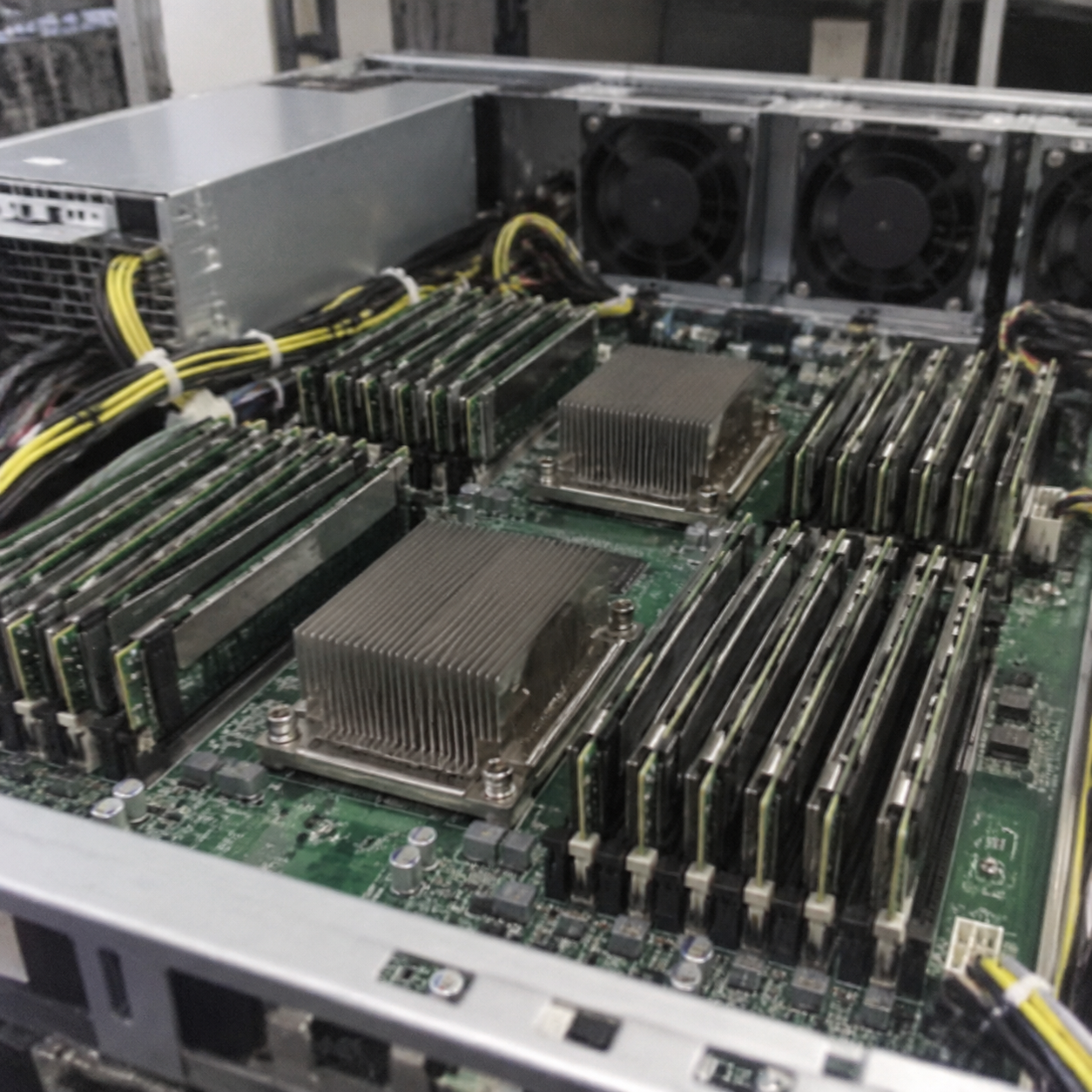
A simple confirmation does not tell the whole technical story. Moving from standard configurations to a terabyte-scale memory pool introduces critical hardware dependencies, electrical limits, and motherboard layout considerations. Let us examine the physical and architectural rules that govern these dense memory deployments.
What hardware architecture makes 1000 GB of RAM possible?
Enterprise buyers often struggle to understand why standard commercial motherboards cannot handle terabyte-scale memory pools. Attempting to force high-density modules into standard desktop boards causes immediate boot failures and stalled deployments. I help clients avoid these errors by mapping their capacity goals directly to enterprise platform architecture.
Enterprise server platforms make 1000 GB of RAM possible by using multi-channel memory controllers built into enterprise-grade processors. Systems powered by modern Intel Xeon or AMD EPYC processors feature 8 to 12 memory channels per socket. A dual-socket server board with 16 or 32 DIMM slots easily accommodates this capacity using high-density registered ECC memory.
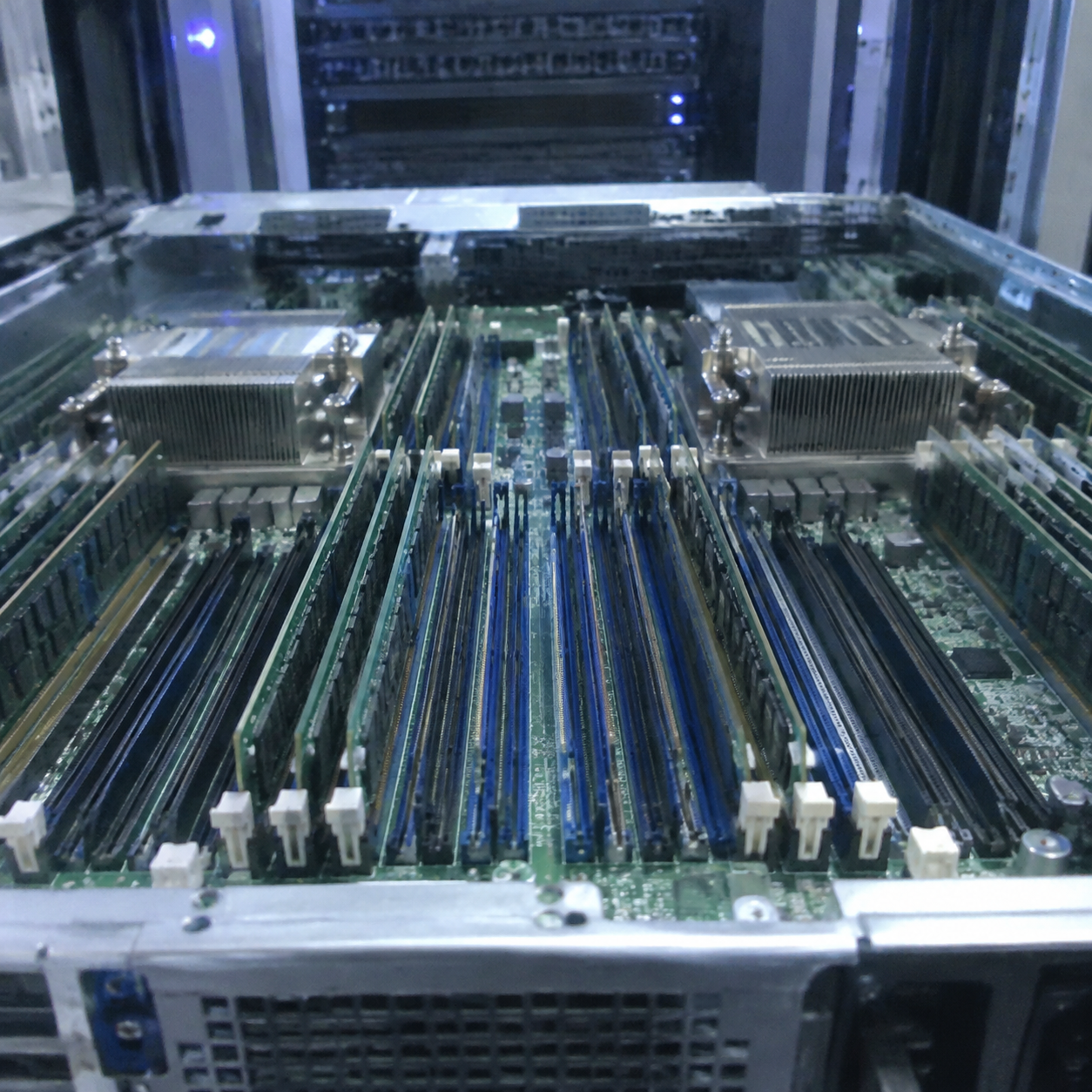
Consumer vs. Enterprise Platform Topologies
Standard consumer systems rely on dual-channel memory architectures. Most consumer motherboards offer two to four DIMM slots. These desktop chips max out between 128 GB and 192 GB of unbuffered DIMM (UDIMM) memory[^1] due to trace routing and memory controller limits.
Enterprise servers operate on an entirely different scale. Enterprise CPUs feature native 8-channel or 12-channel integrated memory controllers (IMCs). When system designers place two processors on a single motherboard (a 2S or dual-socket configuration), the system gains access to up to 24 memory channels.
Consumer Desktop (2 Channels):
[CPU] <---> [Ch A: DIMM 1, DIMM 2]
      <---> [Ch B: DIMM 1, DIMM 2]
Max Capacity: ~128 GB - 192 GB UDIMM

Dual-Socket Enterprise Server (16 to 24 Channels Total):
[Socket 0] <---> 8-12 Independent Channels <---> Up to 16 DIMM Slots
    | (UPI / Infinity Fabric Interconnect)
[Socket 1] <---> 8-12 Independent Channels <---> Up to 16 DIMM Slots
Max Capacity: 1,024 GB (1 TB) to 4,096 GB (4 TB)+ RDIMM / 3DS LRDIMM
Module Selection: RDIMMs, LRDIMMs, and 3DS Stacking
You cannot hit 1000 GB of RAM using consumer memory sticks. Enterprise servers require specialized modules that manage electrical signal integrity:
- Registered DIMMs (RDIMMs): An onboard register buffers address and command lines between the memory controller and the DRAM chips.[^2] This buffer reduces electrical loading on the processor memory bus.
- Load-Reduced DIMMs (LRDIMMs): These modules buffer both command lines and data lines. They present a single electrical load to the memory controller[^3], allowing servers to run higher densities at stable clock rates.
- 3DS (Three-Dimensional Stacking): High-density modules use through-silicon vias (TSVs) to stack multiple DRAM dies vertically[^4]. A single 3DS RDIMM can provide 64 GB, 128 GB, or 256 GB of capacity on a single slot.
| Hardware Feature | Consumer Workstation | Single-Socket Server (1P) | Dual-Socket Server (2P) |
|---|---|---|---|
| Typical CPU Families | Intel Core / AMD Ryzen | Intel Xeon Bronze/Silver, AMD EPYC 8004/9004 | Intel Xeon Gold/Platinum, AMD EPYC 9004 |
| Memory Channels | 2 channels | 8 to 12 channels | 16 to 24 channels |
| Total DIMM Slots | 2 to 4 slots | 8 to 12 slots | 16 to 32 slots |
| Supported RAM Type | Non-ECC / Unbuffered ECC | Registered ECC (RDIMM) | Registered ECC (RDIMM / 3DS LRDIMM) |
| Path to 1000 GB | Impossible | 8x 128 GB or 12x 96 GB | 16x 64 GB or 32x 32 GB |
During a consultation last year, an integration client wanted to build a single-socket tower with 1 TB of RAM using budget parts. We had to show them that without an enterprise socket supporting at least 8 channels and high-density RDIMMs, the physical bus simply cannot drive the signal.
Why does 1000 GB of RAM create memory bus and speed trade-offs?
Procurement teams often assume that ultra-dense memory pools always operate at peak advertised transfer speeds. Overlooking bus electrical loading causes unexpected downclocking and missed application performance targets. In our server integration projects, I make sure buyers understand that raw memory capacity directly influences physical bus frequency.
Operating 1000 GB of RAM creates capacitive loading on the motherboard copper traces when you install multiple DIMMs on the same channel. When servers run two DIMMs per channel (2 DPC), the integrated memory controller downclocks the frequency[^5] (for instance, dropping from 4800 MT/s to 4000 MT/s) to maintain signal timing and prevent bus corruption.
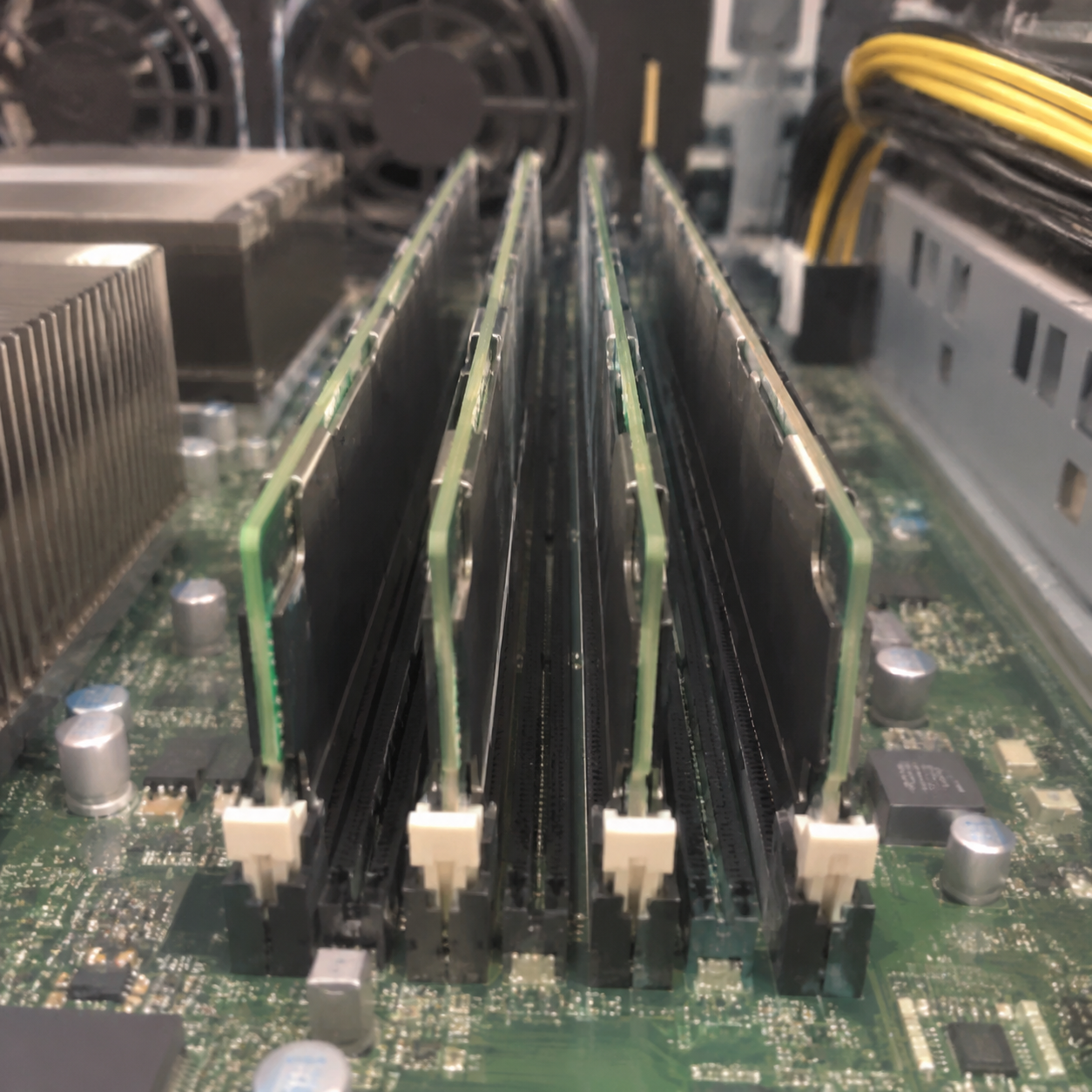
Understanding DIMM Per Channel (DPC) Penalty
To hit 1000 GB or 1024 GB, hardware architects choose between two main layouts:
- Fewer, denser modules (1 DPC): For example, using sixteen 64 GB modules across 16 channels.
- More, smaller modules (2 DPC): For example, using thirty-two 32 GB modules across 16 channels.
Running 1 DPC maintains the highest bus speed because the electrical path between the processor memory controller and the memory stick remains clear. Running 2 DPC adds electrical stubs, increases trace resistance, and degrades signal reflections.
Modern DDR5 platforms handle signal integrity better than older platforms. However, processor specifications still enforce automatic frequency drops when both slots on a channel are populated.
The Non-Uniform Memory Access (NUMA) Factor
A server with 1000 GB of RAM across two CPU sockets relies on Non-Uniform Memory Access (NUMA). Each processor manages its own local memory controller and local memory pool:
- Local Access: CPU 0 accesses its directly attached 512 GB pool with low latency.
- Remote Access: When CPU 0 needs data stored in the 512 GB pool attached to CPU 1, it must send requests across the inter-socket bus (Intel UPI or AMD Infinity Fabric).
Remote memory access increases latency by roughly 30% to 50%.[^6] Applications that are not NUMA-aware can suffer significant performance drops. System architects must tune their operating system and hypervisor configurations to keep workloads pinned to local memory nodes.
What thermal and power challenges emerge with 1000 GB of RAM?
Design teams often overlook the power consumption and heat generated by thirty-two high-density memory sticks. Neglecting these thermal loads causes memory controller throttling, localized chassis hot spots, and silent bit flips. I always urge clients to calculate memory power consumption before finalizing chassis airflow and power supply configurations.
Deploying 1000 GB of RAM adds measurable electrical load and thermal dissipation requirements to the chassis. A single high-density enterprise DDR4 or DDR5 module consumes between 5 to 15 watts under heavy input/output operations[^7]. A fully loaded 32-DIMM array draws between 160 and 400 watts of continuous power solely for the memory subsystem.
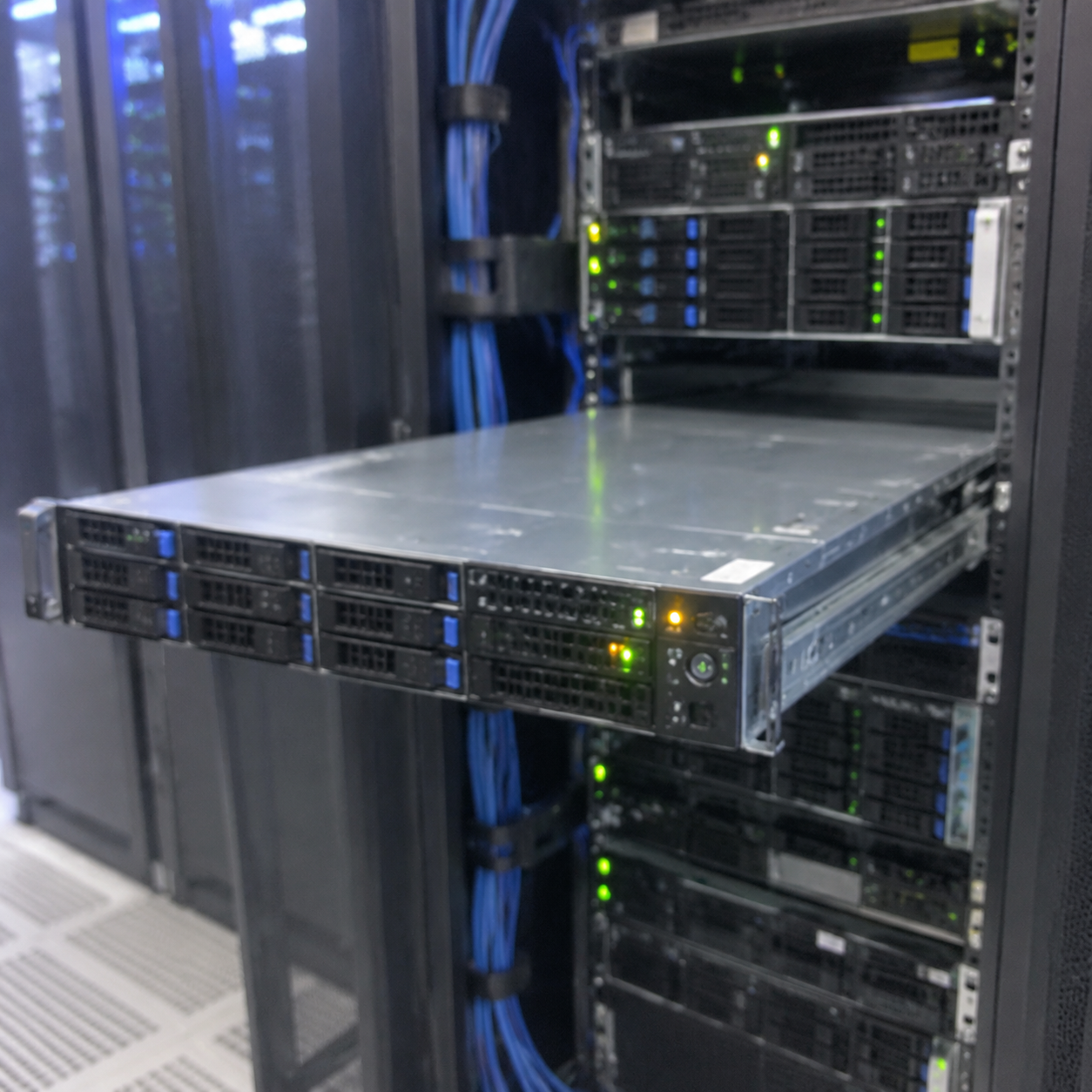
Thermal Management in High-Density Chassis
Server chassis pass cooling air through the front drive bays, across the processor heatsinks, and over the DIMM banks. When thirty-two modules sit tightly grouped together, they restrict air paths and create heat pockets.
- Airflow Requirements: Dense memory arrays require high-static-pressure counter-rotating fan walls to force air through tightly spaced slots.
- Operating Temperatures: Enterprise RDIMMs throttle their refresh rates when internal module sensors pass 85°C[^8]. Throttling reduces read and write throughput across the bus.
- Case Design: In OEM server designs, we often place dedicated plastic airflow shrouds over the memory channels to direct intake air directly across the DRAM chips.
Front Cold Aisle
  [Drive Bays]
     ==> [High-CFM Fan Wall]
        ==> [Memory Bank A] [CPU 0 Heatsink] [Memory Bank B]
           ==> [Memory Bank C] [CPU 1 Heatsink] [Memory Bank D]
              ==> Rear Hot Aisle Exhaust
Advanced Reliability, Availability, and Serviceability (RAS)
At 1000 GB of capacity, the probability of random memory cell errors increases dramatically. Standard consumer memory lacks the protection required for this volume of data. Single-bit and multi-bit errors caused by electrical noise or background radiation[^9] require hardware-level protection:
- Advanced ECC: Detects and corrects multi-bit errors on the fly.
- Memory Rank Sparing: Holds one memory rank in reserve. If an active rank experiences excessive correctable errors, the system copies data to the spare rank and takes the failing rank offline[^10] without downtime.
- Memory Mirroring: Splits the 1000 GB pool into two mirrored 512 GB copies for mission-critical industrial applications, eliminating memory failure as a single point of failure.
- Industrial Power Redundancy: Memory data corruption often happens during brownouts. High-capacity memory servers require dual, redundant Titanium-rated power supply units (PSUs) configured in an N+1 or 2N failover mode.
Which enterprise workloads actually justify 1000 GB of RAM?
IT directors sometimes purchase terabyte-scale nodes simply because the budget allows it, rather than basing decisions on application profiling. Sizing servers on guesswork wastes capital and leaves storage and network pipes underfunded. In our engineering consultations, we review application telemetry to confirm if a centralized 1 TB node makes financial and architectural sense.
Allocating 1000 GB of RAM is justified for workloads that require massive active data pools to live in system memory to prevent disk input/output latency bottlenecks. Primary use cases include in-memory relational databases like SAP HANA, high-density multi-tenant virtualization clusters, and dedicated large language model (LLM) inference servers running localized models.
Primary Enterprise Use Cases
- In-Memory Databases (SAP HANA, Aerospike, Redis Enterprise): These platforms keep their entire relational dataset in RAM. Reading records from memory takes nanoseconds, compared to microseconds for NVMe drives. A 1000 GB node allows companies to process massive transactional datasets in real time.
- Dense Virtualization (VMware vSphere, Proxmox VE, OpenStack): A virtualization host with 64 CPU cores can run 60 to 80 production virtual machines (VMs). If each VM requires 12 GB to 16 GB of memory, a 1000 GB system provides the necessary memory density without forcing operators to add more physical server chassis.
- Local AI Model Inference and Data Pipelines: Deploying large language models (LLMs) and processing massive vector databases locally requires large memory footprints to store model parameters, key-value caches, and incoming token contexts without swapping to disk.
Scale-Up (1 TB Node) vs. Scale-Out (Distributed Nodes)
Before signing off on a single 1000 GB server node, procurement teams should evaluate whether a scale-up or scale-out architecture fits their availability and budget models.
| Architectural Metric | Single Scale-Up Node (1x 1000 GB RAM) | Distributed Scale-Out Cluster (4x 256 GB RAM) |
|---|---|---|
| Chassis Footprint | 1U or 2U rack space | 4U total rack space |
| Component Costs | Higher cost per GB (dense 64GB/128GB DIMMs) | Lower cost per GB (standard 32GB/64GB DIMMs) |
| Blast Radius (Failure) | High: A motherboard fault halts all workloads | Low: A node failure knocks out only 25% of capacity |
| Network Complexity | Low: Inter-process communication happens on bus | High: Requires low-latency 100G/200G RoCE networks |
| Software Licensing | Often cheaper (fewer per-socket software licenses) | Often more expensive (billed across multiple nodes) |
A single large node reduces network overhead and lowers socket-based software licensing fees. However, it creates a larger failure domain. If a business cannot tolerate downtime, we advise buyers to pair that 1000 GB node with an identical failover standby or move toward smaller distributed clusters.
Frequently Asked Questions
Can standard operating systems use 1000 GB of RAM?
Consumer 64-bit operating systems often enforce artificial software caps. Windows 11 Pro supports up to 2 TB of RAM, but Windows 11 Home is capped at 128 GB.[^11] Enterprise systems rely on operating systems like Windows Server, Red Hat Enterprise Linux, SUSE, or VMware ESXi, which address multi-terabyte pools without software limitations.
How much does 1000 GB of RAM cost in a server?
The cost of 1000 GB of RAM varies depending on module density and market fluctuations. Using thirty-two 32 GB RDIMMs is generally more affordable than using eight 128 GB 3DS RDIMMs. Buyers can expect to spend several thousand dollars on the memory subsystem alone for an enterprise-certified build.
Does having 1000 GB of RAM increase server boot times?
Yes, a server with 1000 GB of RAM takes significantly longer to boot. During Power-On Self-Test (POST), the BIOS tests and maps every memory address to identify defective cells. Thorough memory initialization for 1 TB can add three to ten minutes to system boot sequences[^12].
Is 1000 GB of RAM the same as 1 TB of storage?
No. RAM is volatile memory used by processors for high-speed active computation, losing its contents when the system shuts down. Drive storage (such as NVMe SSDs or HDDs) is non-volatile, retaining data permanently. RAM operates at gigabytes-per-second transfer speeds with nanosecond latency, which is far faster than storage drives.
Conclusion
Building a server with 1000 GB of RAM is entirely possible and common in enterprise server deployments. However, treating a terabyte-scale configuration as a basic spec check risks unexpected clock throttling, NUMA latency issues, and thermal strain. Success depends on selecting the right CPU memory channel architecture, balancing DIMM slot topologies, and engineering sufficient chassis cooling and power supply redundancy.
We specialize in designing and manufacturing custom OEM/ODM server hardware, multi-socket compute nodes, and integrated data center power systems. If you are planning an enterprise server rollout and need to validate specifications, lead times, and hardware configurations, contact our technical team today to review your project requirements.
[^1]: "Current intel vs amd platforms for 192gb and more RAM-? : r/homelab", https://www.reddit.com/r/homelab/comments/1ix3a4q/current_intel_vs_amd_platforms_for_192gb_and_more/. Platform documentation indicates that 16-die and 24-die non-binary DDR5 UDIMM configurations allow consumer desktop sockets to address up to 192 GB of memory across four slots. Evidence role: statistic; source type: research. Supports: Desktop processor families generally support up to 128 GB or 192 GB across dual-channel unbuffered memory channels.. Scope note: Maximum achievable capacities depend on BIOS UEFI AGESA or microcode revisions supporting 24 GB and 48 GB module densities. [^2]: "Registered memory", https://en.wikipedia.org/wiki/Registered_memory. Standardized memory bus specifications define RDIMM architectures where the register buffer redrives command and address buses to stabilize signal integrity across dense channels. Evidence role: mechanism; source type: institution. Supports: RDIMMs route address and control signals through a Registering Clock Driver (RCD) to reduce capacitive loading on the host bus.. [^3]: "JEDEC memory standards", https://en.wikipedia.org/wiki/JEDEC_memory_standards. Comparative memory architecture studies confirm that LRDIMMs replace traditional rank loading with an intermediate data buffer, presenting one electrical load per channel to the host controller. Evidence role: mechanism; source type: research. Supports: LRDIMMs isolate both address/command lines and rank data lines through isolation buffers to minimize bus loading.. [^4]: "Through-silicon via", https://en.wikipedia.org/wiki/Through-silicon_via. Semiconductor packaging literature documents that through-silicon via (TSV) interconnects enable multi-layer DRAM die stacking within a single package footprint while maintaining high signal transmission speeds. Evidence role: mechanism; source type: paper. Supports: 3DS memory packaging employs through-silicon vias to interconnect vertically stacked DRAM dies with minimal parasitic capacitance.. Scope note: Thermal dissipation challenges and manufacturing yields vary significantly between 2-high, 4-high, and 8-high TSV stack configurations. [^5]: "DDR5 SDRAM", https://en.wikipedia.org/wiki/DDR5_SDRAM. High-speed transmission line analyses demonstrate that populating two DIMM modules per channel increases trace stub reflections, requiring reduced clock frequencies to preserve timing margins. Evidence role: mechanism; source type: paper. Supports: Multi-drop bus configurations with 2 DPC induce transmission reflections and higher capacitance, mandating frequency reduction.. Scope note: Maximum supported 2 DPC clock rates vary depending on motherboard layer stackup design and memory generation specifications. [^6]: "STARNUMA: Mitigating NUMA Challenges with Memory Pooling", https://faculty.cc.gatech.edu/~adaglis3/files/papers/starnuma_micro24.pdf. Empirical evaluations of multi-socket x86 architectures show that cross-socket memory requests traversed via point-to-point coherent links consistently incur a 30% to 50% latency increase relative to local node fetches. Evidence role: statistic; source type: paper. Supports: Cross-socket interconnect traversal typically introduces a 30% to 50% latency penalty compared to local integrated memory controller access.. Scope note: Exact latency overhead varies depending on inter-socket topology, CPU core architecture, and link bandwidth utilization. [^7]: "Performance and Energy Benefits of MRDIMMs", https://arxiv.org/html/2605.02371v1. Data center thermal and energy profiling research indicates that dense enterprise RDIMMs and LRDIMMs dissipate between 5 W and 15 W each during intensive read/write operations. Evidence role: statistic; source type: research. Supports: Enterprise DIMMs typically draw between 5 W and 15 W depending on density, generation, and active memory access intensity.. Scope note: Power draw is contingent on module operating frequency, supply voltage (VDD), and the read/write duty cycle. [^8]: "Memory refresh", https://en.wikipedia.org/wiki/Memory_refresh. JEDEC standard DDR specifications dictate that when DRAM junction temperatures exceed 85°C, the refresh period (tREFI) must be reduced from 7.8 microseconds to 3.9 microseconds to preserve charge retention. Evidence role: definition; source type: institution. Supports: JEDEC specifications define 85°C as the operating threshold where DRAM refresh intervals must be halved (doubling the refresh rate) to prevent data loss.. [^9]: "Soft error", https://en.wikipedia.org/wiki/Soft_error. Semiconductor reliability studies show that energetic atmospheric neutrons and alpha particle emissions from packaging materials are primary causes of soft error bit flips in modern DRAM cells. Evidence role: mechanism; source type: paper. Supports: Terrestrial cosmic-ray neutrons and packaging alpha emitters induce charge collection anomalies that cause DRAM bit flips.. [^10]: "Exploring Error Bits for Memory Failure Prediction: An In-Depth Correlative ...", https://arxiv.org/html/2312.02855v2. Enterprise server RAS architectural guides describe memory rank sparing as an autonomous BIOS/BMC mechanism that isolates ranks exhibiting degraded fault tolerance by migrating their contents to unassigned reserves. Evidence role: mechanism; source type: research. Supports: Rank sparing firmware tracks correctable errors and dynamically migrates payload data from a deteriorating rank to a designated spare rank.. Scope note: Rank sparing requires hardware support across both memory controllers and platform firmware, reducing total addressable capacity. [^11]: "Memory Limits for Windows and Windows Server Releases", https://learn.microsoft.com/en-us/windows/win32/memory/memory-limits-for-windows-releases. Official operating system memory documentation confirms that Windows 11 Home addresses a maximum of 128 GB of physical RAM, whereas Windows 11 Pro and Enterprise support up to 2 TB. Evidence role: definition; source type: other. Supports: Microsoft enforces physical memory allocation limits of 128 GB for Windows 11 Home and 2 TB for Windows 11 Pro.. [^12]: "Memory training: how long is too long? : r/buildapc", https://www.reddit.com/r/buildapc/comments/1qxchy4/memory_training_how_long_is_too_long/. Server deployment analyses observe that cold boot times for multi-socket platforms with 1 TB or more of RAM commonly extend by three to ten minutes due to memory calibration, BIST, and rank training routines. Evidence role: statistic; source type: research. Supports: Thorough memory pattern testing and electrical parameter training on multi-rank, terabyte-scale nodes significantly lengthens POST duration.. Scope note: Boot times can be shortened if BIOS fast boot options bypass exhaustive memory self-tests on warm reboots.
发表回复