

Many teams evaluate a wamp server expecting an all-in-o […]
Many teams evaluate a wamp server expecting an all-in-one web deployment engine, only to face catastrophic security and performance bottlenecks down the road. It feels tempting to run business applications directly on familiar desktop software. However, confusing a convenience-focused local developer sandbox with robust infrastructure exposes your company to avoidable downtime, data loss, and operational failure.
A wamp server is a local software bundle that combines Windows, Apache, MySQL, and PHP exclusively for rapid desktop development and testing. It simplifies local scripting, but it lacks the hardened security policies, process isolation, multithreaded concurrency, and enterprise network integrations required to host live web applications or support production workloads safely.
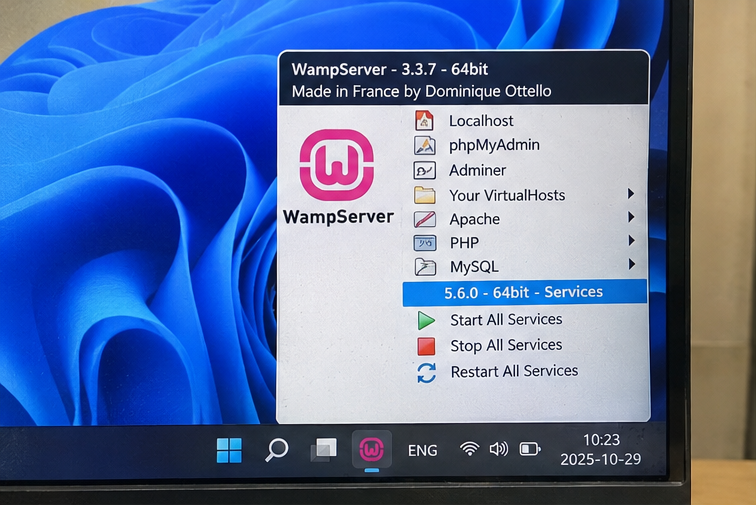
In my client consultations, I frequently encounter project leads who ask whether their business systems can simply run off an internal office workstation. To understand why that strategy fails, we must first examine the actual architectural boundaries built into these automated desktop server environments.
What Is the True Operational Role of a Wamp Server?
Development teams need quick feedback loops, but provisioning bare-metal hardware or configuring cloud clusters slows initial prototyping. Reaching for a turnkey desktop application solves immediate convenience issues. Unfortunately, that convenience creates a false sense of production readiness for teams unaware of underlying system constraints.
The true operational role of a wamp server is strictly confined to local developer prototyping, offline bug fixing, and rapid software demonstrations. It operates inside a desktop operating system without root-level hardening, making it an excellent learning environment but entirely unsuitable for hosting external traffic, sensitive data, or multi-user enterprise tools.

Designed for Convenience, Not Resilience
When engineers download this stack, they get an automated installer that orchestrates four distinct elements: Windows, Apache HTTP Server, MySQL (or MariaDB), and PHP. In an enterprise environment, systems engineers compile, configure, and isolate these components individually. A local sandbox packages them together using pre-set configuration files designed to run without friction.
I have reviewed dozens of staging environments where developers relied on these default packages. The installer prioritizes zero-friction execution over security. It sets file permissions broadly so developers do not encounter permission errors while editing code in their user directories. It enables diagnostic output directly in the browser. It configures the database service to listen on standard local ports without requiring complex user roles or SSL handshakes.
| Dimension | WampServer Environment | Enterprise Server Infrastructure |
|---|---|---|
| Operating Base | Windows 10/11 Desktop Edition | Linux Enterprise / Windows Server Core |
| Process Isolation | Single desktop user context | Containerized namespaces / Virtual machines |
| Default Security | Permissive, root accounts without passwords | Least-privilege access, strict firewall policies |
| Network Interfaces | Local loopback (127.0.0.1) |
Redundant NICs, segregated VLANs, reverse proxies |
| Lifecycle Purpose | Code drafting, visual checks, offline debugging | High-availability hosting, distributed workloads |
The False Promise of the "Turnkey Stack"
The simplicity of a one-click graphical tray icon causes significant confusion for non-technical managers. When an internal tool runs smoothly on a developer's desktop, stakeholders often assume that leaving that computer turned on turns it into an office server.
This assumption ignores standard systems architecture. A desktop running local background services does not have redundant power supplies, thermal headroom for sustained multi-client execution, or error-correcting memory (ECC)[^1]. A desktop runtime environment behaves like a sandbox. It helps an individual write code, but it cannot manage concurrent network requests or maintain data integrity under load.
Why Does Deploying a Wamp Server to Production Create Severe Risk?
Budget constraints frequently push growing businesses toward shortcuts, leading non-technical managers to expose internal testing machines to the public internet. This misstep saves short-term software licensing costs. However, it exposes internal enterprise networks to critical data breaches, denial-of-service vulnerabilities, and severe regulatory non-compliance.
Deploying a wamp server into production introduces extreme risk because the stack defaults to unhardened configurations, permissive file permissions, and unthrottled directory traversal vulnerabilities[^2]. Furthermore, Windows desktop operating systems lack the thread-pooling efficiency, memory management, and network connection handling necessary to withstand persistent web concurrency and distributed attacks.
The Security Deficit of Out-of-the-Box Sandboxes
In production deployments, security relies on deep system hardening. Every port must be audited, every daemon must run under restricted system accounts, and configuration files must hide software versions from external scanners.
A local sandbox does the exact opposite:
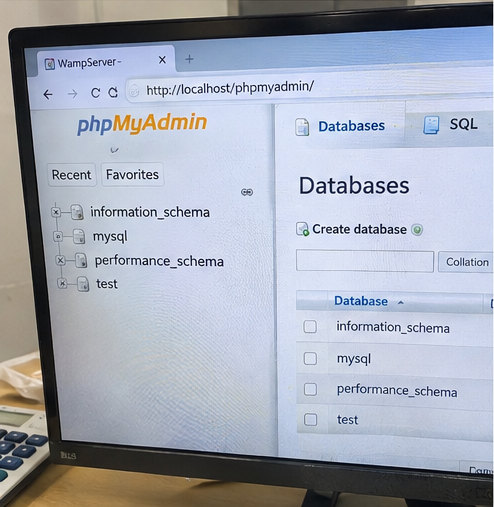
- Exposed Administrative Utilities: Tools like phpMyAdmin often ship accessible over local network interfaces with default administrative privileges.
- Overly Verbose Error Reporting: The default
php.inifile typically enablesdisplay_errors = On. If a database query fails, the stack displays full database schemas, table names, and server file paths[^3] directly on the screen. - Shared Execution Privileges: Apache often runs under the desktop user account. If an attacker exploits an arbitrary file upload flaw, they gain direct access to the local desktop file system.
[Typical Desktop Sandbox]
User Browser ---> Unhardened Apache ---> Executes as Desktop User ---> Full Local Disk Access

[Hardened Enterprise Stack]
User Browser ---> Reverse Proxy/WAF ---> Isolated Container (Read-Only) ---> Least-Privilege DB User
Desktop OS Kernels Under Sustained Concurrency
Windows desktop operating systems impose architectural limits on TCP socket states and background network throughput. Microsoft specifically tunes Windows desktop kernels for user responsiveness, peripheral input, and foreground applications, not for serving hundreds of concurrent web requests.
Apache on Windows utilizes the mpm_winnt module, which uses multi-threading rather than process forking[^4]. When high volumes of concurrent HTTP connections hit this module on a desktop installation, thread contention escalates rapidly. Memory leaks in third-party PHP extensions that cause minor issues during local testing will crash the entire Apache process when running continuously. When the process crashes, your business stops.
Compliance and Disaster Recovery Blind Spots
If your application handles customer records, payment details, or intellectual property, deploying on desktop software violates standard compliance frameworks such as ISO/IEC 27001, SOC 2, and PCI-DSS[^5].
These frameworks require:
- Immutable access logging stored off-server.
- Verified automated snapshots and hot backups.
- Cryptographic isolation between database storage and network services.
- Regular, automated vulnerability patch cycles without manual binary downloads.
None of these capabilities exist natively within an unmanaged desktop stack. Manual updates require downloading full executable packages, which frequently overwrites custom configuration adjustments and introduces operational instability.
What Breaks When Migrating From a Wamp Server to Enterprise Infrastructure?
Building an application on desktop software feels smooth until release day arrives and everything crashes on the staging cluster. Engineering teams scramble as hidden dependencies surface. The resulting configuration drift derails launch schedules and creates expensive downtime between development and live infrastructure.
Migrating from a wamp server to enterprise infrastructure typically breaks file path references due to case-insensitive Windows storage, disrupts database queries relying on lax SQL modes, and exposes missing PHP extensions. These discrepancies cause fatal runtime errors that require extensive codebase refactoring before production deployment can proceed.
File System Incompatibilities
The most common failure point I see during stack transitions involves file system semantics. Windows treats file paths as case-insensitive[^6], meaning that require('models/User.php') and require('models/user.php') load the exact same file.
Enterprise servers overwhelmingly run Linux-based operating systems where the file system is strictly case-sensitive. Code written and tested on desktop Windows runs without warnings locally. Once pushed to an enterprise server, the application throws fatal missing-file exceptions.
Similarly, hardcoded directory separators (` versus/`) cause path parsing failures across environments, breaking asset pipelines and document upload paths without warning.
Database Engine and SQL Mode Drift
MySQL instances bundled inside desktop installers often run with permissive default settings to accommodate legacy frameworks and beginner tutorials.
Key discrepancies include:
- SQL Modes: Features like
[ONLY_FULL_GROUP_BY](https://dev.mysql.com/doc/refman/9.4/en/sql-mode.html)[^7]orSTRICT_TRANS_TABLESare frequently disabled by default in local installations. Queries containing incomplete aggregations execute locally but fail instantly on production database clusters. - Table Name Storage: Windows stores MySQL table names in lowercase by default because the underlying file system is case-insensitive (
[lower_case_table_names = 1](https://dev.mysql.com/doc/refman/8.1/en/server-system-variables.html)[^8]). On Linux servers, table names default to case-sensitive storage (lower_case_table_names = 0), causing foreign key checks and join operations to fail if casing is inconsistent. - Default Charsets and Collations: Local packages often lag behind enterprise standards, using legacy collations like
latin1or genericutf8instead of enterprise-gradeutf8mb4_unicode_ci, leading to character corruption upon migration.
[Local Development Query]
SELECT id, category, name FROM inventory GROUP BY category;
--> WampServer: Executes successfully (Lax SQL Mode)
--> Enterprise Cluster: Throws SQLSTATE[42000] Syntax Error (Strict SQL Mode)
Process Management Differences
In a local setup, developers rarely monitor process timeouts or execution memory ceilings because they test with a single user account and minimal test records.
An enterprise server architecture relies on dedicated process managers like PHP-FPM (FastCGI Process Manager)[^9] decoupled from the web server. PHP-FPM terminates slow-running worker threads, enforces strict memory consumption caps per child process, and isolates request failures. Applications developed on unmonitored desktop stacks often hide severe database query inefficiencies and memory leaks that immediately exhaust PHP-FPM worker pools under minimal real-world traffic.
How Should Technical Teams Evaluate Development Sandboxes Versus Production Stacks?
Procurement teams and project managers often struggle to justify infrastructure budgets when local tools appear to work for free. Choosing the wrong infrastructure tier delays projects and causes costly retrofits. Evaluating your technical requirements upfront ensures your operational investments align with real business scale.
Technical teams should evaluate environments by assessing user concurrency, regulatory obligations, redundancy needs, and automated deployment pipelines. While desktop packages satisfy single-user script validation, enterprise workloads demand dedicated server hardware, Linux-based containerization, redundant power and network architecture, and audited access controls to guarantee continuous business availability.

Establishing Procurement and Architectural Thresholds
To prevent infrastructure misalignment, I advise engineering leads and procurement officers to classify their software workloads using explicit operational criteria. If an application touches real business operations, desktop runtimes must be disqualified immediately.
Use the following evaluation matrix when assessing system requirements:
| Evaluation Criterion | Low-Impact Sandbox (WAMP) | Intermediate Testing (Linux VM / Container) | Production Infrastructure (Dedicated / Cloud) |
|---|---|---|---|
| Concurrent Users | 1 (Single Developer) | 5–25 (Internal Staging Team) | 50 to 10,000+ (Customers / Staff) |
| Data Criticality | Disposable Mock Data | Sanitized Staging Data | Live Business Transactions / PII |
| Availability Target | Best Effort (Local PC on/off) | 95% (Working Hours) | 99.9% to 99.999% High Availability |
| Backup Redundancy | Manual File Copies | Automated Nightly VM Snapshots | Multi-disk RAID, Offsite Replication, UPS |
| Deployment Method | Manual Drag-and-Drop / Local Edit | Git Push / Automated Webhooks | Immutable CI/CD Pipelines, Zero-Downtime |
When Local Bundles Are Acceptable
A desktop bundle remains an acceptable option under very specific, low-risk conditions:
- An individual developer is learning PHP syntax and relational database fundamentals offline.
- A technical writer or designer needs to verify HTML/CSS template renderings locally before committing changes to source control.
- A legacy application requires a quick, isolated forensic inspection on an air-gapped machine.
When to Procure Dedicated Infrastructure
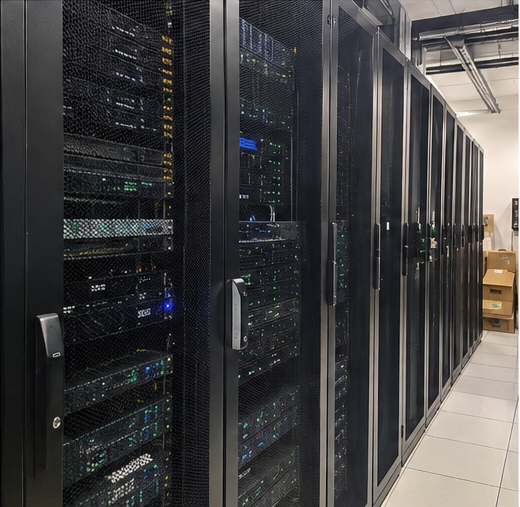
Once a system requires multi-user access, internal operational tracking, or public connectivity, procurement must shift away from desktop tools. Professional deployments require dedicated server hardware—whether deployed on-premises in a server rack or leased through enterprise data center operators.
Enterprise deployments require physical hardware with dual hot-swappable power supply units (PSUs)[^10], enterprise NVMe storage in RAID configurations, and out-of-band management controllers (such as IPMI)[^11]. Pair this hardware with production operating systems and containerized stacks (such as Docker or Podman on Enterprise Linux). This ensures that the environment where developers write code mirrors the physical or virtual environment executing that code in production.
Frequently Asked Questions
Can I run an office intranet on a wamp server?
I strongly advise against this. An internal office intranet handles corporate documents, employee credentials, and sensitive operational data. Running this on desktop software exposes your local network to lateral movement attacks[^12] if an endpoint is compromised, and desktop operating systems cannot provide enterprise-grade network availability or automated backup recovery.
How does a wamp server compare to a LAMP stack for performance?
A production LAMP (Linux, Apache, MySQL, PHP) stack substantially outperforms this desktop alternative. Linux handles process scheduling, network sockets, and file caching with far lower overhead. Furthermore, LAMP configurations typically run PHP-FPM and advanced event-driven web servers, whereas Windows desktop variants use less efficient threading models.
Why do engineering teams prefer Docker over a wamp server for development?
Docker packages identical operating system environments, software versions, and configuration files into container images. This guarantees that an engineer's local environment behaves exactly like the staging cluster and production data center servers, eliminating the costly configuration drift and path errors common with desktop installers.
What are the power supply risks of running production applications on desktop hardware?
Desktop computers use consumer-grade, single-rail power supplies without redundancy. If the unit fails, the entire machine shuts down immediately, often corrupting active database transactions. Enterprise server hardware utilizes dual, hot-swappable power supply units connected to independent power distribution units (PDUs) and uninterrupted power supplies (UPS) to guarantee uptime.
Conclusion
A wamp server provides a convenient, lightweight entry point for learning web development and drafting offline code scripts. However, it is not an enterprise hosting platform. Confusing a local developer utility with production infrastructure creates critical security vulnerabilities, configuration drift, and catastrophic operational downtime.
When your organization is ready to move beyond desktop prototypes and deploy production-grade business platforms, your software deserves reliable, enterprise-grade hardware. As a specialized OEM/ODM manufacturer of server hardware, redundant data center power architectures, and compute-storage platforms, we help system integrators and infrastructure operators build robust, custom hardware foundations designed for uninterrupted commercial uptime. Evaluate your deployment risks carefully, and ensure your production applications run on infrastructure engineered for enterprise reliability.
[^1]: "ECC memory", https://en.wikipedia.org/wiki/ECC_memory. Large-scale empirical studies on DRAM reliability demonstrate that memory errors occur at rates substantial enough to cause system crashes or undetected data corruption without hardware ECC protection. Evidence role: mechanism; source type: research. Supports: The necessity of ECC memory in detecting and mitigating memory bit flips to prevent silent data corruption in production servers.. Scope note: Fault rates vary significantly depending on hardware architecture, workload density, and ambient operating temperatures. [^2]: "NVD-CVE-2026-25059 - NIST", https://nvd.nist.gov/vuln/detail/CVE-2026-25059. CWE-22 defines path traversal as the failure to prevent dot-dot-slash sequence resolution, enabling remote adversaries to navigate past the document root and access restricted system files. Evidence role: definition; source type: institution. Supports: The mechanism and classification of path traversal vulnerabilities that allow unauthorized file retrieval outside designated web roots.. [^3]: "CWE-209: Generation of Error Message Containing Sensitive ...", https://cwe.mitre.org/data/definitions/209.html. CWE-209 formalizes how unhandled diagnostic exceptions and verbose error reporting inadvertently reveal database structures and internal paths to attackers. Evidence role: definition; source type: institution. Supports: The classification and security risk of disclosing internal system structures and source paths through unhandled error messages.. [^4]: "Apache HTTP Server", https://en.wikipedia.org/wiki/Apache_HTTP_Server. Official Apache HTTP Server documentation details that the mpm_winnt module launches a single control process and one child process that spawns threads to service requests, distinct from Unix multi-process models. Evidence role: mechanism; source type: encyclopedia. Supports: Apache HTTP Server's architectural implementation of a single multi-threaded child process under the mpm_winnt module.. [^5]: "Effective Daily Log Monitoring", https://www.pcisecuritystandards.org/documents/Effective-Daily-Log-Monitoring-Guidance.pdf. Industry compliance standards including PCI-DSS Section 10 and ISO/IEC 27001 Annex A require tamper-resistant audit logs and formal access segregation for production environments. Evidence role: expert_consensus; source type: institution. Supports: Mandates under major security compliance frameworks for immutable audit logging, access controls, and routine patch validation.. Scope note: Specific control requirements vary based on the defined scope of the cardholder data environment or system trust boundary. [^6]: "[Other] TIL filenames are case INSENSITIVE in Windows", https://www.reddit.com/r/ProgrammerTIL/comments/9mkeqt/other_til_filenames_are_case_insensitive_in/. Standard POSIX specifications mandate case-sensitive file path lookups, whereas the Win32 API layer on Windows handles file lookups case-insensitively by default. Evidence role: mechanism; source type: institution. Supports: The contrasting file path case sensitivity mechanisms between the Win32 API and POSIX-compliant operating systems.. Scope note: Underlying NTFS storage supports per-directory case sensitivity flags, but standard Windows userland APIs default to case-insensitive operations. [^7]: "MySQL 9.7 Reference Manual :: 7.1.11 Server SQL Modes", https://dev.mysql.com/doc/refman/9.4/en/sql-mode.html. MySQL documentation states that enabling ONLY_FULL_GROUP_BY causes the query engine to reject statements where non-aggregated SELECT columns are not explicitly listed in the GROUP BY clause or functionally dependent upon it. Evidence role: mechanism; source type: other. Supports: The enforcement of standard SQL GROUP BY semantics by MySQL's ONLY_FULL_GROUP_BY mode.. [^8]: "7.1.8 Server System Variables", https://dev.mysql.com/doc/refman/8.1/en/server-system-variables.html. MySQL reference manuals document that lower_case_table_names defaults to 1 on Windows systems to match the underlying file system, whereas it defaults to 0 on Unix-like operating systems. Evidence role: mechanism; source type: other. Supports: The operating-system-dependent defaults for the lower_case_table_names system variable in MySQL.. [^9]: "FastCGI Process Manager (FPM) - Manual", https://www.php.net/manual/en/install.fpm.php. Official PHP documentation defines PHP-FPM as an advanced FastCGI process manager designed to manage pools of worker processes with dedicated request termination timeouts and memory consumption caps. Evidence role: definition; source type: encyclopedia. Supports: The operational architecture and resource management features provided by PHP-FPM.. [^10]: "N+1 redundancy", https://en.wikipedia.org/wiki/N%2B1_redundancy. Data center infrastructure specifications published by the Uptime Institute identify dual power delivery paths and redundant power supply units as necessary mechanisms to prevent hardware-induced downtime. Evidence role: mechanism; source type: institution. Supports: The function of redundant, hot-swappable power supply units in eliminating single points of failure in enterprise compute hardware.. Scope note: Redundant PSUs safeguard against localized supply failures but require distinct upstream power distribution circuits and uninterruptible power supplies to survive utility outages. [^11]: "Intelligent Platform Management Interface", https://en.wikipedia.org/wiki/Intelligent_Platform_Management_Interface. The Intelligent Platform Management Interface (IPMI) specification establishes a standardized hardware abstraction protocol operating via a Baseboard Management Controller (BMC) independent of the main OS. Evidence role: definition; source type: institution. Supports: The role and architecture of IPMI in providing autonomous out-of-band hardware telemetry and power management.. [^12]: "Enhanced Visibility and Hardening Guidance for ...", https://www.cisa.gov/resources-tools/resources/enhanced-visibility-and-hardening-guidance-communications-infrastructure. The MITRE ATT&CK framework (Tactic TA0008) details how threat actors leverage initial access on internal host systems to pivot through local networks and compromise adjacent infrastructure. Evidence role: mechanism; source type: institution. Supports: The threat model where adversaries leverage compromised internal workstations to traverse corporate networks..
发表回复