

Many builders ask if they can repurpose cheap server RA […]
Many builders ask if they can repurpose cheap server RAM for a gaming PC to save money on memory. However, buying surplus enterprise hardware without checking compatibility often leads to a system that refuses to boot. I see this issue frequently during client consultations, and you can avoid costly hardware mistakes by understanding physical versus architectural requirements.
In most cases, you cannot use server RAM for a gaming PC because standard desktop motherboards require Unbuffered DIMMs (UDIMMs) and cannot communicate with Registered (RDIMM) or Load-Reduced (LRDIMM) server modules. While select consumer CPUs support unbuffered ECC RAM, standard enterprise memory will physically fit into DDR slots but will fail to complete the POST process.

The physical pin layout on modern memory modules looks identical across enterprise and client hardware. That visual similarity leads many builders into an expensive trap. Below, I break down the electrical signaling, latency realities, and architectural limits that dictate whether enterprise memory can function in your desktop build.
Why does registered server RAM for a gaming PC fail to boot?
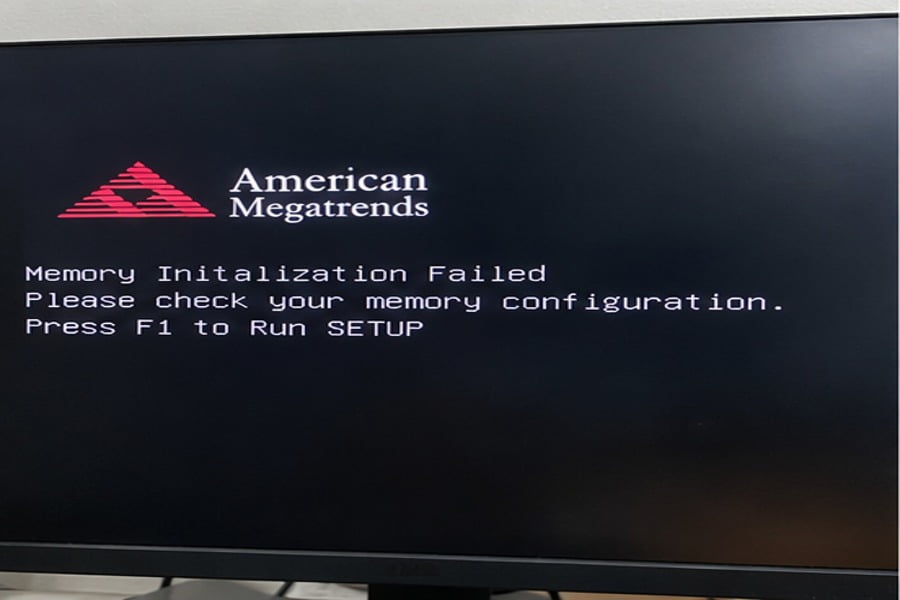
You spot an affordable high-density enterprise memory kit on the secondary market and plan to install it into your gaming setup. When you assemble the rig, the machine powers on, but the display stays completely black. The problem lies in the internal register chips that consumer memory controllers cannot address.
Registered server RAM will not boot in a mainstream gaming PC powered by Intel Core or AMD Ryzen desktop processors. These consumer memory controllers are strictly designed for unbuffered signaling. When you insert an RDIMM or LRDIMM into a consumer desktop board, the system fails to initialize memory and halts during POST.

Physical Sockets vs. Electrical Signaling
During hardware specification reviews, I often remind clients that physical pin compatibility does not guarantee logical operation. Standard DDR4 desktop memory uses a 288-pin layout, and DDR4 registered server memory uses the exact same 288-pin slot.[^1] DDR5 modules follow the same rule, sharing a 288-pin count across server and desktop configurations with matching key notches.
Because the module fits into the slot with a satisfying click, buyers assume the hardware is compatible. That assumption breaks down at the silicon level.
The Architectural Barrier of the Register (RCD)
Standard desktop systems use Unbuffered DIMMs (UDIMMs). In a UDIMM setup, the Integrated Memory Controller (IMC) inside your CPU connects directly to every DRAM chip on the memory stick. This design works exceptionally well for setups with two or four memory slots, keeping latency low and motherboard traces simple.
Enterprise servers demand massive capacities, often hosting 16 to 32 memory slots per CPU socket. If a desktop IMC tried to drive that many individual memory chips directly, the electrical load would cause severe signal degradation. Enterprise memory solves this problem by adding specialized silicon:
- RDIMM (Registered DIMM): Features a Registering Clock Driver (RCD). The CPU memory controller talks directly to the RCD, and the RCD redistributes the command and address signals to the DRAM chips.[^2] This isolates the CPU from the electrical load.
- LRDIMM (Load-Reduced DIMM): Adds integrated memory buffers for both command lines and data lines.[^3] This design reduces electrical loading even further, allowing servers to run high-density memory across every channel.
Mainstream desktop processors (such as the Intel Core i7/i9 on LGA1700 or AMD Ryzen on AM5) simply do not possess the command logic or firmware registers to interact with an RCD or data buffer. When you turn on the system, the CPU attempts to probe raw DRAM chips directly. It receives no valid response from the registered module, fails the Power-On Self-Test (POST), and leaves you with an error code or an unyielding black screen.
| Memory Type | Primary Market | Buffer Hardware | Mainstream Desktop Compatible? | Typical Behavior on Consumer Motherboard |
|---|---|---|---|---|
| UDIMM | Mainstream PC / Gaming | None (Direct bus) | Yes | Normal system boot |
| ECC UDIMM | Workstations / Entry Servers | None (Extra parity IC) | Limited (CPU dependent) | Boots (ECC often runs in non-ECC mode) |
| RDIMM | Enterprise Servers | Registering Clock Driver (RCD) | No | System halts at POST (No display) |
| LRDIMM | High-Density Compute Nodes | RCD + Data Buffers (iMB) | No | System halts at POST (No display) |
Does unbuffered ECC server RAM for a gaming PC improve frame rates?
Some enthusiasts hunt down unbuffered ECC memory modules, hoping that enterprise error-correction technology will eliminate game crashes. Unfortunately, gaming stability issues rarely stem from cosmic-ray bit flips, and enterprise stability features do not enhance rendering speeds. You end up paying a premium for protective features that your gaming workload never actually utilizes.
Unbuffered ECC server RAM does not improve gaming frame rates and can slightly reduce real-world performance due to error-checking cycles. While select AMD Ryzen processors and workstation chipsets support ECC UDIMMs, consumer motherboards often run them in non-ECC mode, yielding lower clock speeds and looser timings than dedicated gaming kits.
What Unbuffered ECC Memory Actually Does
Error-Correcting Code (ECC) unbuffered memory is the only enterprise-adjacent memory that has a chance of running in a consumer desktop board. These sticks do not have an RCD chip. Instead, they carry an extra physical memory chip on the printed circuit board (PCB) to store parity data. A standard consumer module carries 8 memory chips per rank, whereas an ECC UDIMM carries 9 chips per rank.[^4]
The extra chip allows the system to detect and correct single-bit memory errors caused by electrical noise or background radiation.[^5] In mission-critical enterprise systems and scientific compute clusters, a silent bit flip can corrupt a database or invalidate hours of simulation calculations.
Why ECC Offers Zero Advantage in Games
Gaming engines behave very differently from enterprise database applications. A game crash is almost never caused by a random hardware bit flip. Modern game crashes typically trace back to:
- Graphics driver conflicts or engine software bugs
- Unstable GPU core or video memory overclocks
- Thermal throttling across the compute package
- Storage drive read timeouts during asset streaming
When an ECC module operates with active error correction, the parity calculation cycle introduces a minor operational latency penalty.[^6] The memory controller must run an algorithmic check on data transactions before passing them downstream. In memory-sensitive games where CPU frame draw calls rely on rapid memory responses, this extra verification step adds overhead without providing any visual or operational payoff.
Furthermore, platform support for ECC UDIMMs is fragmented. AMD Ryzen desktop processors historically include the hardware logic for ECC, but motherboard manufacturers must actively wire the traces and support the feature in their AGESA BIOS firmware. Intel strictly restricts ECC support on desktop sockets to enterprise workstation chipsets (such as the W680 series), completely disabling the feature on mainstream B-series and Z-series boards.[^7]
If your board lacks native firmware support, the module will either fail to boot or run with the parity features completely disabled.
Why are memory timings different when considering server RAM for a gaming PC?
Gaming modern titles requires instantaneous data delivery to feed fast graphic processing units. If your memory subsystem runs with loose latencies, your minimum frame rates will drop noticeably. Comparing enterprise memory to gaming memory reveals fundamentally conflicting engineering goals that directly affect your in-game smoothness.
Server memory is engineered for guaranteed JEDEC compliance, thermal stability, and maximum capacity under continuous 24/7 data center loads. Gaming RAM prioritizes low CAS latencies, aggressive sub-timings, and elevated voltages via XMP or EXPO profiles. Consequently, server memory delivers higher access latency, which directly hinders 1% low gaming frame rates.
JEDEC Standards vs. Overclocking Profiles
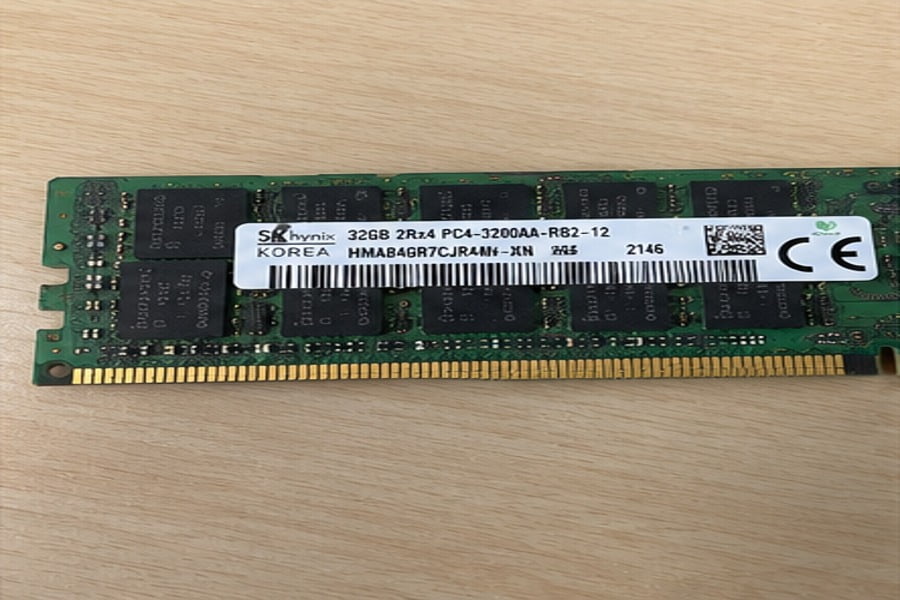
When I evaluate memory components for enterprise hardware platforms, absolute stability takes precedence over raw clock speeds. Enterprise memory modules adhere strictly to basic JEDEC (Joint Electron Device Engineering Council) industry specifications:
- Conservative Voltages: Server memory operates strictly at baseline voltages (1.2V for DDR4, 1.1V for DDR5).[^8] Operating at standard voltage minimizes heat generation inside densely packed chassis.
- Safe Latencies: Enterprise modules utilize relaxed, loose primary timings to ensure every memory chip across thousands of servers functions without data corruption.
- No Factory Overclock Profiles: True server modules do not feature Intel XMP (Extreme Memory Profile) or AMD EXPO (Extended Profiles for Overclocking).
Consumer gaming RAM targets the opposite end of the spectrum. Enthusiast kits utilize custom printed circuit boards, thick aluminum heat spreaders, and elevated operational voltages (often 1.35V to 1.45V) to force the memory silicon to operate at aggressive clock rates with exceptionally tight timings.
The Impact on Frame Rates and Frame Pacing
Gaming workloads depend heavily on memory access latency. When a game engine updates player positions, computes physical interactions, and issues draw calls to the graphics card, the processor spends significant time pulling non-sequential instructions from system RAM.
High Memory Latency  → CPU Stalls on Cache Misses → Delayed GPU Draw Calls → In-Game Stuttering (Low 1% FPS)
Tight Memory Latency → Fast CPU Pipeline Refill    → Smooth Frame Delivery → High Average & 1% Low FPS
If you install a JEDEC-standard server module running at base specifications, the high CAS latency (CL) directly impacts frame delivery. For example:
- A standard enterprise DDR5 unbuffered module might run at JEDEC DDR5-4800 with a CAS latency of CL40 or CL46.
- A mainstream gaming DDR5 memory kit easily runs at DDR5-6000 with a tight CAS latency of CL30 via XMP.
While the enterprise module offers rock-solid reliability for running a continuous container host, its loose sub-timings will penalize a gaming PC. You will observe this bottleneck not necessarily in your maximum average frame rates, but in your 1% low and 0.1% low frame rates.[^9] The system will suffer from momentary micro-stutters whenever the engine streams new scene assets into the active frame buffer.
Is buying surplus server RAM for a gaming PC a smart budget hack?
Decommissioned enterprise gear regularly floods liquidation markets at tempting prices per gigabyte. Budget PC builders see 128GB of enterprise DDR4 or DDR5 selling for pennies on the dollar and dream of cheap multitasking power. Sadly, this apparent bargain collapses once you calculate the required motherboard, power supply, and platform overhead.
Buying surplus server RAM is not a cost-effective hack for a gaming rig because repurposing it requires an enterprise or HEDT platform. To run surplus RDIMMs, you must purchase a server motherboard and a Xeon or Threadripper processor, resulting in higher overall system cost, slower gaming clocks, and extreme power consumption.
The Hidden Hardware Requirements of Enterprise Memory
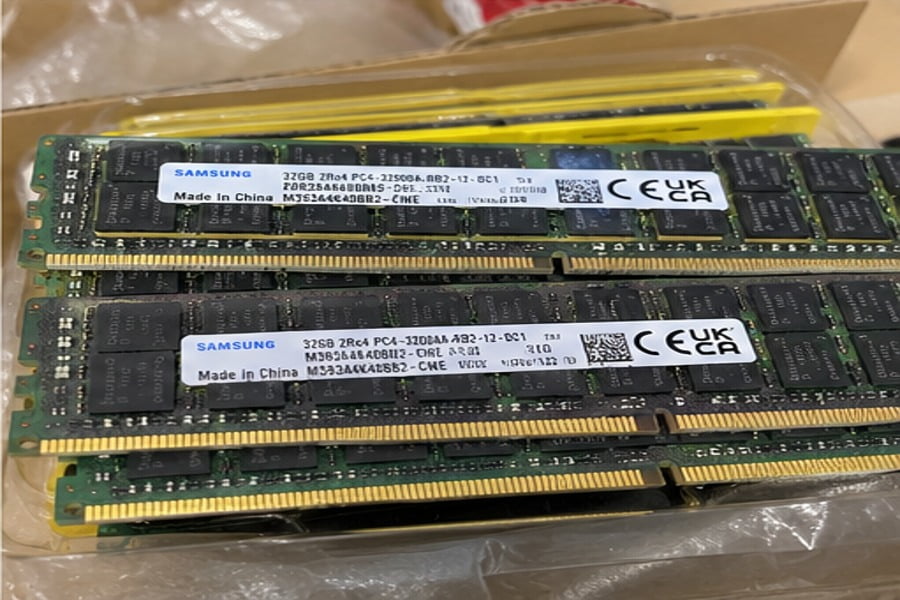
Secondary markets are filled with surplus registered DDR4 modules pulled from decommissioned corporate blade servers. Seeing a 64GB or 128GB registered kit priced lower than a standard 32GB consumer kit often tempts budget builders into an impulse purchase.
To make those registered modules work, you cannot use an off-the-shelf consumer motherboard. You must build your system on an enterprise or High-End Desktop (HEDT) foundation that explicitly supports registered signaling:
- Server/Workstation CPUs: Intel Xeon processors (such as the Xeon E5 series or modern Xeon W) or AMD EPYC / Threadripper Pro processors.
- Enterprise Motherboards: Specialized enterprise platforms featuring server chipsets (such as Intel C600/C700 series or AMD WRX80/TRX50).
These platforms carry substantial trade-offs that directly contradict the goals of a low-cost gaming system.
Platform Cost and Gaming Performance Mismatch
When clients ask us to design cost-effective workstations by leveraging surplus memory, we walk them through the total platform cost. The memory might be cheap, but the surrounding hardware quickly drives total build costs past an equivalent consumer gaming setup.
First, enterprise motherboards usually require specialized power connectors, non-standard mounting form factors (such as SSI-CEB or SSI-EEB)[^10], and complex cooling configurations that do not fit into standard consumer desktop cases.
Second, enterprise processors prioritize core counts and multi-channel memory bandwidth over raw clock speeds. A modern budget desktop processor, such as an Intel Core i5 or AMD Ryzen 5, easily boosts past 5.0 GHz on single-threaded gaming tasks. A surplus enterprise Xeon or EPYC processor from the same memory generation often runs with boost clocks limited to 3.0 GHz or 3.6 GHz.
Because most modern games depend heavily on rapid single-thread execution, the surplus enterprise system will deliver substantially worse in-game frame rates despite having far more memory capacity.
| Component / Metric | Surplus Enterprise Platform | Mainstream Desktop Gaming Platform |
|---|---|---|
| Compatible Memory | RDIMM / LRDIMM (Cheap on secondary market) | Standard UDIMM (Consumer retail pricing) |
| Motherboard Cost | High ($300 – $700+ for enterprise/HEDT) | Low to Moderate ($100 – $200) |
| Single-Core Clock Speeds | Low (Typically 2.8 GHz – 3.8 GHz) | High (Typically 4.8 GHz – 5.6 GHz+) |
| Power Consumption | High (Aggressive 24/7 power draw) | Optimized (Low idle, dynamic power scaling) |
| Chassis Compatibility | Proprietary / SSI-EEB server layouts | Standard ATX / Micro-ATX |
| Primary Workload Fit | Virtualization, NAS, rendering nodes | High-refresh-rate gaming, daily productivity |
Frequently Asked Questions
Can registered server RAM physically damage my gaming motherboard?
No, registered server RAM will not physically or electrically damage your gaming motherboard. The memory module uses standardized DDR dimensions and matching pin layouts, meaning voltages align safely. However, the CPU memory controller will fail to interface with the register chips, and the motherboard will refuse to complete POST.
Does DDR5 change server RAM compatibility for gaming PCs?
No, DDR5 does not solve the fundamental compatibility divide. While DDR5 moves power management (PMIC) directly onto the memory module and includes on-die ECC for internal cell reliability[^11], enterprise DDR5 modules still use registered clock drivers (RCDs). Mainstream desktop motherboards still require unbuffered DDR5 UDIMMs.
Can I run ECC unbuffered memory on an AMD Ryzen gaming desktop?
Yes, many AMD Ryzen desktop processors support unbuffered ECC (ECC UDIMM) memory when paired with a motherboard whose BIOS supports it. However, the system will not yield gaming performance benefits. The memory will operate at conservative JEDEC clock speeds, and the ECC function introduces a minor latency penalty.
Why do server RAM modules look identical to desktop RAM modules?
Server and desktop memory share identical JEDEC physical slot dimensions, contact pin counts, and pin spacing to standardize motherboard socket tooling across the semiconductor industry. The critical differences exist in the auxiliary logic chips mounted on the PCB, the internal wiring layout, and the signaling protocols.
Conclusion
Repurposing enterprise memory might look like an attractive budget shortcut, but attempting to use registered server RAM for a gaming PC will leave you with an unbootable machine. Mainstream desktop platforms rely strictly on unbuffered signaling, while enterprise modules demand dedicated register hardware found only in server-grade architectures. Even when unbuffered ECC variants boot on consumer motherboards, their conservative JEDEC timings offer zero performance advantage for gaming workloads.
For mission-critical compute infrastructure, custom server appliances, and scalable enterprise platforms, our team specializes in full-lifecycle OEM/ODM hardware design, system integration, and global volume manufacturing. Contact us today to discuss enterprise hardware procurement and custom system requirements.
[^1]: "DDR4 SDRAM", https://en.wikipedia.org/wiki/DDR4_SDRAM. JEDEC Standard JESD79-4 confirms that standard DDR4 DIMM configurations utilize a 288-pin edge connector layout across form factors. Evidence role: definition; source type: institution. Supports: Standard DDR4 modules, whether unbuffered or registered, share an identical 288-pin mechanical form factor.. Scope note: JEDEC specifications define mechanical form factors but do not address commercial third-party board routing variations. [^2]: "RCD", https://www.jedec.org/category/keywords/rcd. Semiconductor device specifications confirm that RDIMMs employ an RCD to regenerate command and address buses, isolating the host controller from capacitive loads. Evidence role: mechanism; source type: research. Supports: An RCD decouples the host memory controller by buffering command, address, and clock signals before driving them to individual DRAM devices.. [^3]: "Memory Buffer", https://www.jedec.org/category/keywords/memory-buffer. Published microarchitecture surveys describe LRDIMMs as placing distributed data buffers directly on the DQ lines alongside an RCD on the CA bus. Evidence role: mechanism; source type: paper. Supports: Load-Reduced DIMMs incorporate memory buffers on both the control bus and the DQ data bus to minimize electrical loading.. [^4]: "Using ECC DRAM to Adaptively Increase Memory Capacity", https://arxiv.org/html/1706.08870v2. Computer systems engineering manuals specify that ECC modules expand the 64-bit data interface to 72 bits by adding supplementary DRAM packages. Evidence role: definition; source type: education. Supports: Standard non-ECC DIMM ranks operate on a 64-bit data path using 8 x8 chips, whereas ECC unbuffered ranks add an 8-bit syndrome path requiring a 9th chip.. Scope note: Applies primarily to traditional DDR4/DDR3 architectures using x8 DRAM packages rather than x16 configurations. [^5]: "Soft error", https://en.wikipedia.org/wiki/Soft_error. Field studies on DRAM reliability demonstrate that terrestrial cosmic neutron flux and thermal noise represent primary physical mechanisms driving soft bit errors. Evidence role: mechanism; source type: paper. Supports: Cosmic-ray-induced atmospheric neutrons and alpha particle emissions induce single-event upsets in volatile DRAM cells.. [^6]: "RATT-ECC: Rate Adaptive Two-Tiered Error Correction Codes ...", https://tnm.engin.umich.edu/wp-content/uploads/sites/353/2018/10/2016.09.RATT-ECC.pdf. Memory controller architectural analyses indicate that parity evaluation and syndrome decoding pipelines add small fixed cycle penalties to DRAM access times. Evidence role: mechanism; source type: paper. Supports: ECC encoding and syndrome decoding add one or more clock cycles to memory transaction latency.. Scope note: Real-world latency impact depends heavily on memory controller pipeline optimizations and whether errors are detected. [^7]: "Intel® W680 Chipset Compatible Products", https://www.intel.com/content/www/us/en/products/sku/218834/intel-w680-chipset/compatible.html. Intel platform technical documentation indicates that ECC signaling on LGA1700 platforms is provisioned only on enterprise workstation chipsets. Evidence role: general_support; source type: research. Supports: Intel enables ECC UDIMM operation with Core processors exclusively when deployed on designated workstation chipsets such as the W680.. Scope note: Support boundaries reflect vendor product tiering rather than fundamental silicon incompatibilities. [^8]: "DDR4 SDRAM", https://en.wikipedia.org/wiki/DDR4_SDRAM. JEDEC standards JESD79-4 and JESD79-5 specify baseline operating voltages of 1.2V for DDR4 and 1.1V for DDR5 devices, respectively. Evidence role: definition; source type: institution. Supports: Standard operational nominal VDD voltages defined by JEDEC are 1.2V for DDR4 and 1.1V for DDR5 SDRAM.. [^9]: "What do 1% low and 0.1% low mean in FPS? : r/buildapc", https://www.reddit.com/r/buildapc/comments/1dbdquf/what_do_1_low_and_01_low_mean_in_fps/. Performance analyses demonstrate that relaxed DRAM latencies disproportionately depress 1% and 0.1% low frame rates in CPU-bound gaming workloads. Evidence role: mechanism; source type: research. Supports: Memory latency spikes cause CPU stalls during asset streaming and rendering preparation, manifesting primarily in trailing percentile frame times.. Scope note: The magnitude of the penalty depends heavily on cache size (such as large 3D V-Cache buffers) and GPU bottleneck constraints. [^10]: "SSI CEB", https://en.wikipedia.org/wiki/SSI_CEB. Server System Infrastructure (SSI) specifications detail the mechanical dimensions and screw standoff patterns for EEB and CEB server motherboards. Evidence role: definition; source type: institution. Supports: SSI-EEB and SSI-CEB are industry form factors defined by the Server System Infrastructure forum with distinct dimensions and standoff positions from ATX.. [^11]: "DDR5 Memory Standard: An introduction to the next ...", https://www.kingston.com/en/blog/pc-performance/ddr5-overview. Architectural reviews of DDR5 SDRAM confirm that JEDEC integrated onboard power management and autonomous on-die ECC within the core memory die. Evidence role: mechanism; source type: paper. Supports: The DDR5 architecture relocates voltage regulation to an onboard PMIC and implements internal on-die ECC to mitigate DRAM cell scaling defects.. Scope note: On-die ECC in standard DDR5 UDIMMs corrects errors within the silicon array but does not provide end-to-end bus error correction across the memory channel.
发表回复