

Determining the ideal RAM for a NAS server often leads […]
Determining the ideal RAM for a NAS server often leads to budget overruns or critical performance bottlenecks during peak business hours. When your storage hardware lacks adequate memory, throughput drops, file locks fail, and active team connections suddenly stall out. Sizing memory correctly requires evaluating your underlying filesystem, active user concurrency, and data integrity protocols before buying hardware.
A business-grade NAS server generally requires between 16GB and 64GB of RAM for standard multi-user file sharing, while complex deployments running ZFS, in-line deduplication, or virtualized containers demand 128GB or more. Memory sizing depends primarily on your filesystem architecture, active concurrent connections, and whether your storage pool utilizes aggressive read caching rather than raw storage capacity alone.
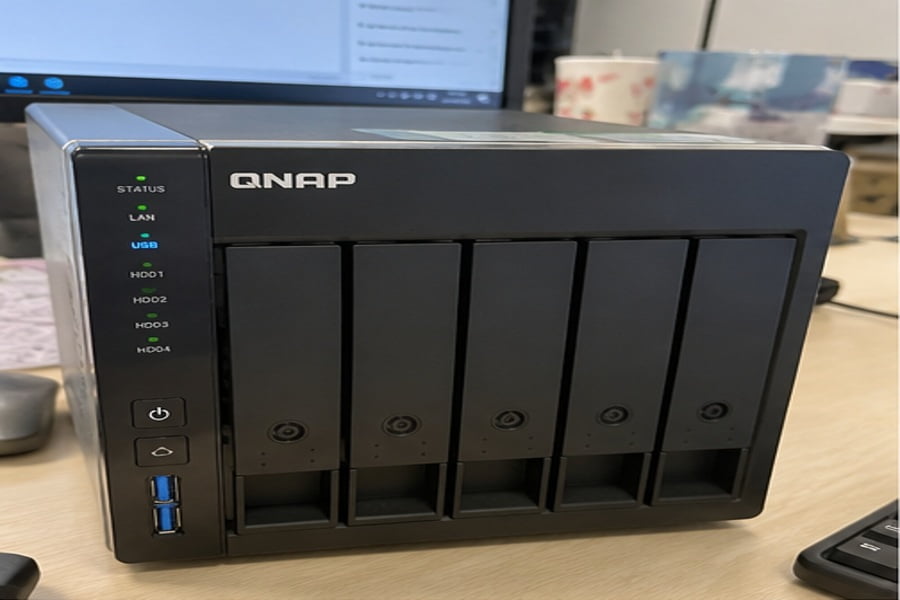
In customer sizing consultations, the most common trap we see is treating memory sizing as a simple drive-to-RAM ratio. Modern storage controllers operate as complex application servers, handling network caching and metadata operations simultaneously. Let us explore the critical architectural variables that dictate your actual production memory requirements.
Why does filesystem architecture dictate the RAM for a NAS server?
Legacy storage assumptions lead engineering teams to purchase fixed memory allocations that fail to match their modern software stack. When enterprise filesystems encounter memory exhaustion, write speeds crawl to a halt and storage volumes can unexpectedly drop offline. Matching your system memory directly to filesystem algorithms prevents catastrophic I/O stalls during heavy transaction periods.
The filesystem architecture directly dictates your NAS memory ceiling because modern copy-on-write systems like ZFS rely on RAM for performance[^1]. Traditional filesystems like ext4 function adequately on 4GB to 8GB, whereas ZFS requires a baseline of 16GB to sustain its Adaptive Replacement Cache and prevent constant physical disk thrashing.
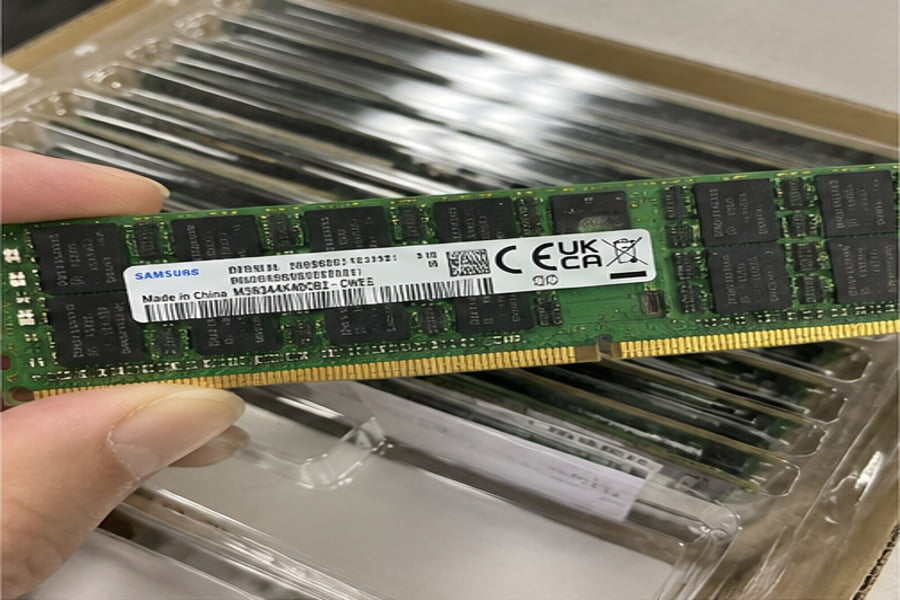
Understanding the ZFS Adaptive Replacement Cache (ARC)[^2]
In pre-sales qualifications, IT evaluators frequently quote the outdated rule of thumb: "allocate one gigabyte of RAM for every terabyte of raw storage." While this guideline originated in early open-source storage forums, it misrepresents how modern enterprise platforms handle caching.
ZFS uses system memory to maintain the Adaptive Replacement Cache (ARC). The ARC keeps recently accessed and frequently requested data blocks in high-speed DRAM. When you restrict system memory on a ZFS platform, read operations hit the mechanical drive array or flash layer directly. This increases read latency from microseconds to milliseconds[^3], degrading performance across the entire network.
Incoming Read Request ──> Fast DRAM (ZFS ARC) ──[Hit]──> Rapid Client Response
                               │
                            [Miss]
                               ▼
               Secondary Read Cache (L2ARC / NVMe)
                               │
                            [Miss]
                               ▼
               Spinning Disks / Mechanical Array (High Latency)
The Heavy Cost of Block-Level Deduplication
If your deployment demands in-line block-level deduplication, memory requirements skyrocket beyond standard caching calculations. Deduplication requires the storage operating system to maintain a massive deduplication table (DDT) in active system memory[^4].
Every single unique data block requires dedicated metadata tracking inside the DDT. If your deduplication table exceeds physical RAM capacity, the operating system must read the table from disk to evaluate every single incoming write. This creates severe write amplification and can reduce write performance by more than ninety percent[^5].
| Filesystem Type | Minimum Recommended RAM | Recommended Commercial Baseline | In-line Deduplication Support |
|---|---|---|---|
| ext4 | 4 GB | 8 GB – 16 GB | Not supported natively |
| XFS | 4 GB | 16 GB | Not supported natively |
| Btrfs | 8 GB | 16 GB – 32 GB | Out-of-band / Offline only |
| ZFS (Standard ARC) | 16 GB | 32 GB – 64 GB | Optional (High overhead) |
| ZFS (In-line Deduplication) | 64 GB | 128 GB – 256 GB+ | Yes (~5GB RAM per 1TB deduplicated data) |
As an OEM server and storage manufacturer, we advise enterprise clients to consider secondary NVMe tiering or compression algorithms before committing budget to the massive RAM pools that in-line deduplication demands.
How do active workloads and concurrency impact RAM for a NAS server?
Underestimating active user connections creates hidden resource contention that leaves hardware evaluators baffled when high-spec arrays choke under production load. Thread contention and exhausted socket buffers cause critical client disconnects, file sync failures, and severe packet drops. Properly calculating network buffers and concurrent transaction streams ensures consistent multi-client performance under heavy peak workloads.
Active workloads dictate NAS memory sizing because every network socket, directory query, and background sync thread claims a slice of system memory. While an idle storage array uses very little RAM, hundreds of concurrent SMB, NFS, or iSCSI sessions will rapidly consume tens of gigabytes purely for transaction metadata.

Concurrency and Protocol Buffer Consumption
When clients report unexplained NAS throttling under load, memory contention is often the primary culprit rather than disk speed. Network file protocols like Server Message Block (SMB) and Network File System (NFS) require active memory buffers for each connected user.
Consider how enterprise storage nodes handle incoming client requests:
- Session States: Every active network session retains open file handles, directory leases, and authentication tokens directly in system memory.
- Lock Management: Multi-user environments rely on network lock managers (NLM) to prevent file write conflicts, consuming system memory as file quantities scale.
- TCP Window Scaling[^6]: High-speed 10GbE and 25GbE network interfaces require expanded network buffer rings in RAM to prevent packet dropping during large bursts.
If your NAS server hosts shared storage for three hundred office workstations syncing small office files simultaneously, metadata caching demands exceed the memory needed for a single user streaming a massive raw video file.
Integrated Application Containers and Virtualization
Modern commercial NAS appliances rarely operate solely as dumb storage targets. System integrators routinely configure storage nodes to run supplementary services directly on the host operating system:
- Docker and Kubernetes Pods: Local database engines, directory services, and indexing containers claim static memory reservations.
- Automated Backup Agents: Snapshot generation and off-site cloud replication pipelines consume transient memory heaps during verification phases.
- Antivirus and Data Scrubbing: Scheduled volume scrubs and live endpoint scans require memory buffers to parse millions of files without pausing user I/O.
When sizing storage appliances for our B2B customers, our engineering team maps out these co-located background services. Sizing the appliance strictly for raw drive throughput without accounting for software service overhead leads directly to out-of-memory (OOM) kernel panics[^7] in the field.
Why is ECC RAM for a NAS server essential in enterprise deployments?
Deploying consumer-grade memory components inside commercial storage systems introduces an invisible vector for silent data corruption that standard drive parity cannot detect. A single flipped bit in an unbuffered memory stick can write corrupted parity data straight to healthy drives. Specifying validated enterprise error-checking memory protects your business against catastrophic data loss and unexpected operating system crashes.
Error-Correcting Code (ECC) memory is vital for commercial NAS deployments because it automatically detects and corrects single-bit memory errors in real time[^8]. Without ECC memory, transient electrical noise or cosmic rays can corrupt file system metadata in cache, corrupting your entire storage pool during routine parity writebacks.
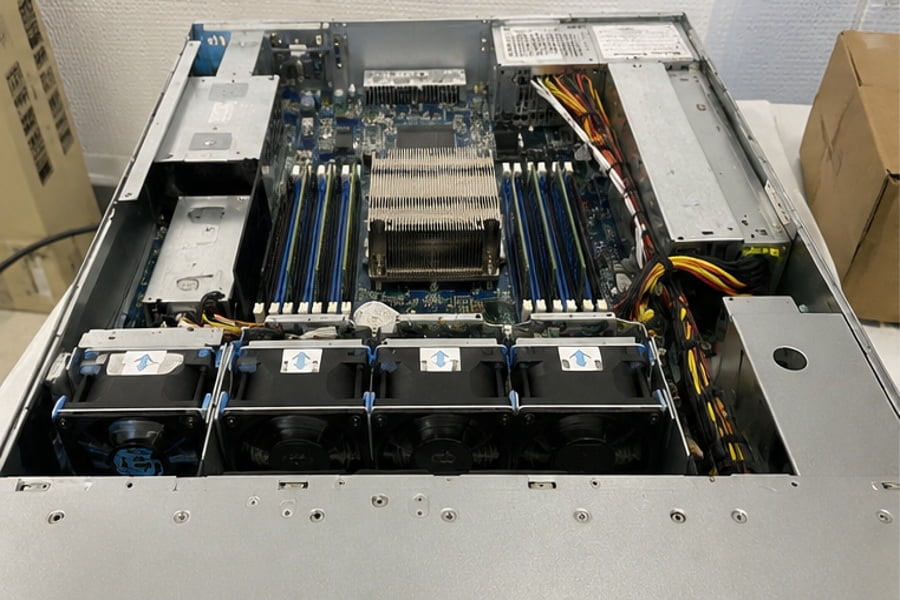
Understanding Silent Data Corruption and Cosmic Bit Flips
Memory cells inside high-density DRAM chips can change state spontaneously due to thermal fluctuations, magnetic interference, or background radiation[^9]. In a standard client PC, a single-bit flip might cause an application to crash or display a transient blue screen.
Inside a multi-terabyte network storage platform, the consequences are far more damaging:
"In a storage environment that relies on memory to calculate parity checks, writing corrupt data from non-ECC memory fundamentally breaks the array. The system blindly writes corrupted blocks directly to the disk array, permanently overwriting clean data."
Because the storage controller believes the corrupted block in RAM is accurate, filesystem self-healing routines will not flag the error. Over months of operation, this "silent corruption" degrades databases, archives, and system configuration tables[^10] without triggering standard hard drive health alerts.
Hardware Compatibility Considerations for ECC
Selecting ECC memory requires holistic hardware qualification during the procurement phase. Enterprise system integrators cannot simply install ECC DIMMs into standard commercial boards:
- Processor Support: The central processor must feature an integrated memory controller that supports ECC logic (such as Intel Xeon, Intel Core with corporate stable image support, or AMD EPYC platforms).
- Motherboard Chipset Routing: Motherboard traces must support the extra parity bits. Consumer-grade motherboards often run ECC memory strictly in non-ECC unbuffered mode, completely disabling error detection.
- Registered vs. Unbuffered: Enterprise racks typically require Registered ECC DIMMs (RDIMMs) to support higher memory capacities and signal stability[^11] across multi-channel memory architectures.
In our OEM and ODM manufacturing runs, we strictly validate memory modules against server-grade chipsets to ensure that memory alerts integrate cleanly into out-of-band management platforms like IPMI and Redfish[^12].
How do you calculate the baseline RAM for a NAS server by operational tier?
Sizing network storage memory by guesswork leads either to inflated upfront capital costs or premature hardware replacement cycles when workloads scale. Procurement specialists require a structured methodology that maps practical business workloads directly to hardware capacities. Classifying your storage deployments into standardized tiers enables predictable budgeting and dependable operational stability.
Calculating memory requirements requires categorizing your storage appliance by its primary workload tier, target user count, and storage architecture. Baseline backup repositories operate smoothly on 16GB, general enterprise file collaboration requires 32GB to 64GB, and high-concurrency virtualization backends require 128GB or more to sustain production throughput.
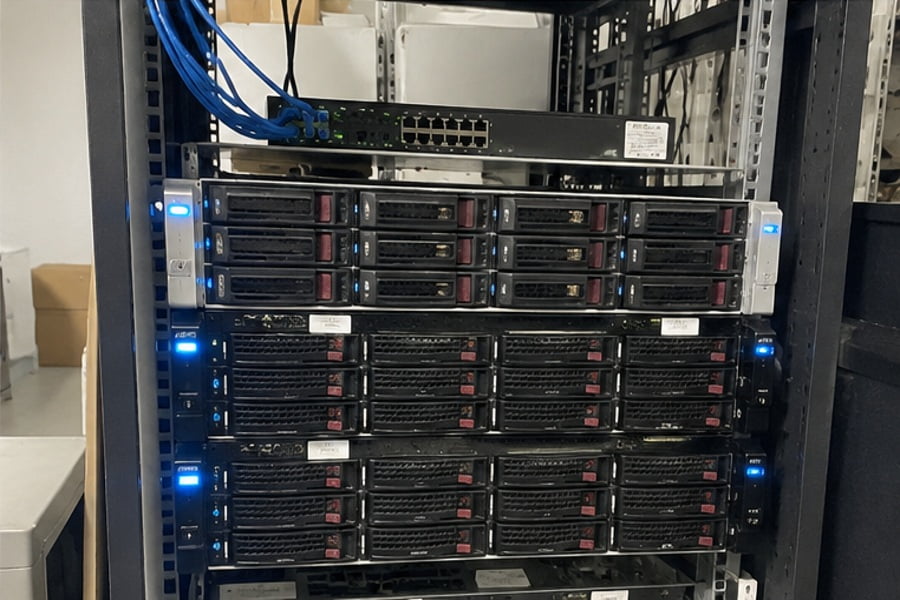
Tier 1: Cold Storage and Secondary Backup Targets
Storage systems acting purely as backup repositories for external hypervisors or staging targets have minimal interactive user overhead. These systems receive continuous, sequential write streams rather than millions of random read queries:
- Target Workload: Nightly VM backups, NVR surveillance ingest, long-term archival.
- Concurrency: 1 to 10 automated client nodes.
- Filesystem: Standard RAID volumes or basic ZFS storage pools without active deduplication.
- Memory Recommendation: 16 GB ECC RAM. This provides sufficient headroom for network packet buffers, snapshot scheduling, and basic storage maintenance sweeps.
Tier 2: Active Corporate File Sharing and Multi-User Collaboration
Mid-sized organizations deploying centralized storage for departmental document collaboration, creative media workflows, and local directory authentication face dynamic transaction loads:
- Target Workload: Direct SMB/NFS file mounting, multi-user document access, internal project repos.
- Concurrency: 25 to 250 active workstations.
- Filesystem: ZFS or enterprise Btrfs with snapshot replication and active metadata caching.
- Memory Recommendation: 32 GB to 64 GB ECC RAM. This allocation guarantees that directory listings remain cached in DRAM, eliminating network browsing latency for office users.
Tier 3: Virtualization Storage, Databases, and Edge Compute
When a NAS appliance functions as shared block storage over iSCSI or runs local microservices within a distributed infrastructure, RAM capacity becomes a mission-critical resource:
- Target Workload: iSCSI LUNs hosting active virtual machines, transactional SQL databases, multi-tenant container hosting.
- Concurrency: Hundreds of continuous I/O streams running asynchronous writes.
- Filesystem: Enterprise ZFS featuring dedicated fast SLOG and high-capacity L2ARC devices.
- Memory Recommendation: 128 GB to 256 GB+ Registered ECC RAM. This capacity ensures active database blocks remain in ARC, shielding spinning disks from random I/O thrashing.
+-----------------------------------------------------------------------------------+
|                        Storage Role & Memory Matrix                               |
+-----------------------------------------------------------------------------------+
| Tier 1: Cold Archive / NVR Backup Target  ---> [16 GB ECC]                        |
| Tier 2: Office Shared Collaboration Pools ---> [32 GB - 64 GB ECC]                |
| Tier 3: iSCSI Virtualization / DB Host    ---> [128 GB - 256 GB+ Registered ECC]  |
+-----------------------------------------------------------------------------------+
Our engineering team recommends that procurement managers specify motherboards with open DIMM slots. Choosing a 2U or 3U chassis with four to eight memory channels allows cost-effective scaling as client demands increase without replacing the base chassis.
Frequently Asked Questions
Can I run a business NAS server on 8GB of RAM?
An 8GB configuration works for small remote offices handling light, sequential file transfers across a few users. However, it leaves zero headroom for caching, background snapshots, or advanced filesystems like ZFS. We recommend 16GB as the baseline commercial standard to prevent operating system memory exhaustion under sudden workload spikes.
Does adding more RAM increase file transfer speeds?
More memory increases file transfer speeds primarily for random reads and frequently accessed files by storing metadata and active blocks in high-speed RAM cache. While maximum sequential throughput remains constrained by your physical network interface and disk limits, sufficient memory ensures your transfers maintain peak line speed consistently.
What is the difference between ECC and non-ECC RAM for a NAS?
Non-ECC RAM cannot identify memory corruption, allowing flipped bits to write silent data errors onto your physical storage drives. ECC RAM features dedicated hardware parity to identify and resolve single-bit errors dynamically. For business-critical storage deployments, ECC memory is essential to maintain long-term data and filesystem integrity.
Do I need to follow the 1GB RAM per 1TB storage rule?
The traditional 1GB per 1TB rule is an oversimplified consumer guideline that does not reflect modern storage demands. A 100TB cold backup archive can operate reliably on 16GB of RAM, whereas a 20TB virtualization storage pool running ZFS might require 128GB of memory to support high-concurrency caching and fast transaction metadata.
Conclusion
Selecting the right RAM for a NAS server requires balancing your storage filesystem, concurrent user counts, and data integrity requirements against your operational budget. Treating memory as an afterthought often results in sluggish file access, cache starvation, and unrecoverable silent data corruption. Sizing memory according to specific operational tiers ensures your storage platform delivers reliable, high-speed performance across its entire deployment lifecycle.
As a dedicated B2B OEM and ODM server hardware manufacturer, we partner with system integrators, data center operators, and global distributors to build fully customized, enterprise-grade storage hardware. Contact our engineering team today to review your project specifications, validate your memory configurations, and receive custom hardware production quotes.
[^1]: "Why The ZFS Copy On Write File System Is Better Than A ...", https://www.youtube.com/watch?v=nlBXXdz0JKA. System architecture analyses of ZFS confirm that copy-on-write transactional filesystems utilize extensive RAM-based caching to offset random-write I/O penalties inherent in tree-based block updates. Evidence role: mechanism; source type: paper. Supports: ZFS's copy-on-write transactional model and integrated caching rely directly on host memory to buffer metadata and prevent disk write fragmentation.. Scope note: Applies specifically to transactional copy-on-write storage architectures rather than traditional log-structured or journaled filesystems. [^2]: "ARC: A Self-Tuning, Low Overhead Replacement Cache", https://www.cs.cmu.edu/~natassa/courses/15-721/papers/arcfast.pdf. Megiddo and Modha (2003) introduced the Adaptive Replacement Cache (ARC), demonstrating self-tuning cache hit advantages over static LRU and LFU models in enterprise storage workloads. Evidence role: definition; source type: paper. Supports: The Adaptive Replacement Cache (ARC) dynamically tunes between recency and frequency to outperform conventional LRU caches.. [^3]: "Memory hierarchy – Clayton Cafiero", https://www.uvm.edu/~cbcafier/cs2210/content/07_memory_hierarchy/memory_hierarchy.html. Computer systems architecture references typically measure main memory access in tens of nanoseconds and disk seek operations between 4 and 10 milliseconds, confirming order-of-magnitude read latency increases on cache misses. Evidence role: statistic; source type: education. Supports: DRAM latency operates at tens to hundreds of nanoseconds/microseconds whereas mechanical disk seeks require several milliseconds.. Scope note: Solid-state drives (SSDs/NVMe) bridge this gap somewhat, achieving sub-millisecond latencies rather than multi-millisecond mechanical disk delays. [^4]: "Anyone doing ZFS deduplication?!", https://www.reddit.com/r/zfs/comments/ym9xqw/anyone_doing_zfs_deduplication/. Studies on deduplication architectures indicate that indexing every unique cryptographic block digest requires significant memory allocation to avoid disk thrashing during hash table probes. Evidence role: mechanism; source type: paper. Supports: Block-level deduplication algorithms require indexing chunk hashes in memory to prevent costly disk seek penalties during lookup.. [^5]: "ZFS dedup performance", https://www.reddit.com/r/zfs/comments/wgknz9/zfs_dedup_performance/. Storage system evaluations demonstrate that out-of-core deduplication index lookups degrade write throughput by up to 90% or more due to synchronous random I/O read amplification. Evidence role: statistic; source type: research. Supports: Evicting the deduplication index from RAM to disk incurs severe I/O penalties on write throughput.. Scope note: The exact throughput drop varies depending on media types, such as whether the table spills to spinning platters or high-IOPS NVMe drives. [^6]: "RFC 7323: TCP Extensions for High Performance", https://www.rfc-editor.org/info/rfc7323/. IETF RFC 7323 defines TCP extensions for high-performance networks, specifying window scale options that require expanded socket memory buffers to saturate high-bandwidth paths. Evidence role: mechanism; source type: institution. Supports: TCP window scaling enables bandwidth-delay product management for high-throughput networks, demanding proportional operating system socket buffer memory.. [^7]: "Chapter 13 Out Of Memory Management", https://www.kernel.org/doc/gorman/html/understand/understand016.html. Kernel design documentation outlines how memory management subsystems invoke emergency task termination or kernel panics when allocatable pages drop below critical low-water thresholds. Evidence role: mechanism; source type: other. Supports: Operating system kernels invoke out-of-memory termination routines or panic when physical and swap memory spaces are depleted by competing processes.. Scope note: Modern kernels often attempt targeted process termination before triggering a full unrecoverable system panic. [^8]: "Hamming code", https://en.wikipedia.org/wiki/Hamming_code. Standard semiconductor references describe Single Error Correction and Double Error Detection (SECDED) architectures, which enable memory controllers to fix isolated bit errors without OS disruption. Evidence role: definition; source type: encyclopedia. Supports: ECC memory modules use parity codes (such as SECDED Hamming codes) to detect and correct single-bit DRAM failures in hardware.. [^9]: "Soft error", https://en.wikipedia.org/wiki/Soft_error. Empirical studies on DRAM reliability in large-scale server clusters confirm that energetic neutron flux from cosmic radiation and thermal fluctuations are principal causes of observed soft error rates. Evidence role: mechanism; source type: paper. Supports: Atmospheric neutron radiation and thermal fluctuations induce measurable single-event upset rates in dense silicon DRAM cells.. Scope note: Hard errors arising from physical device wear can match or exceed soft error rates over long server operational lifetimes. [^10]: "Silent Data Corruptions at Scale - Meta Research - Facebook", https://research.facebook.com/publications/silent-data-corruptions-at-scale/. Research on storage reliability indicates that undetected memory-level corruptions propagating to disk represent a primary vector for silent data corruption that disk-level error correction cannot isolate. Evidence role: generalsupport; source type: paper. Supports: Memory corruptions preceding file system write operations bypass parity calculation, persisting corrupted data without drive-level SMART or controller warnings.. [^11]: "DDR5 Registered Dual Inline Memory Module (RDIMM) ...", https://www.jedec.org/standards-documents/docs/jesd305b01. JEDEC memory module specifications explain that RDIMMs buffer address and control lines, mitigating capacitive loading on the server memory bus to maintain signal integrity at higher channel populations. Evidence role: mechanism; source type: institution. Supports: Registered DIMMs integrate a register between the memory controller and DRAM chips to reduce electrical loading on the address/command lines, allowing higher DIMM densities.. Scope note: The registered buffer introduces a slight latency overhead compared to direct unbuffered DIMMs. [^12]: "Redfish (specification)", https://en.wikipedia.org/wiki/Redfish(specification). The Distributed Management Task Force (DMTF) publishes the Redfish scalable platform management standard, which defines schemas for querying platform component health, including ECC memory faults. Evidence role: definition; source type: institution. Supports: Redfish is the industry-standard RESTful interface developed by the DMTF for server and storage component health monitoring..
发表回复