

When evaluating memory expansions for commercial hardwa […]
When evaluating memory expansions for commercial hardware, IT buyers constantly ask whether DIMMs of RAM need to match across every operational channel. Budget limitations often tempt teams to combine leftover modules from different production runs. This cost-saving shortcut frequently triggers boot failures, random system halts, and unexplainable data errors. Evaluating whether your RAM need to match is essential before approving any hardware upgrade.
RAM does not strictly need to match for a system to boot, but production environments require matched modules to ensure reliability. While modern memory controllers can adjust mismatched speeds and timings down to the lowest common denominator, doing so disables symmetric multi-channel performance, elevates memory bus noise, and introduces stability risks under sustained compute workloads.
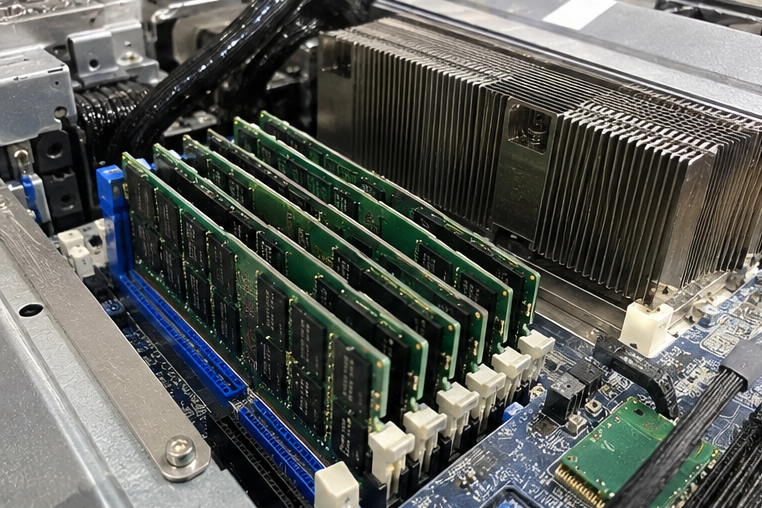
Understanding the difference between a system that merely powers on and one that remains stable under load is critical. Below, I break down how memory architectures behave when mismatched, why enterprise servers enforce strict rules, and how procurement managers should balance risk against component costs.
Why does RAM need to match across multi-channel architectures?
System integrators often face tight project deadlines and consider combining assorted memory sticks to fill empty motherboard slots. This practice quickly degrades memory bus throughput and compromises system responsiveness under multi-threaded applications. Understanding architectural memory requirements helps engineering teams prevent severe performance bottlenecks before deploying equipment to client facilities.
Modern processors require matched memory modules per channel to utilize symmetric multi-channel interleaving[^1]. When you install modules with uneven capacities or timings, the memory controller falls back to asynchronous flex mode[^2]. This fallback restricts multi-channel bandwidth to the shared capacity and relegates the remaining memory to slower single-channel operation.
The Mechanics of Memory Interleaving
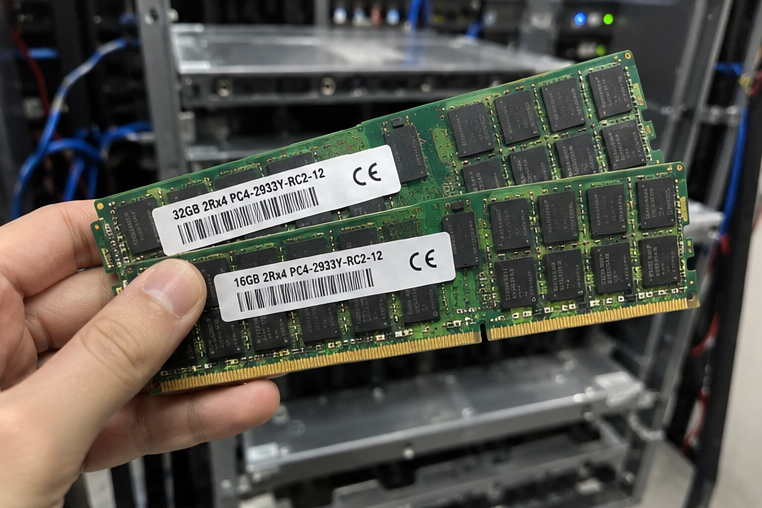
In my early days fielding technical inquiries for custom rackmount deployments, I watched a customer struggle with an unexpected 35% drop in memory throughput. The client had populated channel A with two 32GB sticks and channel B with two 16GB sticks of identical frequency. The system passed power-on self-test (POST), but database queries stalled under heavy query concurrency.
Modern memory controllers distribute read and write operations across multiple physical channels simultaneously. When matched DIMMs occupy these channels, the integrated memory controller (IMC) interleaves data across them in parallel stripes[^3]. This architecture doubles, quadruples, or octuples the theoretical memory bus width.
Symmetric Multi-Channel vs. Asynchronous Flex Mode
When modules do not match in density or architecture, the IMC cannot maintain continuous parallel data striping across the full physical address space. Instead, it engages an asynchronous flex mode.
| Operational Metric | Symmetric Dual-Channel Mode | Asynchronous Flex Mode |
|---|---|---|
| Module Configuration | Identical capacity, rank, and timings | Mismatched capacities (e.g., 16GB + 32GB) |
| Bus Utilization | 100% of memory runs at full bus width | Interleaved up to lowest module; remainder runs single-channel |
| Latency Consistency | Deterministic access times across all addresses | Variable access latency depending on addressed block |
| Throughput Penalty | 0% (Optimal line-rate performance) | Up to 40% bandwidth reduction on top memory addresses[^4] |
| Production Viability | Recommended for high-uptime deployments | Suitable only for non-critical workstations |
Flex mode permits the operating system to access the combined capacity, but it creates two distinct performance tiers within the same memory map. Once an application exhausts the lower interleaved memory pool and writes into the unmatched partition, throughput drops abruptly. For latency-sensitive workloads like real-time analytics or virtualization clusters, this variance causes erratic application behavior.
How does RAM need to match when mixing speeds, timings, and voltages?
Procurement teams frequently encounter situations where an identical memory SKU has been discontinued, leaving higher-speed alternatives as the only available inventory. Installing different memory generations or rated speeds into the same bank creates configuration uncertainties. Engineering teams must understand how the integrated memory controller reconciles divergent electrical specifications across modules.
Your RAM need to match operating voltage and primary JEDEC timings to guarantee baseline physical signaling integrity. When you mix different operational frequencies or Column Address Strobe (CAS) latencies, the motherboard BIOS forces all installed DIMMs to run at the frequency and latency of the slowest module present.
The Lowest Common Denominator Rule
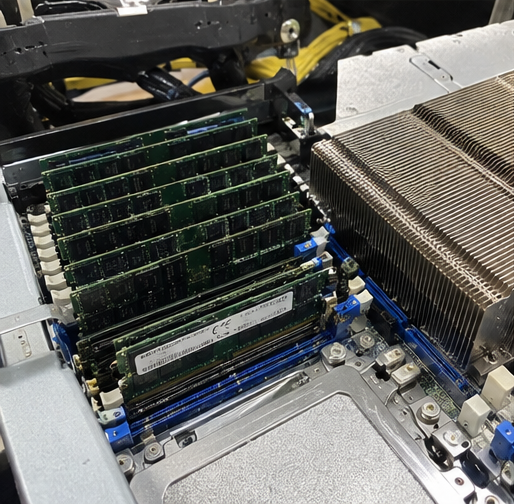
Memory modules contain a Serial Presence Detect (SPD) EEPROM chip[^5]. This chip stores factory-certified operational profiles adhering to JEDEC Solid State Technology Association standards. During the POST sequence, the BIOS queries the SPD chip on every installed module.
If you install one DDR4-3200 CL22 module alongside a DDR4-2666 CL19 module, the memory controller downclocks the faster module to 2666 MHz[^6]. It also loosens timing parameters to match the highest stable latency profile. You pay a premium for faster memory, yet receive the performance profile of the slowest module in the system.
Electrical Signaling and Voltage Incompatibilities
While frequency downclocking is automated, electrical voltage mismatches pose a much more severe operational hazard:
- Signaling Jitter: Mixing memory kits with different internal silicon revisions introduces trace impedance variations across the motherboard. This causes reflection noise on high-frequency data lines.
- Voltage Starvation: Standard DDR4 runs at 1.2V[^7], but high-performance modules often require 1.35V. If a system defaults to 1.2V, the higher-rated module suffers from erratic bit-flipping under load.
- Thermal Imbalance: Over-volting a lower-tier stick to stabilize a mixed set generates excess heat, accelerating silicon degradation in high-density rack enclosures.
Memory bus margins shrink dramatically at modern transfer rates like DDR5-4800 and above[^8]. Any signal degradation caused by mismatched sub-timings (such as tRCD, tRP, and tRAS) forces the controller to request frequent data retransmits, degrading overall computational throughput.
When does RAM need to match strictly in enterprise server environments?
Enterprise operations cannot absorb the silent operational failures that desktop systems tolerate. A desktop user facing a memory-related operating system crash simply restarts their computer, losing minimal data. In commercial deployments, uncorrected hardware exceptions interrupt client services and corrupt backend transaction logs.
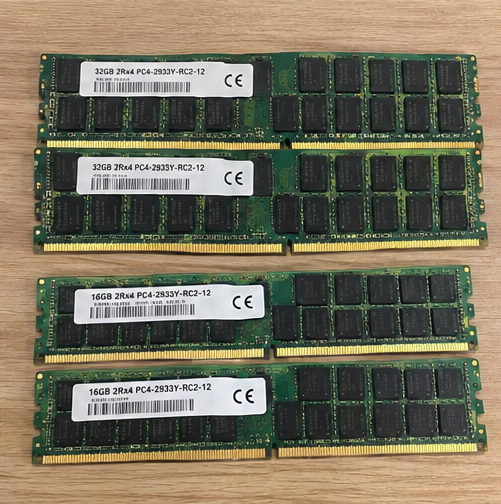
In server and commercial infrastructure, memory must match strictly across capacity, rank structure, and buffering technology. Enterprise platforms enforce rigid hardware population guidelines because Registered DIMMs (RDIMMs), Load-Reduced DIMMs (LRDIMMs), and Error-Correcting Code (ECC) modules cannot interoperate within the same memory subsystem.
Physical and Architectural Incompatibilities
Enterprise server motherboards use specialized memory topologies to manage massive signal loads across dozens of physical slots. Here, the question of whether modules must match transitions from a performance consideration to a strict physical constraint.
Enterprise Server Memory Compatibility Rules:
├── Unbuffered DIMMs (UDIMMs)      --> Cannot be mixed with RDIMMs or LRDIMMs
├── Registered DIMMs (RDIMMs)      --> Cannot be mixed with LRDIMMs or UDIMMs
├── Load-Reduced DIMMs (LRDIMMs)  --> Cannot be mixed with RDIMMs or UDIMMs
└── ECC vs. Non-ECC Modules        --> Cannot operate together on the same system bus
RDIMMs use an onboard hardware register to buffer address and command lines[^9], reducing electrical loading on the processor. LRDIMMs buffer both command lines and data lines, allowing systems to support dense multi-rank configurations. These two technologies utilize fundamentally incompatible signaling handshakes. Mixing them prevents the server from completing POST.
Memory Rank Limitations and Channel Balancing
Server processors from Intel and AMD define precise limits for physical memory ranks per channel (such as 1R, 2R, 4R, or 8R). A memory rank is an independent block of DRAM chips that shares the same chip-select signal[^10]:
- Rank Overloading: Exceeding the maximum allowed ranks per channel causes the memory controller to drop the operational bus frequency significantly[^11]. In severe cases, the controller disables the entire channel.
- Slot Population Order: Server OEM documentation mandates exact slot population sequences. Uneven rank distribution between memory channels triggers balance warnings and disables platform memory fault-tolerance modes.
- Support and Service Level Agreements: Tier-one server vendors condition enterprise hardware warranties on Qualified Vendor List (QVL) compliance. Using unverified, mixed memory modules can invalidate mission-critical OEM support agreements.
How should procurement teams decide if RAM need to match for hardware upgrades?
Hardware buyers constantly weigh procurement lead times against component compatibility guarantees. When a critical expansion project faces component lead times of several weeks, field engineers often propose utilizing available legacy inventory. Managing this trade-off requires a clear risk-assessment framework rooted in operational exposure.
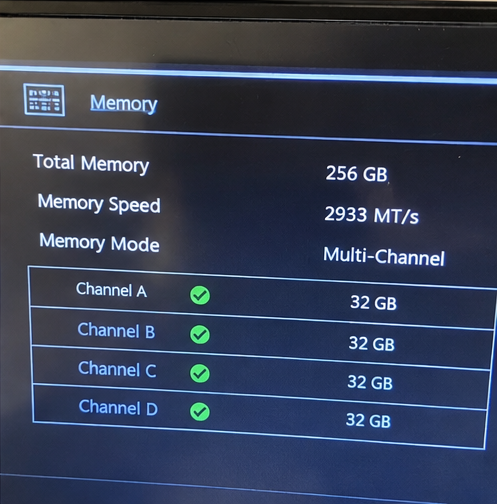
Procurement teams must evaluate memory matching based on workload criticality, total cost of ownership, and vendor support boundaries. Commercial infrastructure should rely entirely on matched, factory-tested memory kits, while mixed-module configurations should be restricted to non-critical development testbeds.
A Structured Decision Framework for Technical Buyers
Before approving mixed-module configurations to save on short-term hardware expenses, evaluate your upgrade against these procurement criteria:
- Workload Criticality Assessment: Categorize the destination node. Mission-critical database engines, virtualization hosts, and core network controllers must use matched memory kits. Secondary development nodes can tolerate mixed modules if voltages and JEDEC baselines match.
- Platform Compatibility Review: Cross-reference the motherboard Qualified Vendor List (QVL). Verify that the targeted memory part numbers are certified to operate together across multi-DIMM-per-channel configurations.
- Lifecycle and Reorder Availability: Procure from OEM/ODM partners capable of guaranteeing consistent bill-of-materials (BOM) sourcing. Sourcing generic retail sticks leaves deployments vulnerable to internal silicon changes across production batches.
- Operational Cost Accounting: Calculate the real cost of hardware downtime. A minor cost savings on mismatched memory is entirely erased if an uncorrected memory error causes two hours of unplanned infrastructure downtime.
In professional hardware procurement, peace of mind comes from predictable operational behavior. Field failures caused by signal-margin degradation cost far more in support labor and brand reputation than the initial savings realized from repurposing miscellaneous memory sticks.
Frequently Asked Questions
Can you mix different RAM brands if specifications are identical?
Yes, systems will usually boot if both modules share identical voltage, capacity, frequency, and JEDEC sub-timings. However, different manufacturers use different DRAM dies and printed circuit board layouts. These physical variations can introduce minor signaling inconsistencies that elevate bit-error rates under sustained compute loads.
What happens if you install RAM modules with different capacities?
The system boots, but the memory controller switches from true symmetric multi-channel mode into asynchronous flex mode. The capacity of the smaller module runs in high-speed multi-channel mode alongside an equal portion of the larger module. The leftover capacity operates in slower single-channel mode.
Does mixing RAM void enterprise server hardware warranties?
Mixing unsupported memory types or populating channels outside vendor QVL specifications does not void the base warranty, but it complicates technical support. Enterprise hardware vendors often refuse to troubleshoot platform instability until the memory configuration matches their certified server design guide.
Can you mix ECC and non-ECC RAM on the same motherboard?
No, you cannot combine ECC and non-ECC memory modules within the same system[^12]. Most enterprise motherboards will halt during POST if they detect mixed error-correcting architectures. Workstation platforms that support both types require you to install either all ECC or all non-ECC modules.
Conclusion
The question of whether your RAM need to match depends on your operational deployment standards. While consumer PCs can boot using mixed capacities and speeds, commercial server infrastructure demands strictly matched memory kits to preserve multi-channel throughput, prevent signaling instability, and uphold hardware warranties.
At our manufacturing facilities, we design and produce enterprise server hardware, custom edge computing platforms, and high-efficiency data center systems built for uninterrupted commercial operation. Contact our technical pre-sales engineering team today to review your hardware specifications, validate your memory configurations, and source fully matched, production-grade enterprise compute solutions.
[^1]: "Multi-channel memory architecture", https://en.wikipedia.org/wiki/Multi-channel_memory_architecture. See computer systems architecture literature on multi-channel memory hierarchies and bus interleaving across symmetric physical memory channels. Evidence role: mechanism; source type: education. Supports: Multi-channel memory controllers require matched capacity and configuration per channel to establish symmetric address interleaving.. [^2]: "Multi-channel memory architecture", https://en.wikipedia.org/wiki/Multi-channel_memory_architecture. Documented in processor family technical specifications describing asymmetric dual-channel memory configurations and flex mode addressing. Evidence role: mechanism; source type: institution. Supports: Memory controllers support asymmetric multi-channel operation where matched address spaces interleave while residual capacity runs in single-channel mode.. Scope note: Vendor-specific naming varies across processor architectures, though the asymmetric fallback mechanism is functionally equivalent. [^3]: "Interleaved memory", https://en.wikipedia.org/wiki/Interleaved_memory. Described in computer architecture research on memory controller scheduling and channel-level parallelism. Evidence role: mechanism; source type: paper. Supports: Data interleaving distributes contiguous memory addresses across independent channels to aggregate memory bus width.. [^4]: "1x32GB vs 2x16GB vs 4x8GB RAM | Single vs Dual Channel", https://www.youtube.com/watch?v=hr6p1tqeM3M. Supported by empirical memory subsystem evaluations measuring synthetic bandwidth differentials between interleaved and non-interleaved memory segments. Evidence role: statistic; source type: research. Supports: Theoretical and empirical throughput differences between multi-channel interleaved and single-channel non-interleaved address spaces.. Scope note: Realized throughput reduction depends heavily on memory access patterns, bus frequency, and memory-bound characteristics of specific workloads. [^5]: "Serial presence detect", https://en.wikipedia.org/wiki/Serial_presence_detect. Defined in JEDEC Standard No. 21-C and related SPD data structure specifications for DDR SDRAM modules. Evidence role: definition; source type: institution. Supports: JEDEC specifications define Serial Presence Detect EEPROM contents for communicating DRAM timing parameters to system firmware.. [^6]: "How bad is mixing RAM : r/buildapc", https://www.reddit.com/r/buildapc/comments/1wgpp0t/how_bad_is_mixing_ram/. Documented in technical reference manuals for system firmware and motherboard memory initialization procedures. Evidence role: mechanism; source type: encyclopedia. Supports: System firmware automatically configures the memory bus to the lowest supported frequency and loosest common timings among all installed modules.. [^7]: "DDR4 SDRAM", https://en.wikipedia.org/wiki/DDR4_SDRAM. Specified in JEDEC Standard JESD79-4, 'DDR4 SDRAM Specification'. Evidence role: definition; source type: institution. Supports: The standard supply voltage (VDD) for standard DDR4 SDRAM modules is defined at 1.2V.. [^8]: "(LP)DDR5 MEMORY INTERFACE SIGNAL INTEGRITY DEBUGGING ...", https://www.rohde-schwarz.taipei/data/activity/file/1754544378792111093.pdf. Corroborated by high-speed digital design studies analyzing channel loss and inter-symbol interference at DDR5 transmission rates. Evidence role: general_support; source type: paper. Supports: High-frequency DDR5 signaling operates with tighter timing budgets, reducing signal-to-noise ratios and voltage eye margins on the memory bus.. [^9]: "LRDIMM vs. RDIMM: Key Differences", https://equaloptics.com/lrdimm-vs-rdimm-key-differences/. Detailed in semiconductor memory interface research and JEDEC module design guidelines for server DDR memory topologies. Evidence role: mechanism; source type: paper. Supports: Registered DIMMs buffer control and address lines while Load-Reduced DIMMs buffer both control and data paths to minimize capacitive loading.. [^10]: "Memory rank", https://en.wikipedia.org/wiki/Memory_rank. Standardized under JEDEC solid-state memory terminology definitions and computer engineering reference manuals. Evidence role: definition; source type: institution. Supports: A DRAM rank constitutes an independently addressable 64-bit (or 72-bit with ECC) data block accessed via a dedicated chip select signal.. [^11]: "Server memory population rules for HPE ProLiant RL300 Gen11", https://www.hpe.com/services/hpe/pdf/a50006892enw. Outlined in enterprise server memory population guidelines and processor platform design manuals. Evidence role: mechanism; source type: institution. Supports: Loading multiple ranks per channel increases bus capacitance, compelling memory controllers to step down transfer rates to maintain signal margins.. [^12]: "ECC memory", https://en.wikipedia.org/wiki/ECC_memory. Detailed in computer engineering coursework and hardware design guides on fault-tolerant memory systems. Evidence role: mechanism; source type: education. Supports: ECC modules require additional data bits (72-bit bus vs. 64-bit bus), preventing concurrent operation with unbuffered non-ECC modules on the same memory controller.. Scope note: Certain workstation chipsets allow ECC modules to boot in non-ECC mode if all modules are unbuffered, but mixed population on the same bus remains unsupported.
发表回复